Employee leave summary
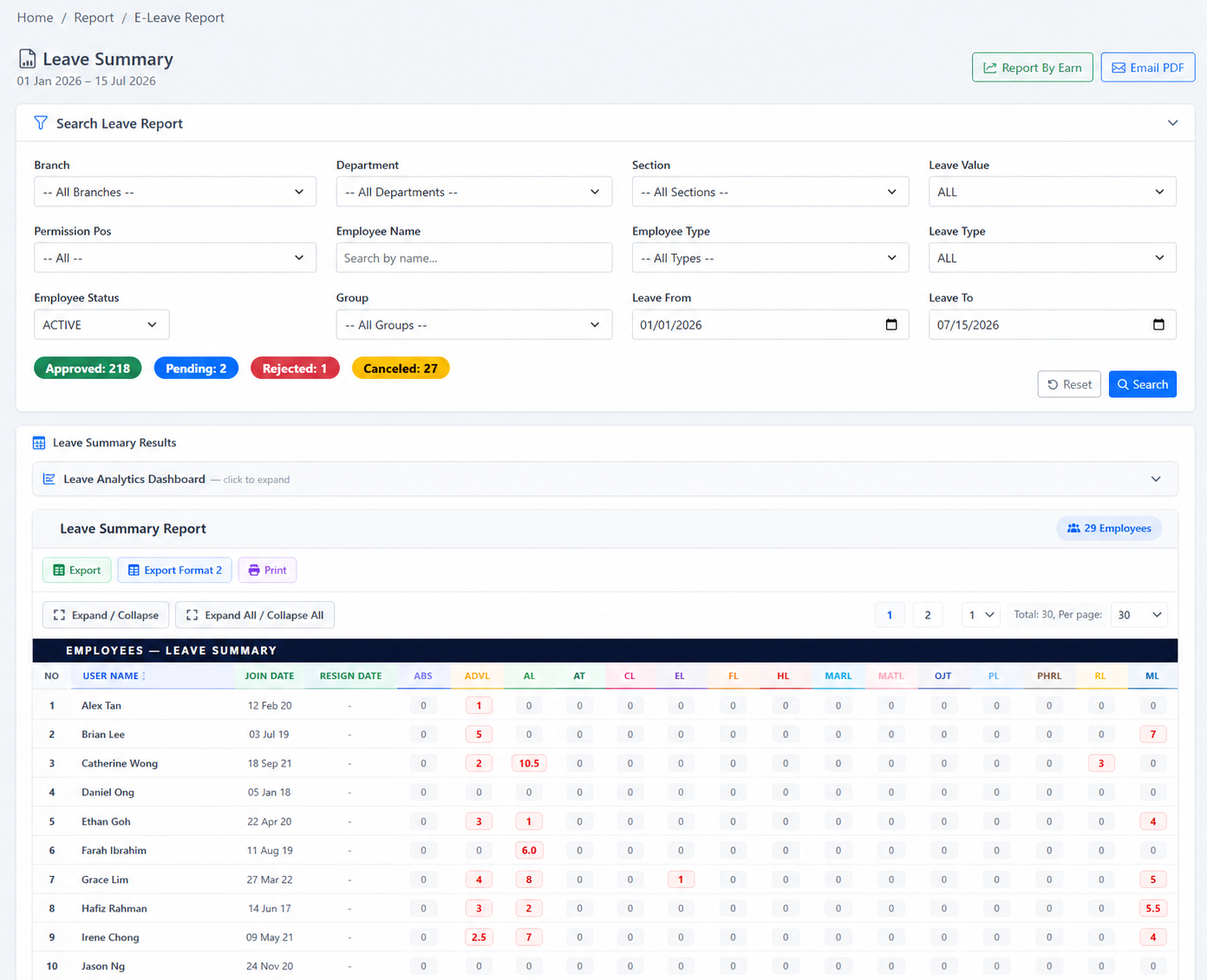
Review each employee’s entitlement, leave taken and remaining balance for the selected period and filters.
Review employee entitlement, taken days and balances while using dashboards, unpaid-leave analytics, calendars and filtered PDF delivery for management follow-up.
Use summary reports for employee balances, dashboards for patterns, UPL reporting for unpaid leave and calendars for date-based planning.
Review each employee’s entitlement, leave taken and remaining balance for the selected period and filters.
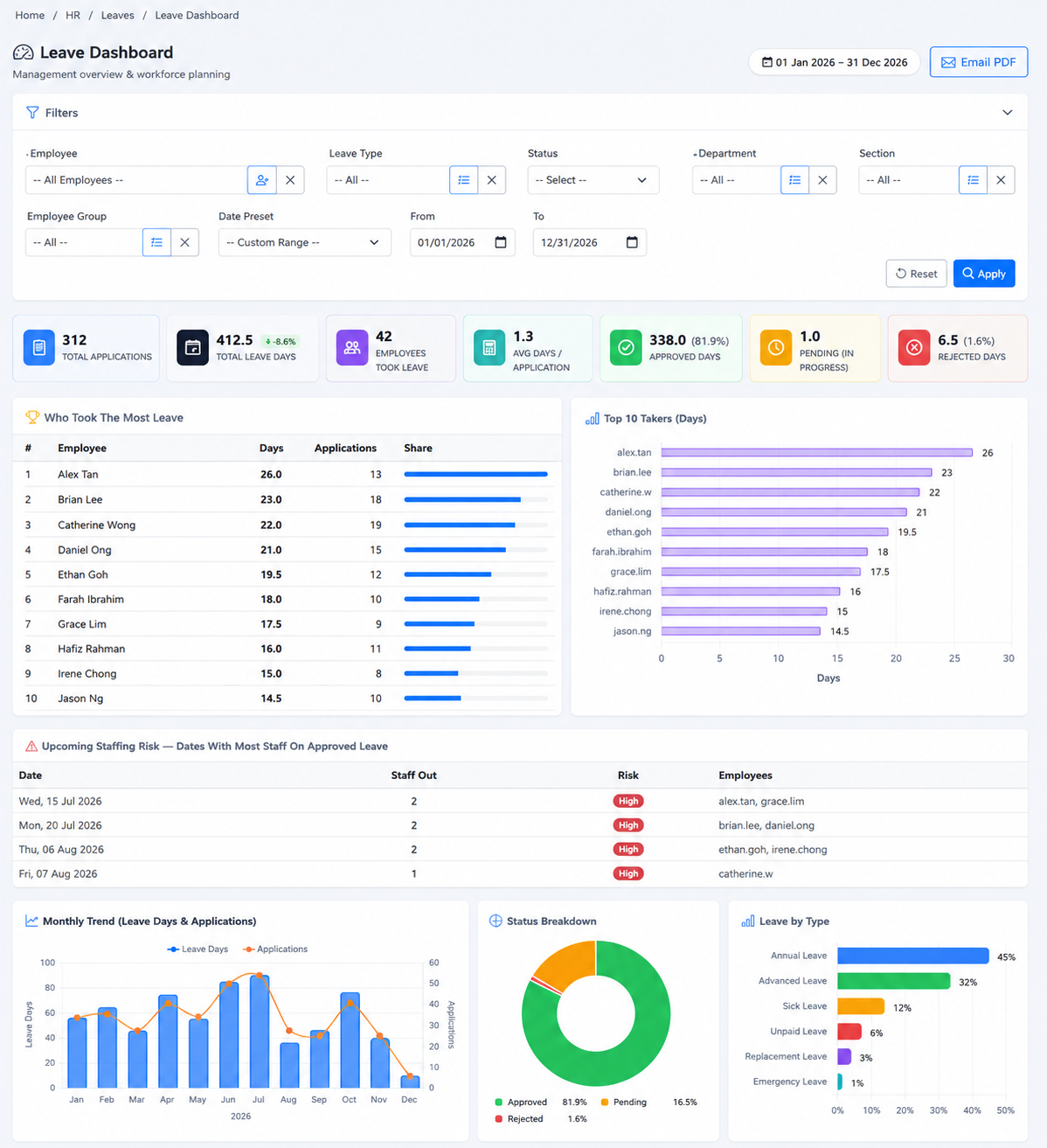
Review headline leave KPIs, leave-by-type information and wider usage patterns.
Identify employees with higher leave usage in the filtered dashboard view.
Use dashboard information to support workforce planning around periods of concentrated leave.
Review MC or medical-leave information and day-of-week patterns where available.
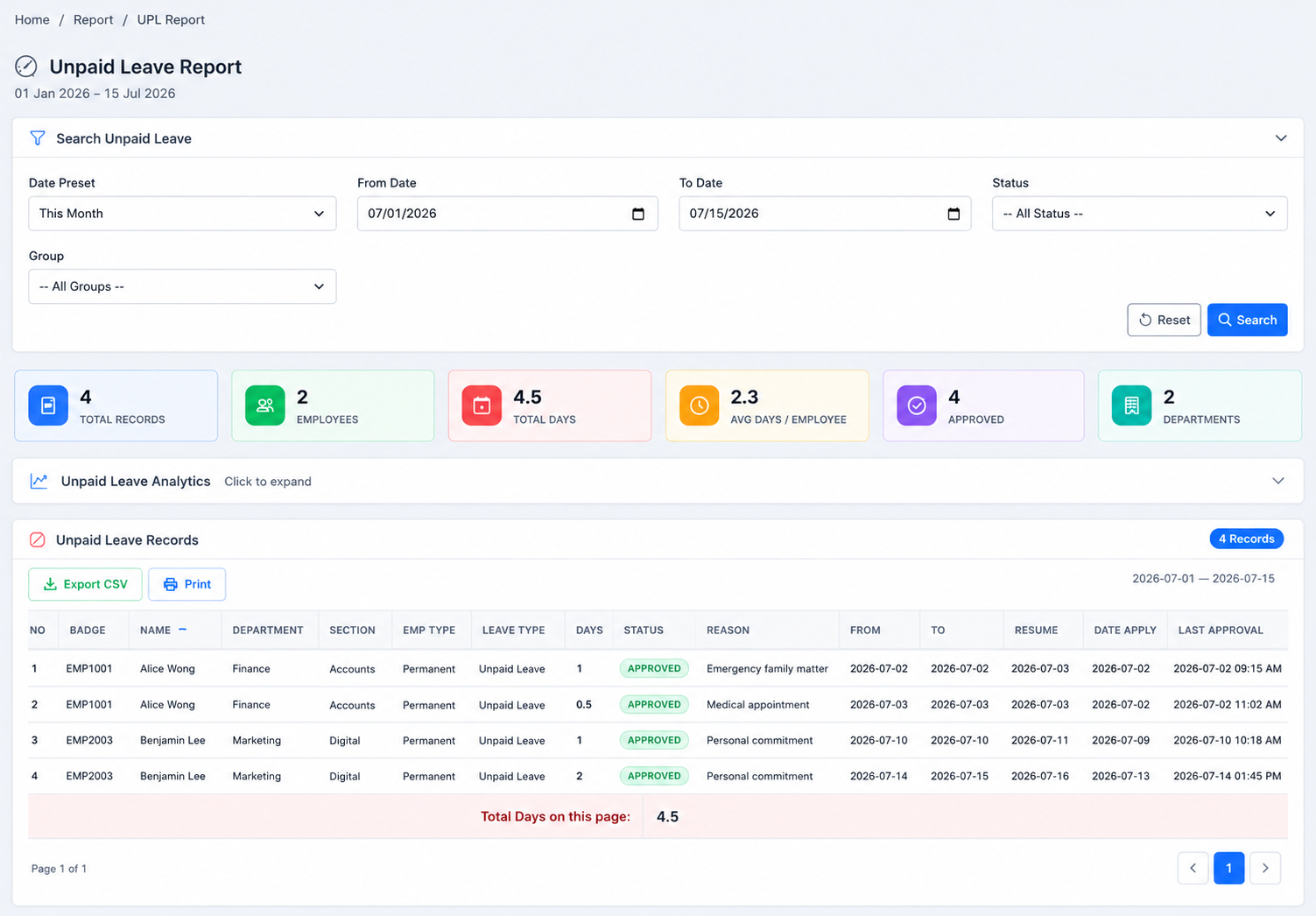
Analyse unpaid-leave days, department distribution and day-of-week patterns.
Generate reporting based on the selected date range and available organisational filters.
Send the current leave summary or dashboard view as a PDF attachment through the configured email channel.
Review leave, company holidays and events in a date-based operational view.
The screenshots below show the actual e-Leave screens associated with this workflow.
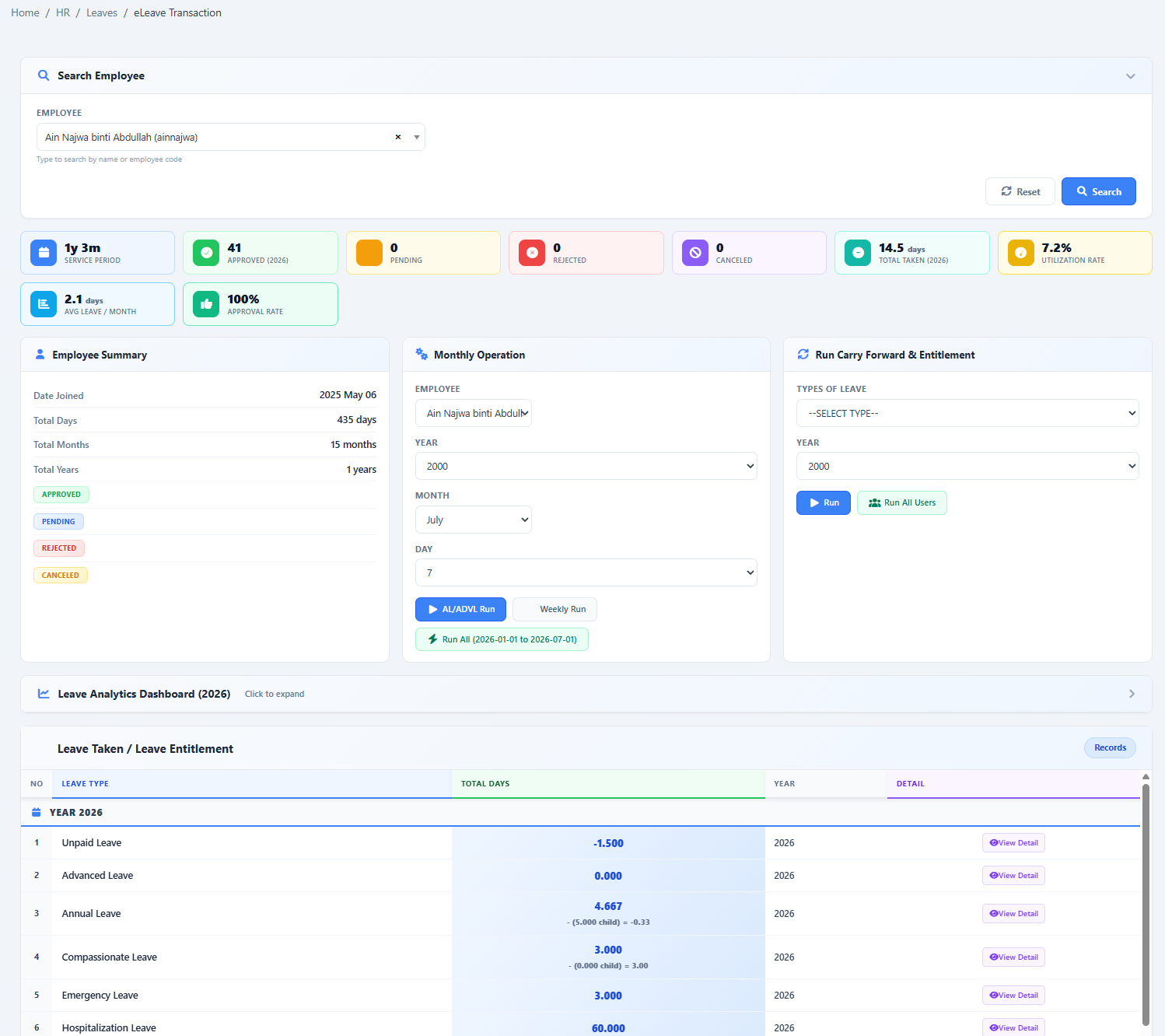
Accurate reporting depends on configured entitlements, approved applications and properly recorded adjustments or year-end transactions.
HR can move from a broad dashboard to a focused, shareable report without rebuilding the information manually.
Show us your current leave policy and we’ll demonstrate how it can be configured in HRM.my.