Keep your domains, licenses, contracts, subscriptions, insurance, rental agreements, and office services organised in one place. HRM.my helps your team track expiry dates, set reminders, store files, save URLs, and manage renewal instructions clearly and efficiently.
Important renewals are often handled by different departments, vendors, portals, and email threads. HRM.my Asset & Renewal Management gives your team one structured place to monitor due dates, reminders, documents, instructions, and follow-up actions before anything expires.
Your domain name is your company’s online identity. If it expires, your website, email, landing pages, and digital campaigns may be affected.
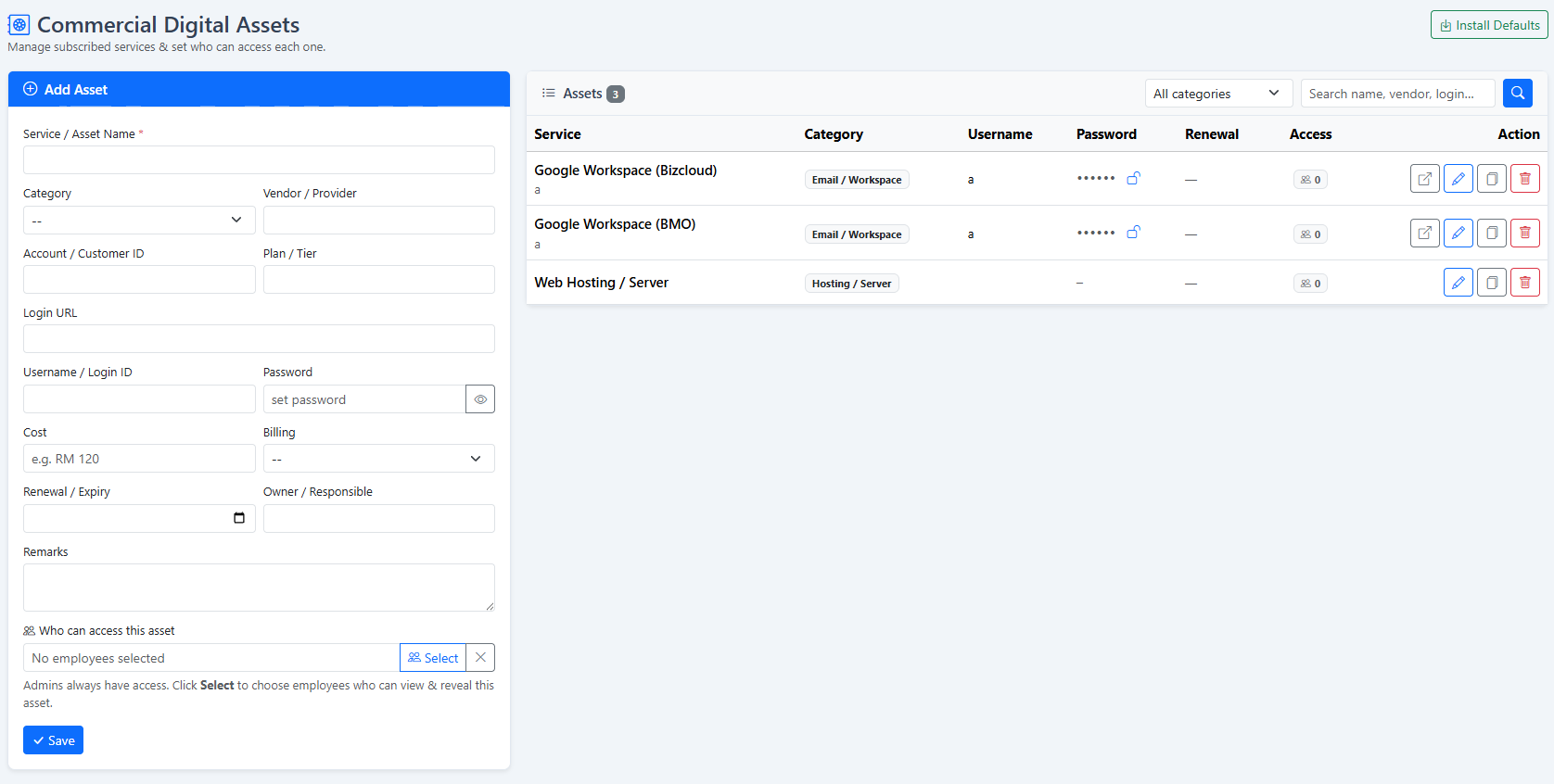
Many businesses depend on cloud hosting, SaaS tools, accounting systems, HR systems, security tools, and internal platforms to operate smoothly.
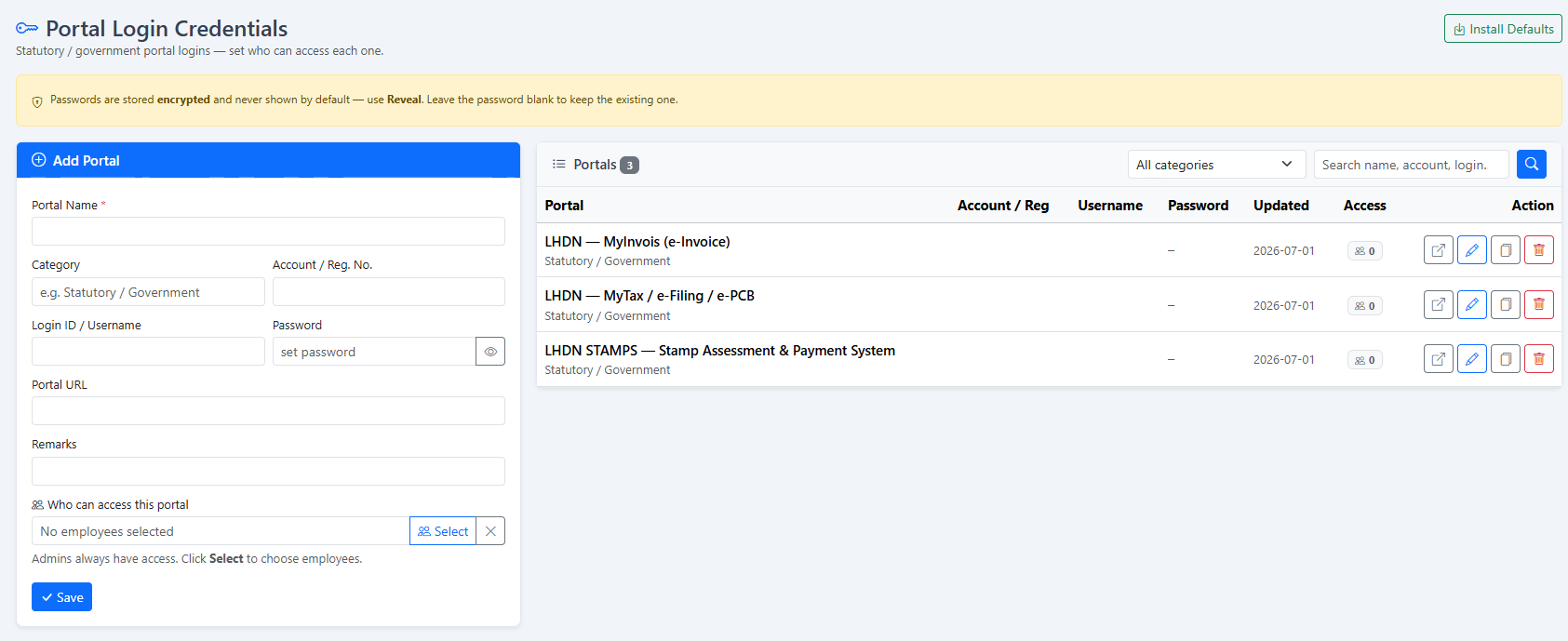
Business licenses, certificates, compliance documents, and registrations often need timely renewal to avoid operational, audit, or administrative issues.
Office rental, insurance policies, maintenance services, internet plans, cleaning contracts, and other service renewals can be tracked clearly in one system.
Asset and renewal tracking is not just an admin task. It protects your company from downtime, service interruption, expired compliance documents, and unnecessary follow-up stress.
Built to help HR, admin, finance, and management teams track important documents and renewals more efficiently.
Store important forms, templates, contracts, policies, renewal records, and reference documents in one organised system.
Group records by category such as domain renewal, HR documents, agreements, licenses, insurance, rental, office services, or internal templates.
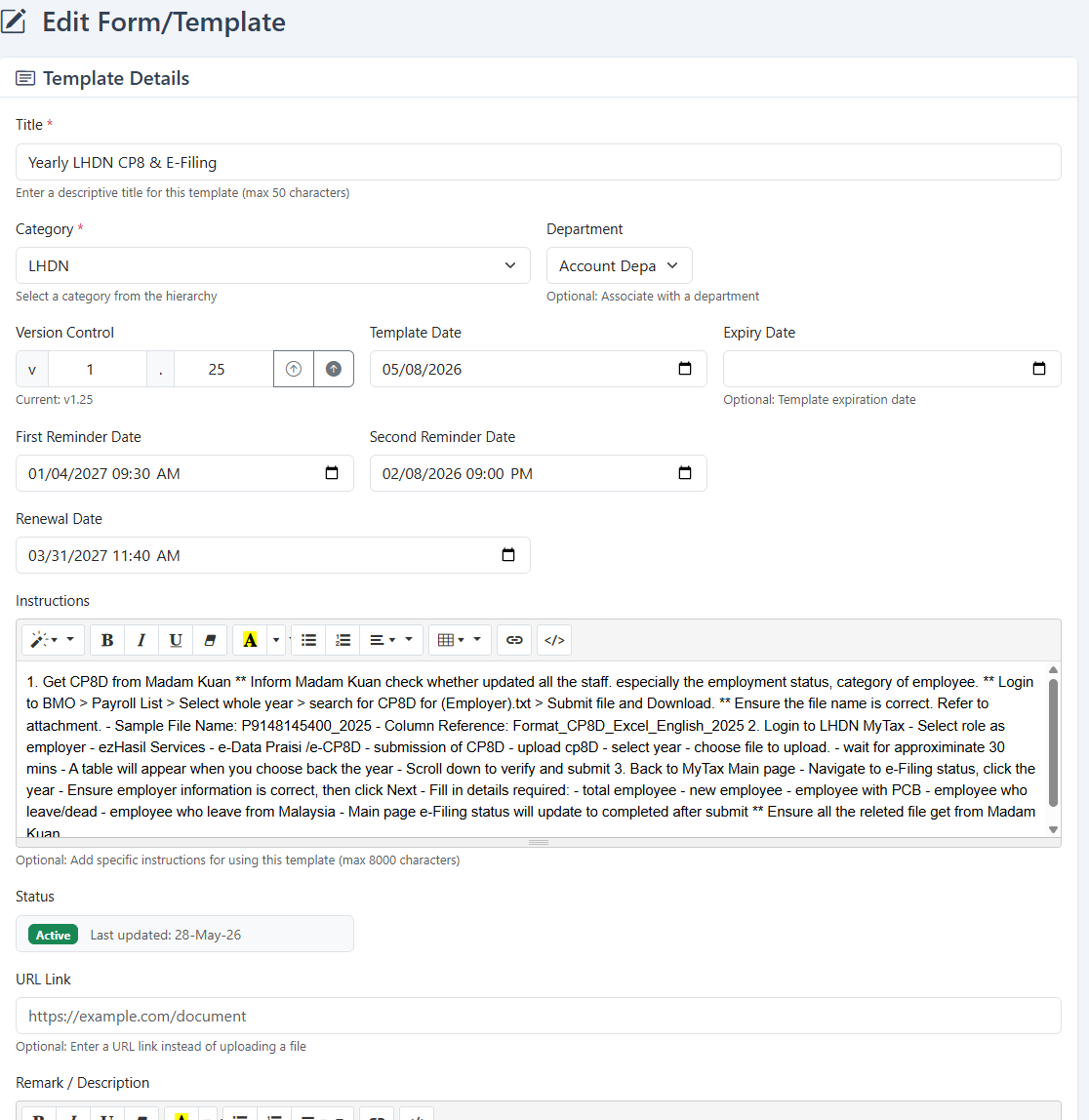
Add expiry dates and renewal dates so your team can plan ahead before important services or documents expire.
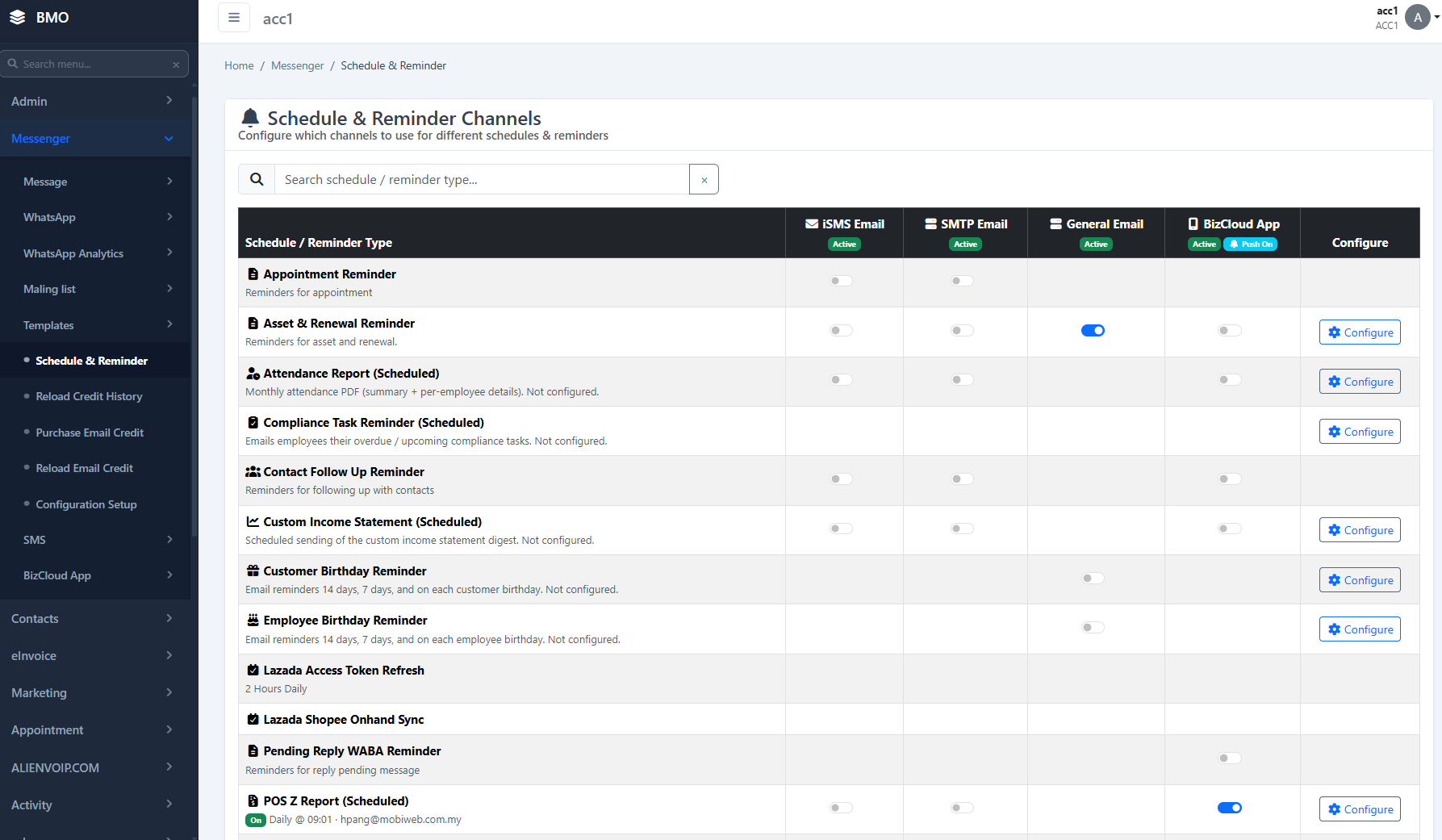
Set reminder dates before the renewal deadline so the responsible team has enough time to prepare approval, payment, or document updates.
Upload files such as PDF, DOC, XLS, PPT, JPG, or PNG, or save an external URL link for online portals and reference pages.
Maintain version numbers such as v1.0 or v1.1, making it easier to identify the latest approved template, contract, or document version.
Add internal instructions such as login steps, payment flow, approval process, person-in-charge notes, or renewal guidelines.
Quickly search by title, remark, category, department, date range, and other criteria to locate records faster.
Admin users can add, edit, update, save, and manage records through a clean form layout with simple action buttons.
The process is simple for HR, admin, finance, IT, operations, or management teams.
Create a new record by entering the title, category, department, template date, expiry date, renewal date, and internal instructions.
Example: Domain renewal, software license renewal, rental agreement, or company certificate.
Upload the related document or insert an external URL link such as a vendor portal, billing page, cloud storage link, or reference webpage.
Example: Upload PDF agreement or add supplier portal link.
Use the list page, calendar, reminders, and status tracking to follow up before expiry. Your team can update the record once renewal is completed.
Example: Renew before expiry and update the next renewal date.
Suitable for many types of business documents, service renewals, and internal templates.
Renewal and document tracking may look simple, but missing one important date can lead to business disruption, service suspension, late payment, compliance issues, or unnecessary admin stress.
Common questions about HRM.my Asset & Renewal Management.
It is used to manage company documents, templates, renewal records, expiry dates, reminders, file attachments, URL links, and internal instructions in one centralised system.
Yes. You can create categories such as Domain Renewal, Hosting Renewal, Software Subscription, License Renewal, Agreement Renewal, Insurance Renewal, Rental Agreement, or any other category that fits your business.
Yes. You can attach files such as PDF, DOC, DOCX, XLS, XLSX, PPT, PPTX, JPG, and PNG, depending on your system configuration.
Yes. If the record is linked to an online portal, payment page, cloud folder, or reference page, you can save the external URL for easier access.
Yes. You can set first reminder and second reminder dates to help your team follow up earlier before the actual expiry or renewal deadline.
Yes. Records can be associated with departments such as HR, Admin, Finance, IT, Sales, Operations, or Management.
Yes. The list page allows users to search and filter by category, title, remark, department, date range, and other available fields.
No. Although it is part of HRM.my, the module can also help admin, finance, IT, operations, and management teams track important business documents and renewal items.
Keep every important asset, document, renewal date, reminder, file, URL, and instruction in one easy-to-manage HRM.my platform.
Request Demo