Leave types and codes
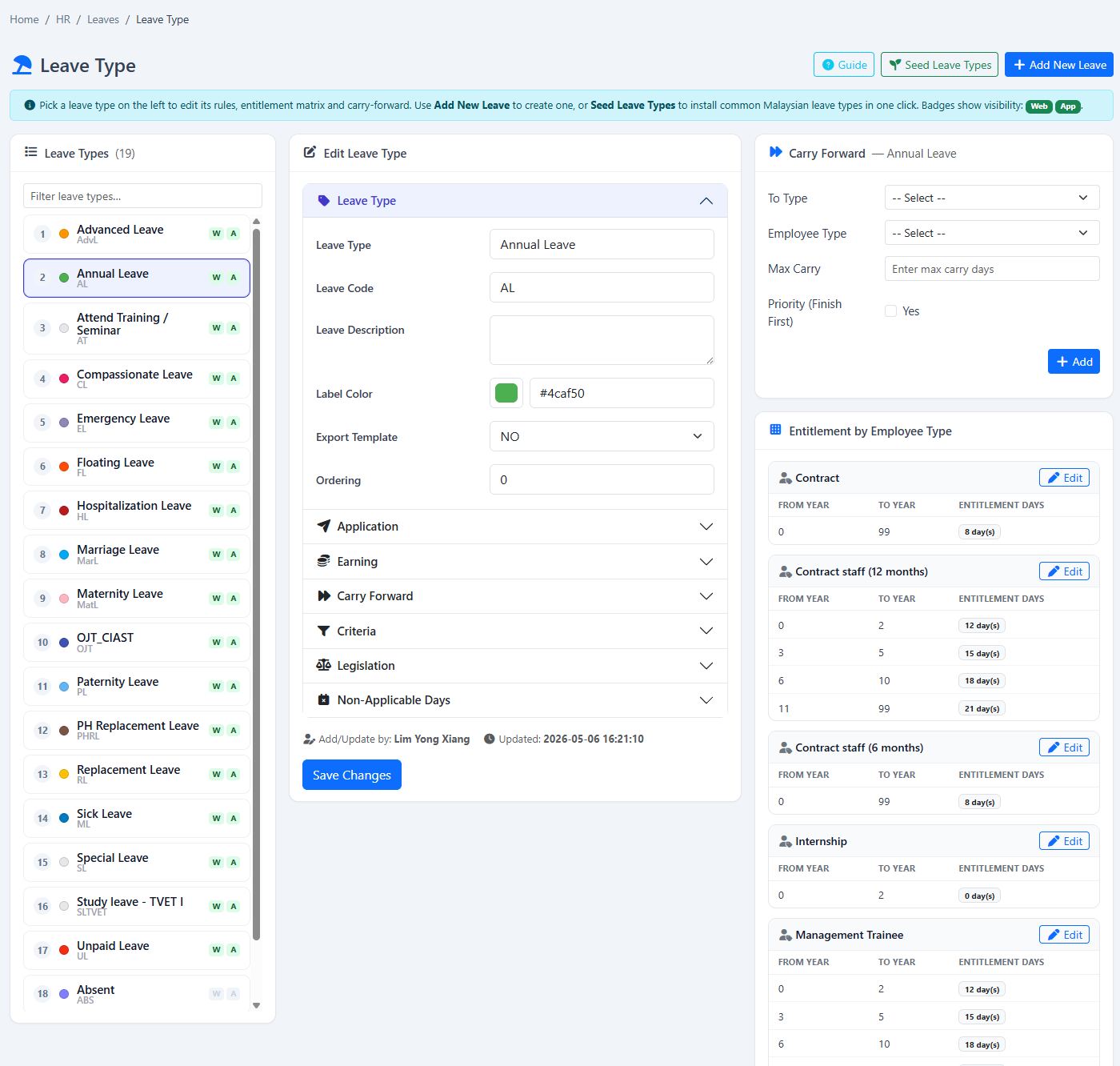
Create distinct leave types with names, codes, descriptions, colours and display order.
Define who receives each leave type, how much they receive, when it becomes available and what conditions must be met before an application can proceed.
A leave type combines its own behaviour with an entitlement matrix that determines the days available to each employee type and tenure band.
Create distinct leave types with names, codes, descriptions, colours and display order.
Set entitlement days separately for each employee type.
Increase or change entitlement through configured from-year and to-year bands.
Release entitlement yearly, monthly, weekly or through another supported configuration.
Load the configured entitlement when an employee is registered instead of waiting for accrual.
Control how far before or after a leave date the employee may apply.
Link a leave type to a parent pool and optionally require the parent to have balance.
Configure employee self-application, supervisor application, gender, marital or other supported conditions.
Require an attachment, relief personnel or emergency contact for selected leave types.
Configure maximum application values and whether a leave type may go below zero.
Decide whether each leave type is available through the website or supported app workflow.
Record paid or deduction-related treatment and supported statutory indicators for the leave type.
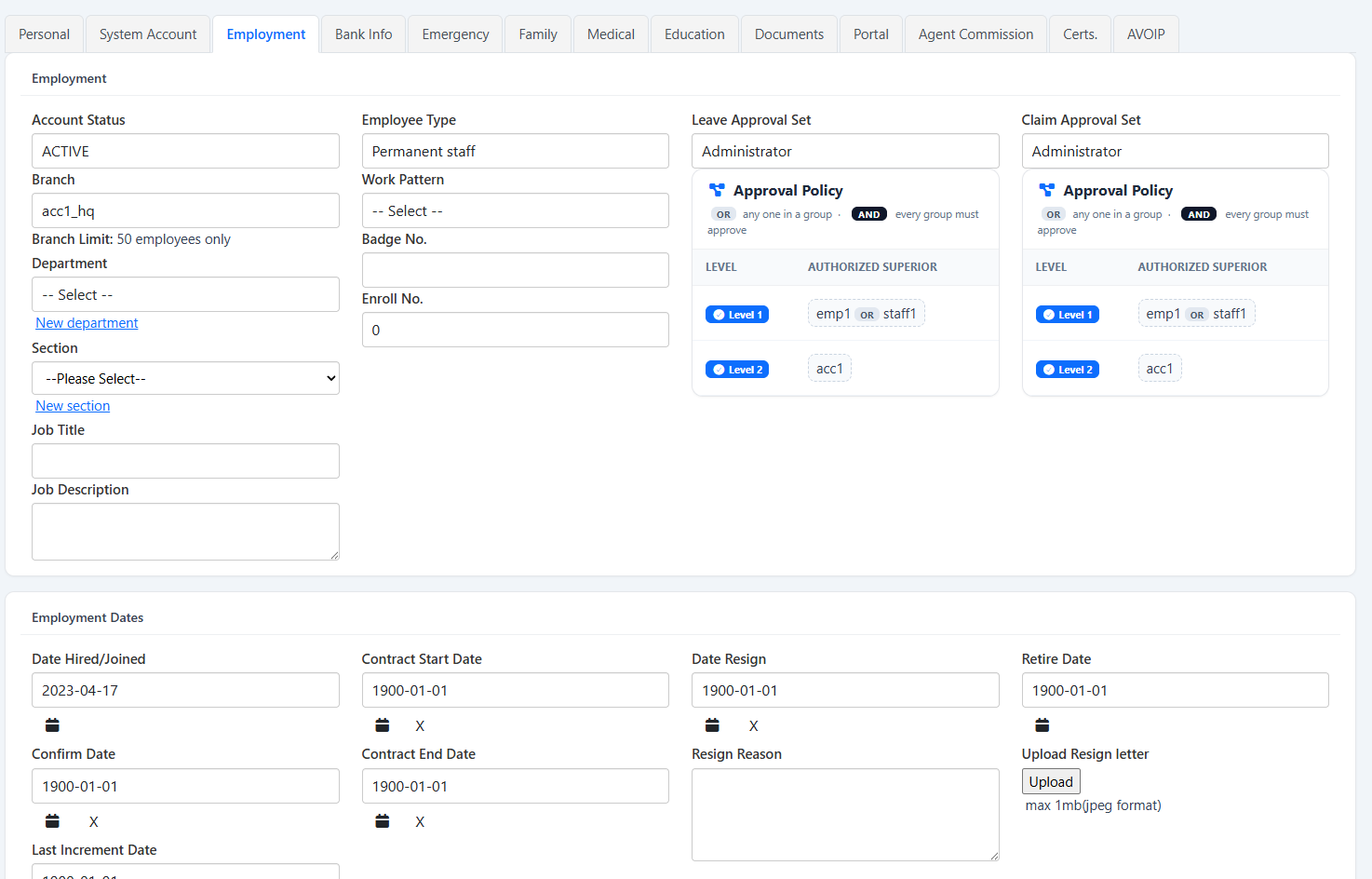
The screenshots below show the actual e-Leave screens associated with this workflow.
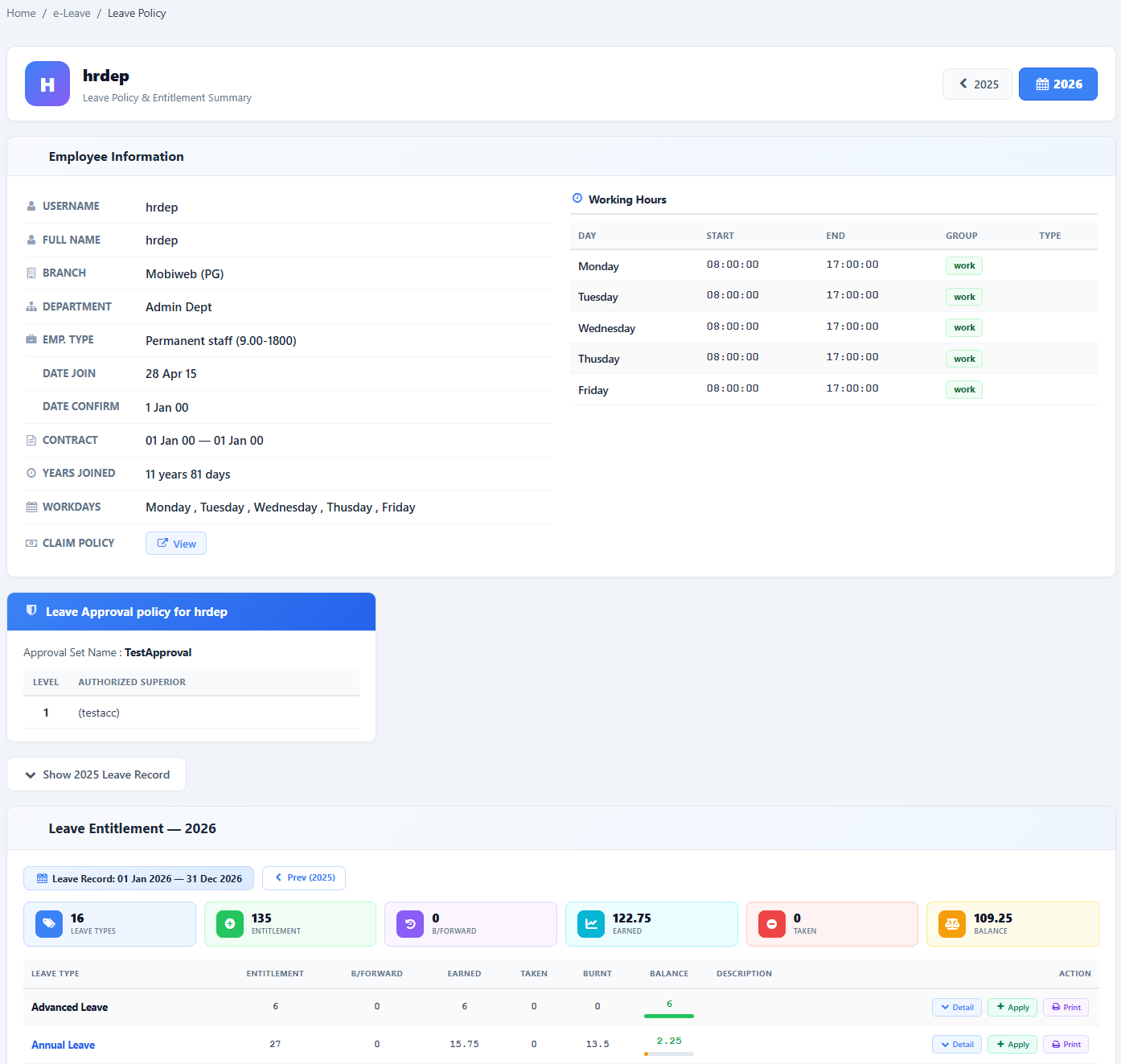
Eligibility, entitlement and payroll treatment can affect employee balances and downstream work, so the configuration should match approved company policy.
Start with the leave behaviour, then define how different employee groups receive and use it.
Show us your current leave policy and we’ll demonstrate how it can be configured in HRM.my.