Homee-LeaveHR Administration Tools
e-Leave administration and exception handling

Give HR controlled tools for exceptions, corrections and company events.

Handle the work that sits outside a normal employee application: bulk balance adjustments, holiday management, colleague applications, transaction corrections and year-end burn.

Included in the HRM.my e-Leave module
Handle changes in bulkAdjust multiple employee balances through one controlled process.
Manage company datesMaintain holidays, events, imports and corporate calendar information.
Keep an audit trailRecord reasons and transactions behind manual HR actions.
Detailed capabilities

Practical controls for real-world leave administration.

HR can correct balances and handle company-wide events without bypassing the transaction history that supports later reporting.

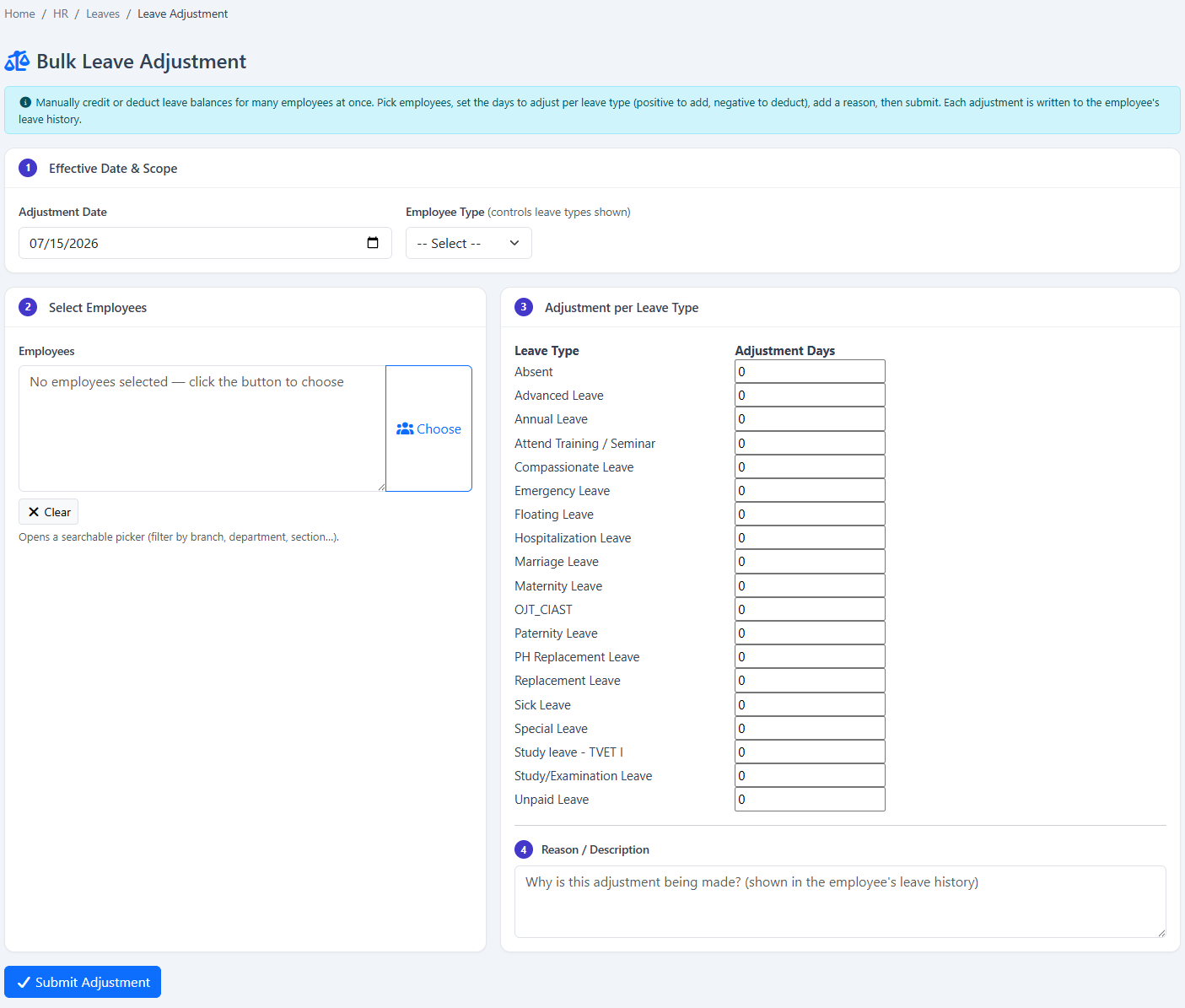
Bulk leave adjustment

Credit or deduct leave for multiple selected employees and leave types in one submission.

Adjustment reasons

Record why the balance changed and retain the reason in employee leave history.

Employee-type selection

Use employee type and employee selection to target the people affected by an adjustment.

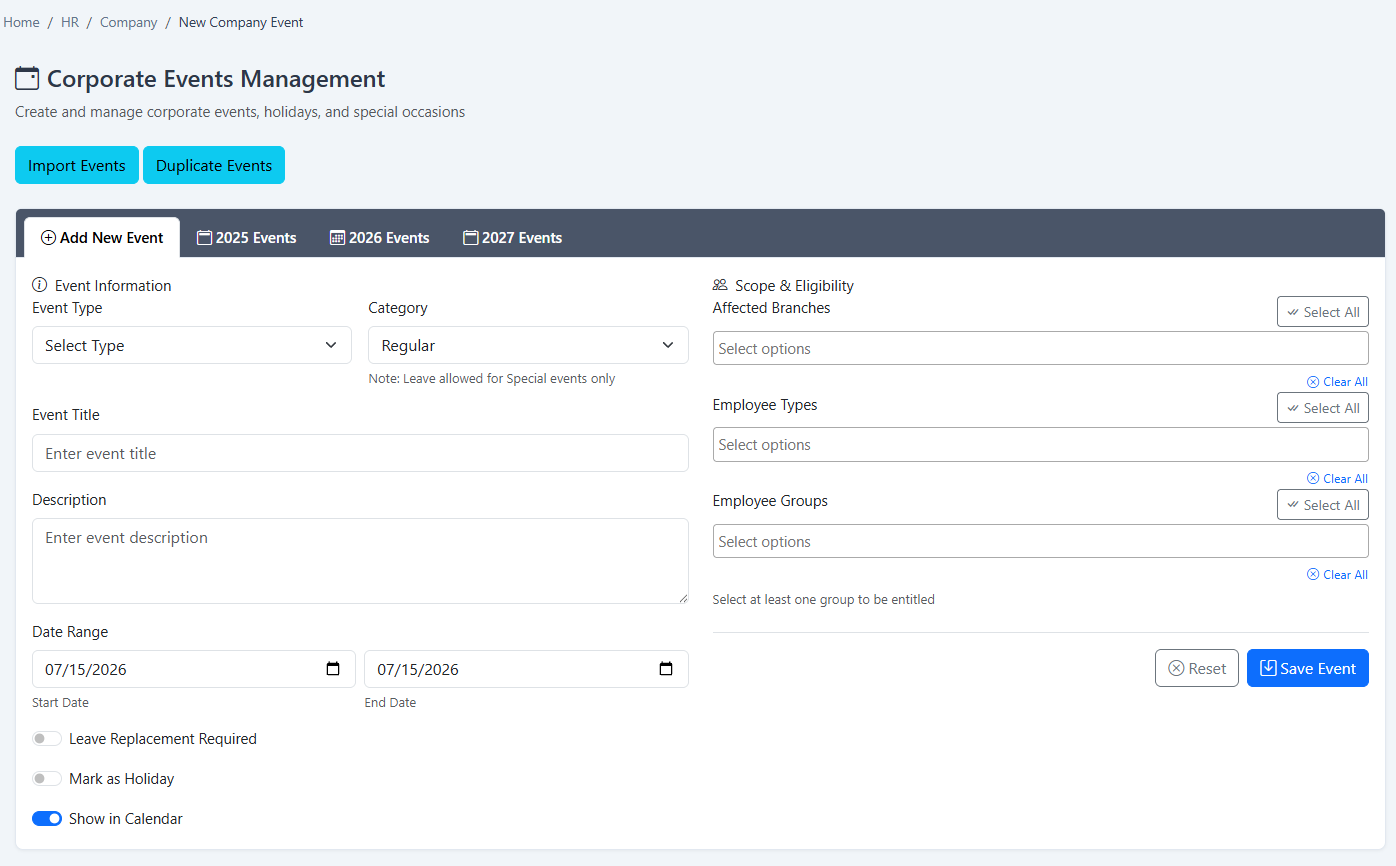
Holiday and event records

Maintain public holidays, corporate holidays and other company events.

Import and duplicate events

Import holiday information or duplicate events when preparing a new period.

Export holidays

Export configured holiday information for review or downstream use.

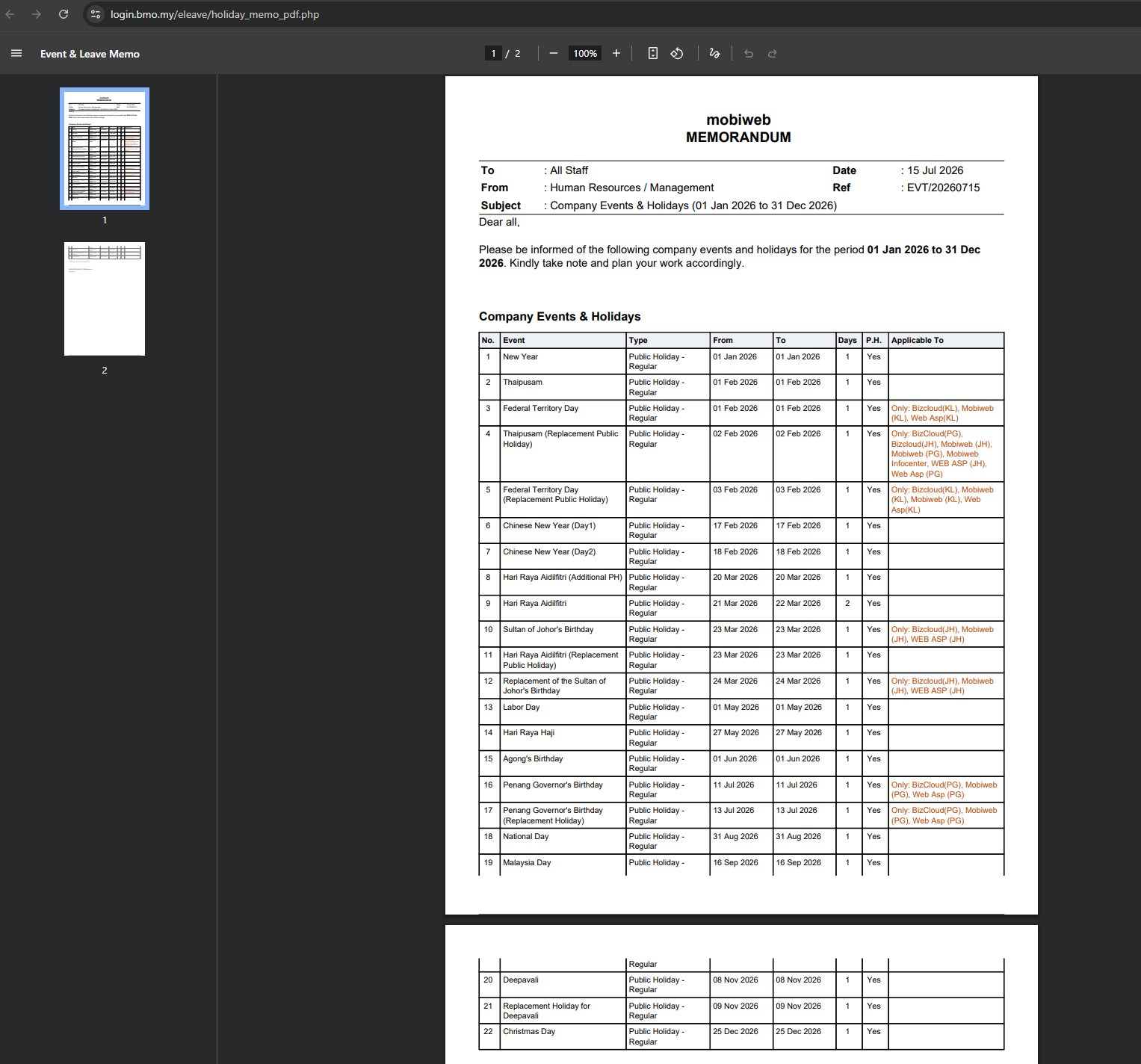
Generate holiday memo

Produce a PDF event or holiday memo with company, title, subject, reference and notes.

Apply for an employee

Let authorised HR or supervisors submit leave on behalf of a colleague.

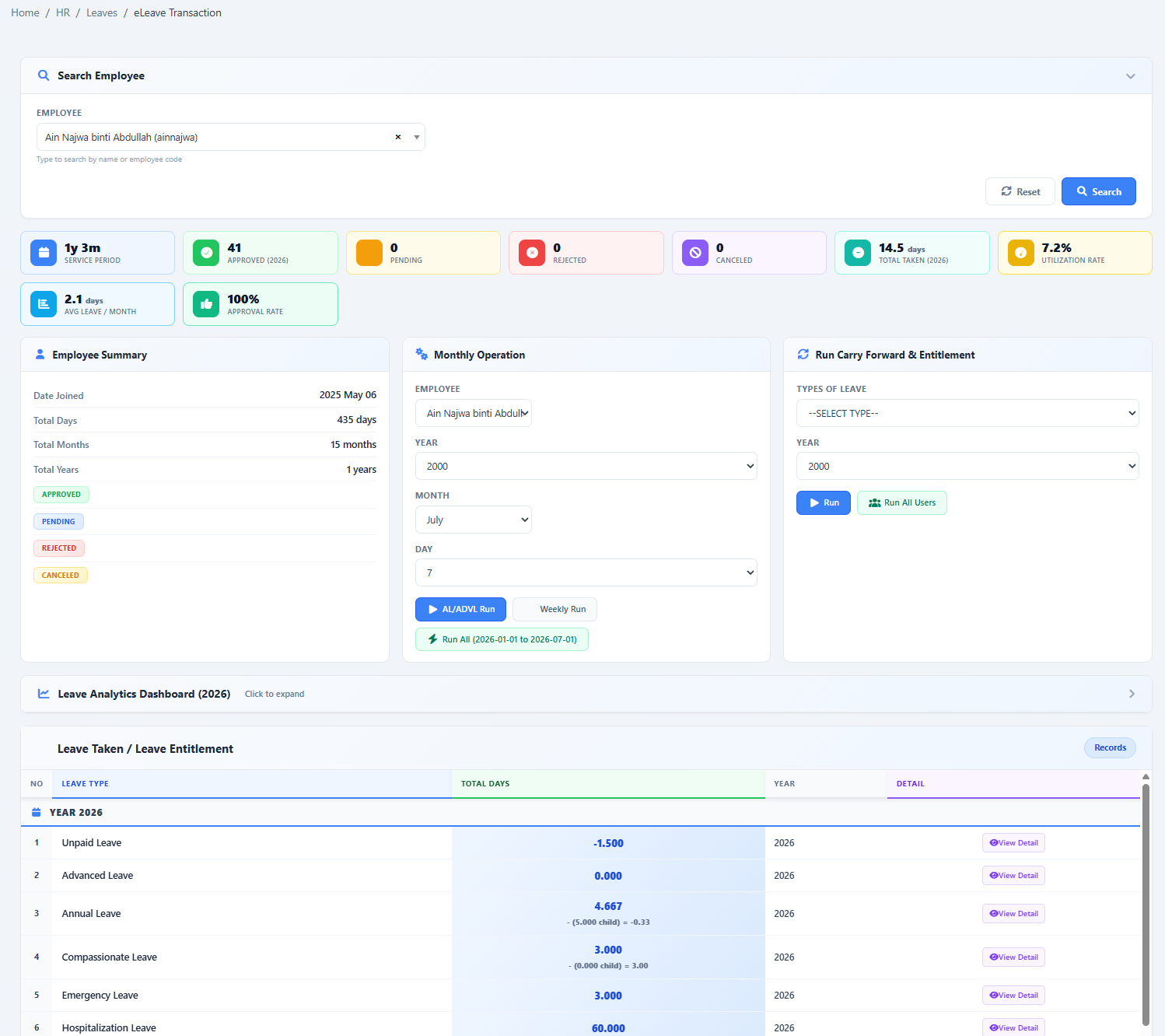
Leave transaction adjustment

Review and manually correct leave transaction records when authorised.

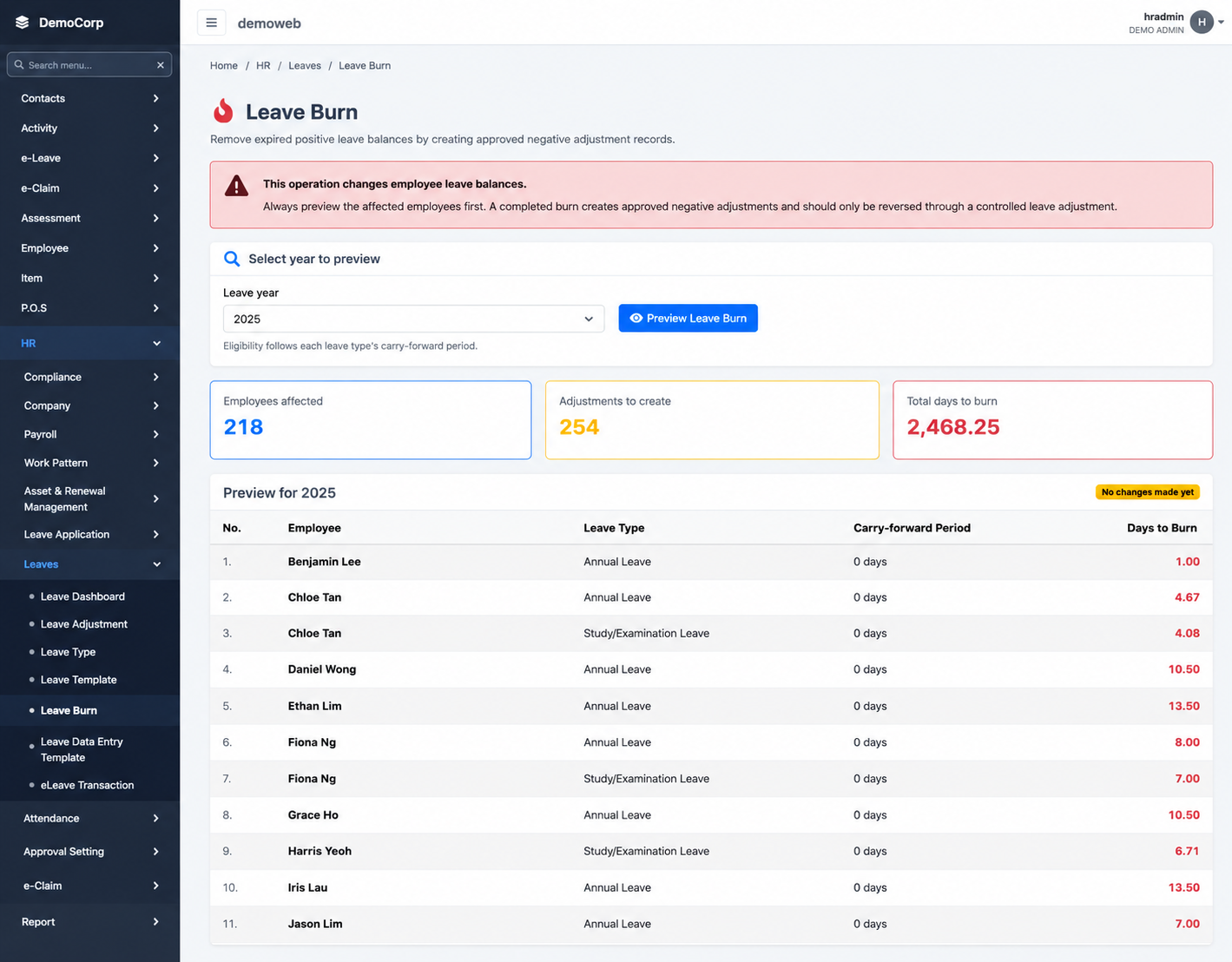
Manual leave burn

Preview eligible balances for a selected year and confirm burn adjustment records.

Corporate calendar link

Move from holiday administration into a shared calendar view of company activity.

Dashboard follow-up

Use leave dashboards and reports to confirm the effect of administrative actions.

Inside HRM.my e-Leave

See the feature in the software.

The screenshots below show the actual e-Leave screens associated with this workflow.
HRM.my generated company holiday memo PDF
Holiday memo generationGenerate a company event and holiday memorandum for the selected period.
HRM.my special holiday management screen
Special and sudden holidaysAdd corporate or special holidays when company schedules change.
HRM.my manual leave burn administration screen
Manual leave burnPreview and confirm year-based leave-burn records through an authorised process.
HRM.my manual leave transaction management
Leave transaction managementReview and adjust authorised leave transactions while preserving history for reporting.
Important configuration details

Manual tools should remain controlled and explainable.

Administrative actions can directly affect balances and reporting, so permissions, reasons and review steps matter.

Positive adds; negative deductsBulk adjustment values can credit or deduct a leave balance, so authorised users should review them carefully.
Adjustments enter leave historyEach submitted adjustment is recorded against the employee for later review.
Burn should be previewed firstThe manual burn process provides an eligibility preview before records are created.
Typical workflow

Handle an exception without losing the record behind it.

The exact fields vary by task, but each administration flow is designed to capture who, what, when and why.

  1. 1
    Choose the administration taskSelect adjustment, holiday, colleague application, transaction correction or leave burn.
  2. 2
    Select the affected recordsChoose employees, leave types, dates, events or the applicable leave year.
  3. 3
    Enter reason and detailsProvide the values and supporting explanation required by the task.
  4. 4
    Submit and verifyReview employee history, calendar, dashboard or reports to confirm the result.
Available in the e-Leave module

Give HR better tools for the leave cases that need human control.

Show us your current leave policy and we’ll demonstrate how it can be configured in HRM.my.

Request a demonstration View module pricing