Same-type carry-forward
Roll eligible unused days from one year into the same leave type for the next year.
Configure same-type rollover, caps, application conditions, cross-type transfer and scheduled leave burn instead of handling every year-end balance in a spreadsheet.
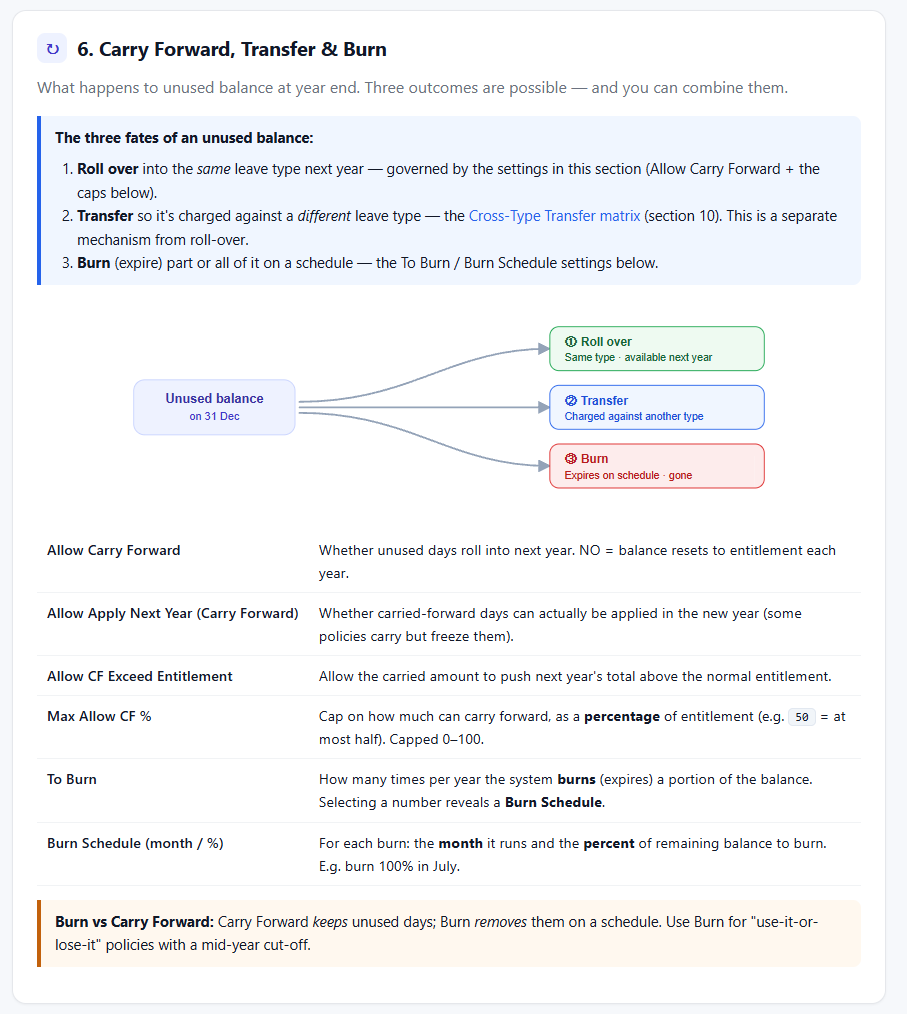
Normal carry-forward keeps days in the same leave type. Cross-type rules and leave burn are separate controls with their own timing and administration.
Roll eligible unused days from one year into the same leave type for the next year.
Control whether the carried balance can be used in the new year.
Set an absolute day limit for the amount allowed to roll forward.
Cap the carried amount as a percentage of normal entitlement.
Decide whether carry-forward may push the new-year total above normal entitlement.
Limit how long a carried balance remains available before it becomes eligible for expiry.
Configure one leave type to absorb eligible usage from another through the supported reconciliation process.
Cross-type transfer is distinct from normal year-to-year rollover.Use configured priority and maximum-transfer values where supported by the reconciliation setup.
Choose how many burns occur and the schedule used to expire a percentage of remaining balance.
Review eligible positive balances for a selected year before confirming a manual burn.
Correct or adjust employee balances with a reason recorded in leave history.
Keep carry, burn and adjustment effects visible through leave transactions and reporting.
The screenshots below show the actual e-Leave screens associated with this workflow.
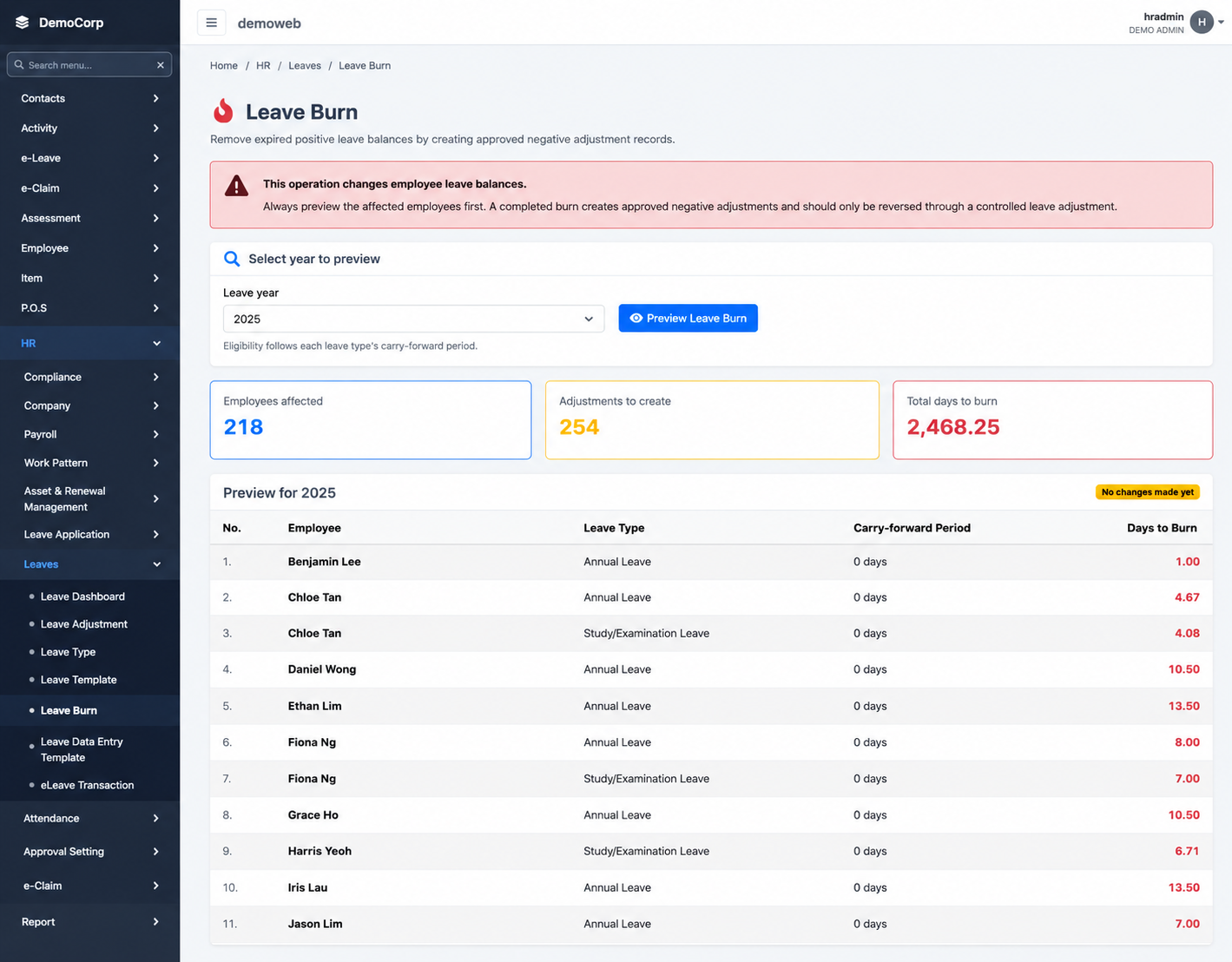
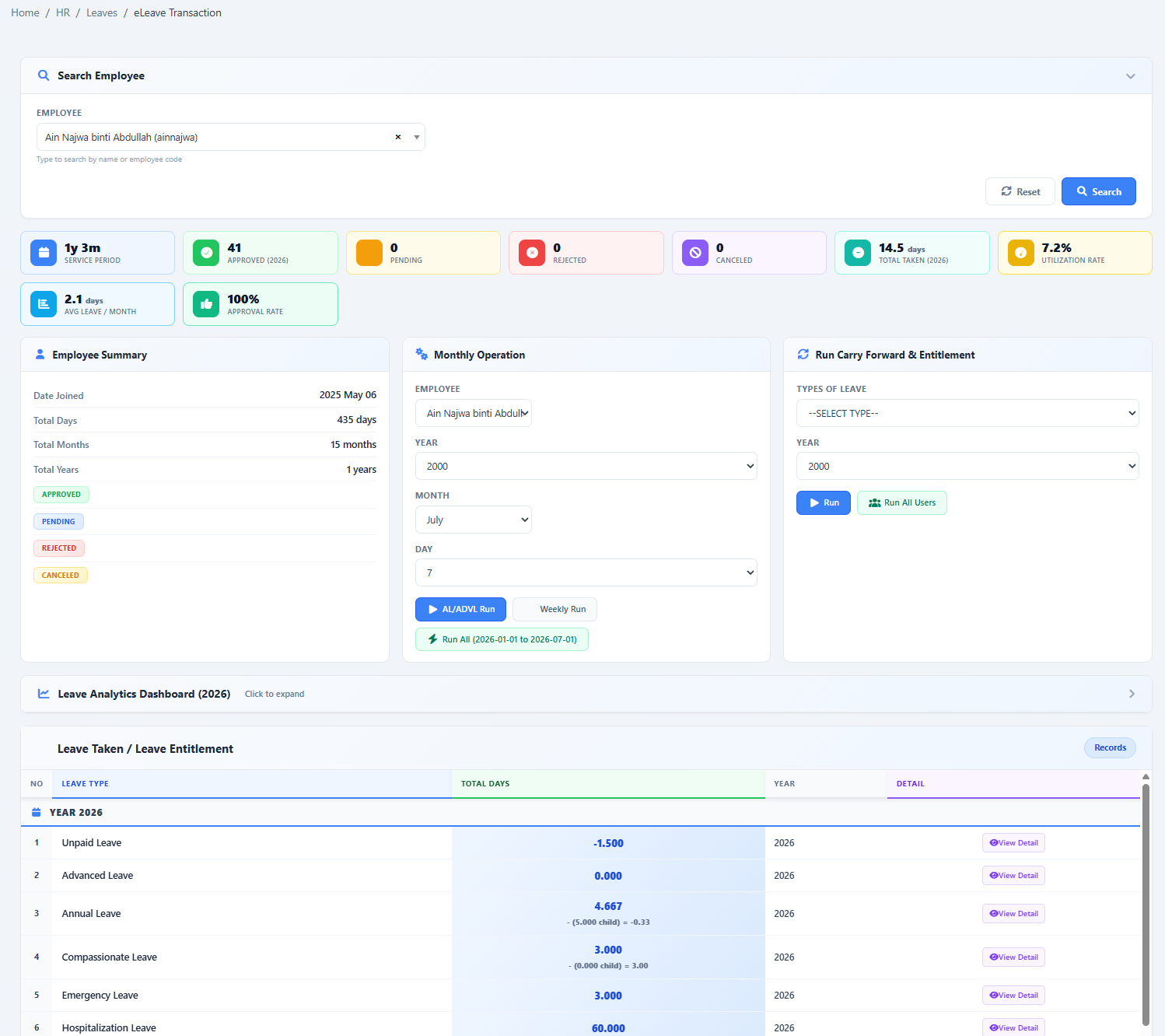
Each mechanism changes balances differently. Confirm caps, timing and administrative processes before relying on them for a year-end close.
The chosen steps depend on whether the company rolls days forward, transfers usage to another pool or expires the balance.
Show us your current leave policy and we’ll demonstrate how it can be configured in HRM.my.