Homee-LeaveApproval Workflows
Multi-level leave approval workflow

Route every leave request through the right decision makers.

Build group-based approval structures with multiple levels and AND or OR decision logic, then let authorised managers act through the supported web, email and mobile workflows.

Included in the HRM.my e-Leave module
Consistent routingSend requests through the approval structure assigned to the employee.
Flexible decision logicSupport approval by several people or any one eligible person.
Faster actionGive managers more than one supported way to review requests.
Detailed capabilities

Approval controls for simple and complex organisations.

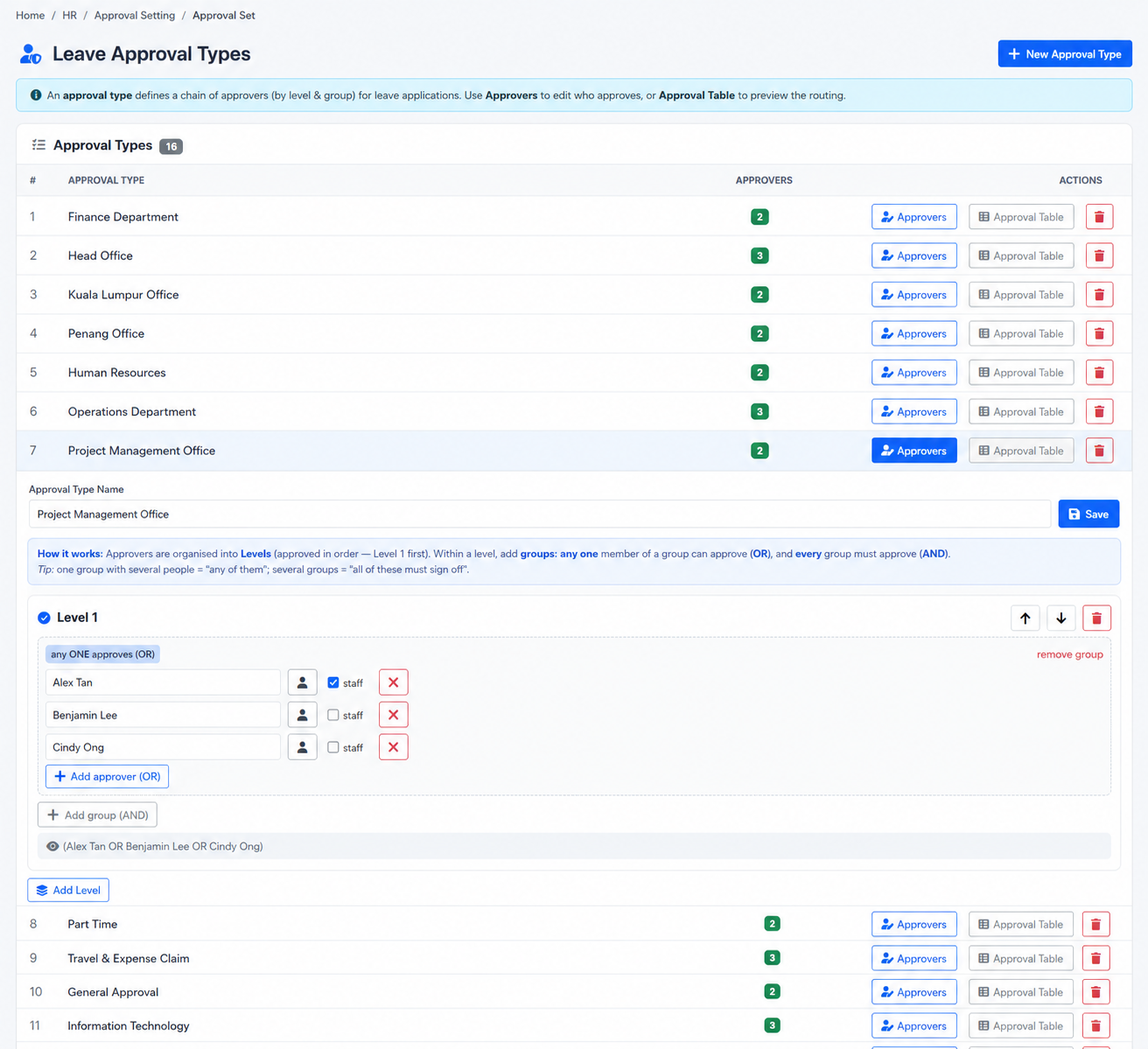
Approval sets can reflect employee groups, multiple management levels and different decision requirements instead of relying on one universal approver.

Multi-level approvals

Arrange approvers across more than one level when a request needs sequential review.

Group-based approvers

Use employee or approver groups to represent teams, departments or management responsibilities.

AND decision logic

Require action from the configured approvers when the policy calls for multiple approvals.

OR decision logic

Allow one eligible approver in the configured group to complete that decision point.

Employee-specific approval assignment

Associate the appropriate leave approval setting with the employee record.

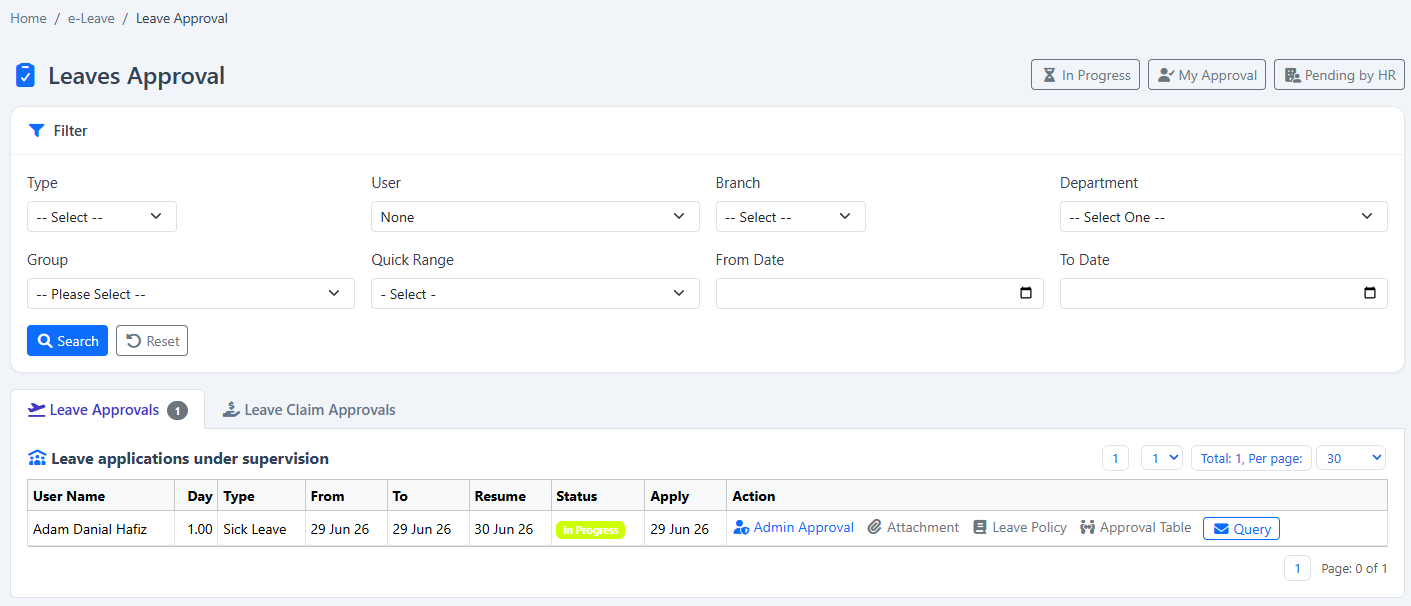
Leave approval queue

Review pending leave applications from a dedicated approval view.

Email-supported approval

Allow configured email workflows to provide request information and supported approval actions.

BizCloud App approval

Let eligible managers act on supported approval requests from compatible mobile devices.

Employee query email

Use the approval interface to send a question to the employee’s recorded email when clarification is needed.

Leave claim approval

Review eligible leave-claim requests in a related approval workflow.

Supervisor application

Authorised supervisors can submit leave for an employee while preserving the approval trail.

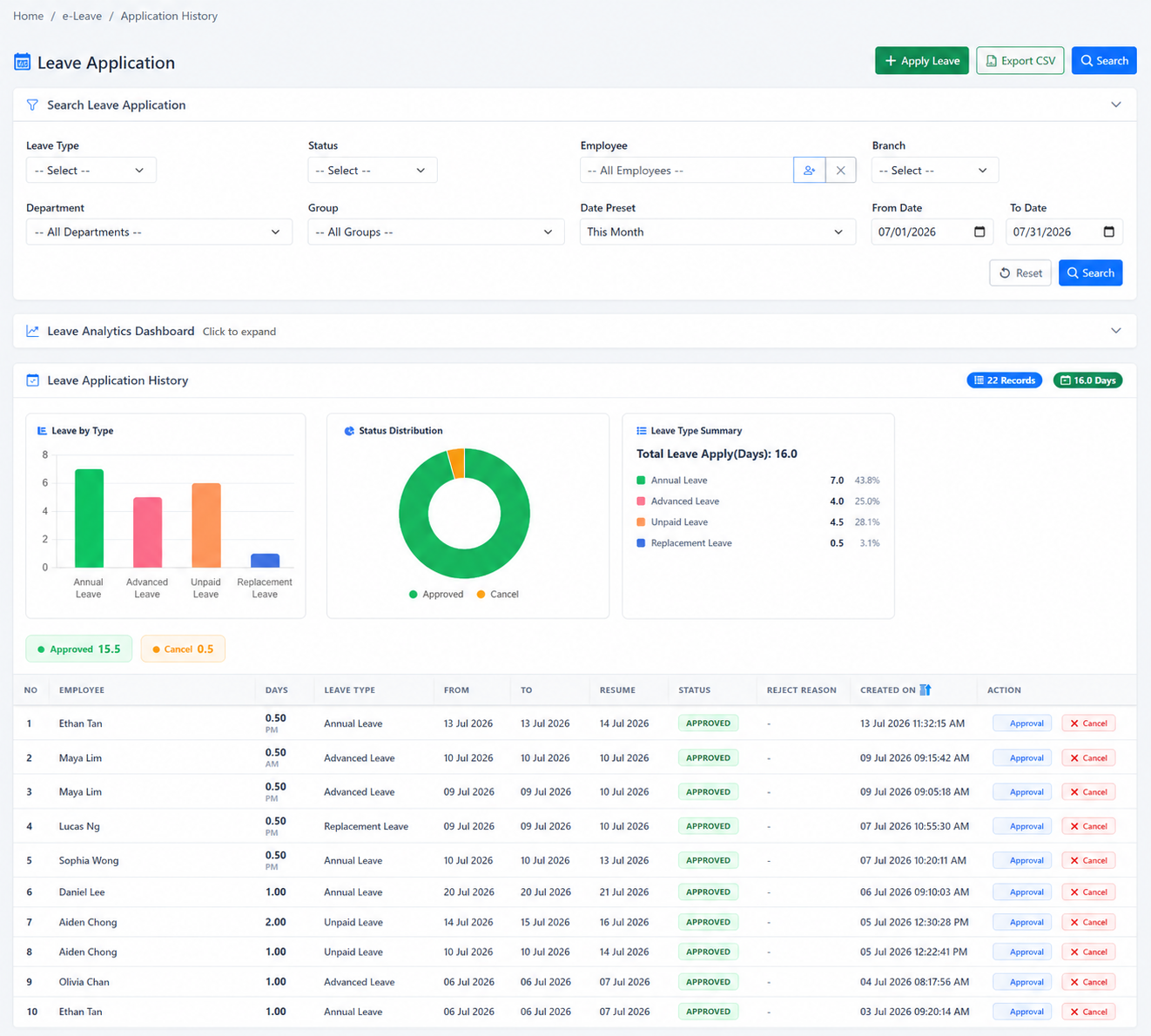
Recorded decision status

Keep the approval outcome available to the employee and HR in leave history and reporting.

Inside HRM.my e-Leave

See the feature in the software.

The screenshots below show the actual e-Leave screens associated with this workflow.
HRM.my leave and leave-claim approval queue
Leave approval queueReview leave applications and eligible leave-claim requests from the approval workspace.
HRM.my leave application history with status
Recorded application statusEmployees and HR can follow the status and history produced by the approval workflow.
Important configuration details

Match approval logic to authority—not convenience.

The approval design should reflect who is accountable for the decision, when escalation is required and which groups may act as alternatives.

AND means every required decisionUse AND logic when the configured approvers must all complete the approval requirement.
OR means an eligible alternativeUse OR logic when any one member of the configured approver group can decide.
The employee’s setup controls the routeRequests follow the leave approval configuration associated with the employee and company structure.
Typical workflow

A request follows its configured decision path.

The exact number of steps depends on the approval set assigned to the employee.

  1. 1
    Employee submits leaveThe request is checked against the selected leave type and employee information.
  2. 2
    First approval group receives itEligible approvers review the dates, reason, balance and supporting information.
  3. 3
    AND or OR rules are evaluatedThe system determines whether all required people or one eligible person must act.
  4. 4
    The result is recordedThe final status becomes available to the employee, HR records and reporting.
Available in the e-Leave module

Design leave approvals around your real management structure.

Show us your current leave policy and we’ll demonstrate how it can be configured in HRM.my.

Request a demonstration View module pricing