Work-pattern library
Create standard, biweekly, monthly and other company-defined working patterns.
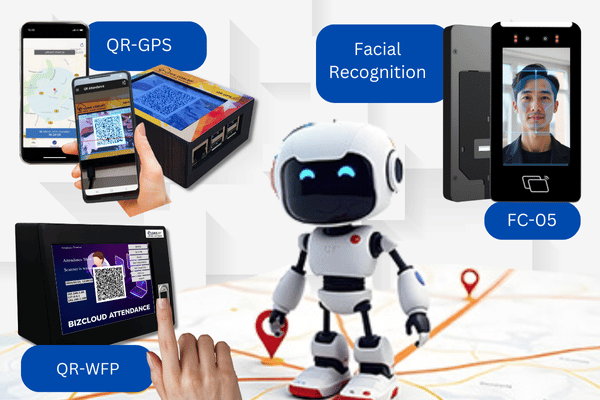
Configure weekly, biweekly, monthly and scheduled work patterns, then process records from mobile GPS, facial recognition, fingerprint, card and QR attendance methods.
Subscribe to Time & Attendance on its own, or test it alongside the other HRM.my modules. Our team prepares the setup with you before the trial starts.
Tell us where to reach you and we’ll set up your 2-month free trial or arrange a live demonstration.
Devices can be purchased outright without a software subscription, or supplied alongside an HRM.my Attendance subscription. Prices below are the same as those listed on our pricing page.
| Device | Without HRM subscription | With HRM subscription |
|---|---|---|
| FC-05 Face Cloud Attendance System | RM 1,499 | Start from RM50 per month |
| FC-05 Face Cloud + Door Access | RM 1,699 | Start from RM50 per month |
| U are U Fingerprint Attendance System | RM 659 | Standalone purchase only |
| QR-WFP Attendance System | RM 1,499 | Start from RM50 per month |
| QR GPS Attendance System | RM 1,199 | Start from RM50 per month |
QR-WFP and QR GPS prices include the attendance software. Mobile GPS attendance through the BizCloud App needs no additional hardware and is included with an Attendance subscription. Compare how each option works on the attendance devices page.
The module connects schedule configuration, attendance collection, rule-based calculation, manual administration and reporting.
Create standard, biweekly, monthly and other company-defined working patterns.
Assign a pattern directly to an employee or through the employee type configuration.
Plan dated work-pattern schedules when employees rotate or follow changing arrangements.
Install common starter patterns where supported, then adjust them to company rules.
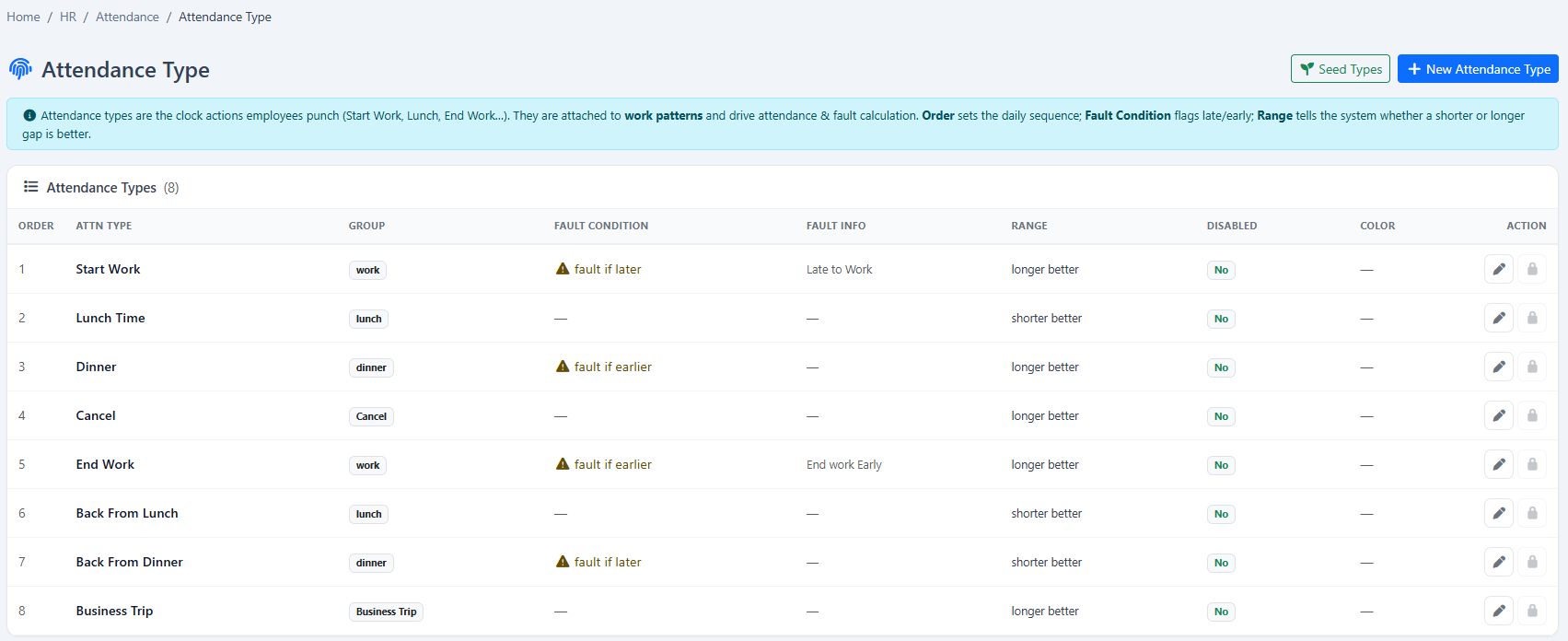
Define how work, lunch, dinner and other attendance intervals should be interpreted.
Calculate late arrival, early departure and interval exceptions according to configured groups.
Match attendance records against work patterns and prepare calculated daily results.
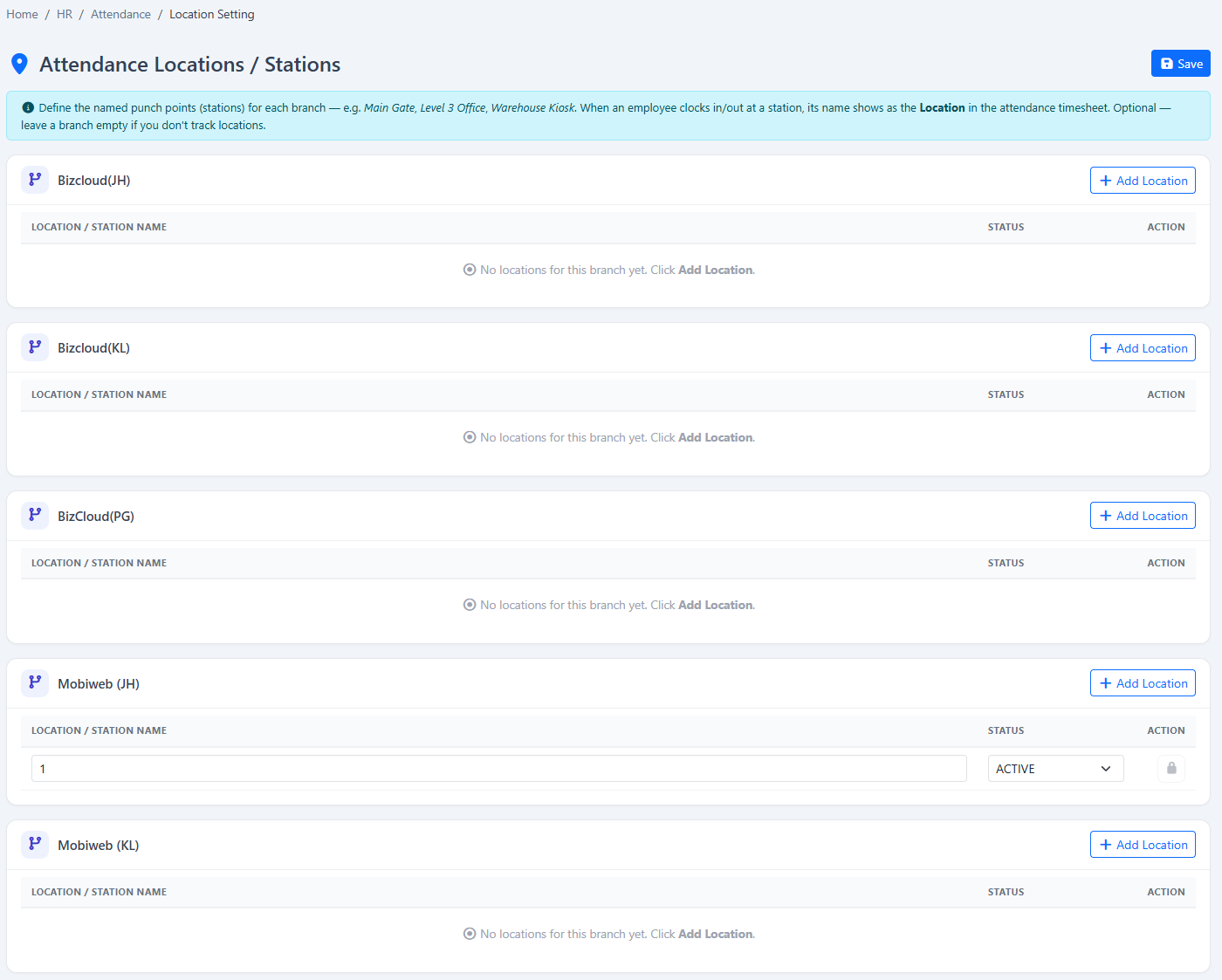
Associate attendance records with configured locations and recognisable device names.
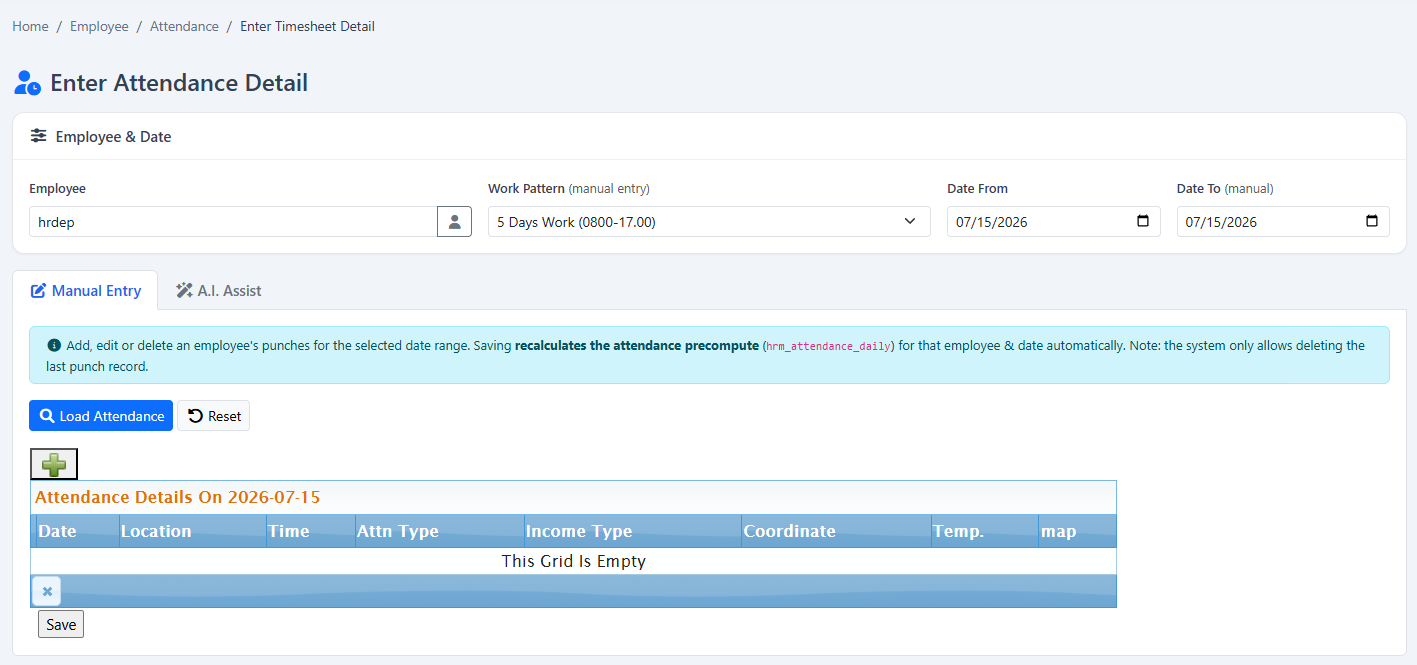
Enter or correct attendance date and time details through an authorised administration workflow.
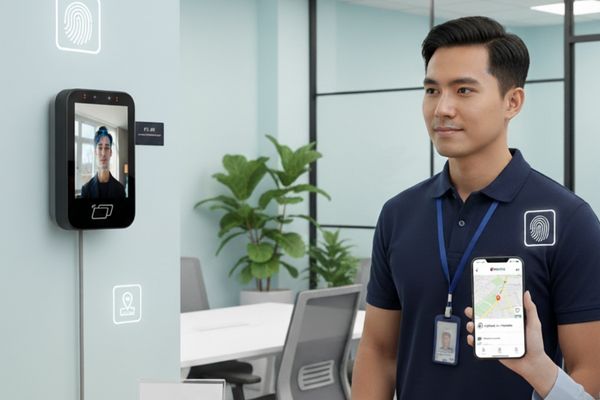
Use contactless face recognition, including the listed FC-05 Face Cloud option, at configured workplace attendance points.
Collect secure biometric clock-in records through supported fingerprint devices such as the listed U are U system.
Use supported QR-WFP or QR-GPS systems where QR-based clock-in matches the workplace.
Let authorised field employees clock in and out through the BizCloud App within configured company parameters.
Create named permitted attendance areas and assign suitable location controls to employee groups.
Bring supported facial, fingerprint, QR and mobile records into one central attendance-processing workflow.
Allow employees to review their own attendance and working-day information online.
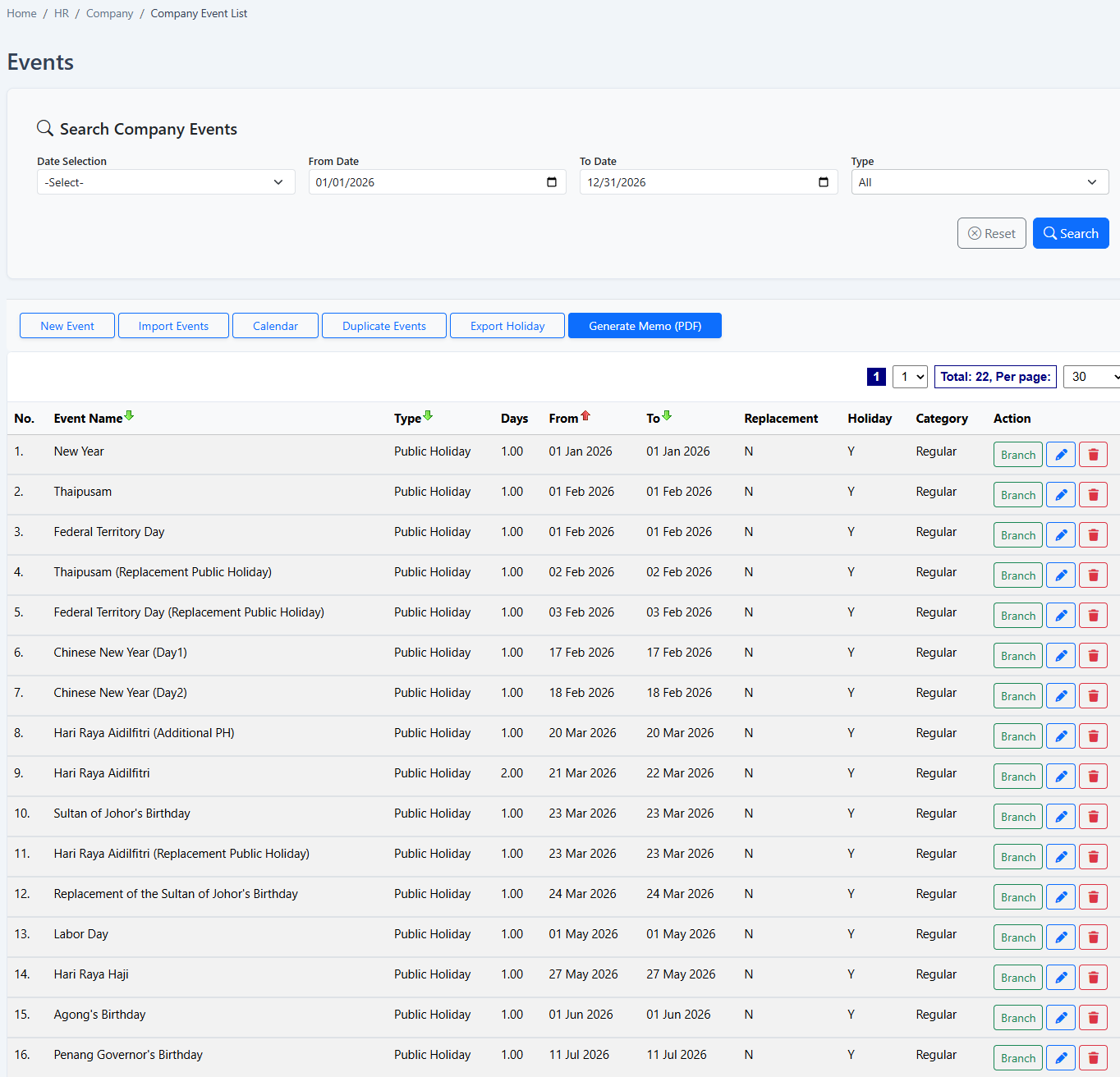
Use company event and holiday information when reviewing scheduled working days.
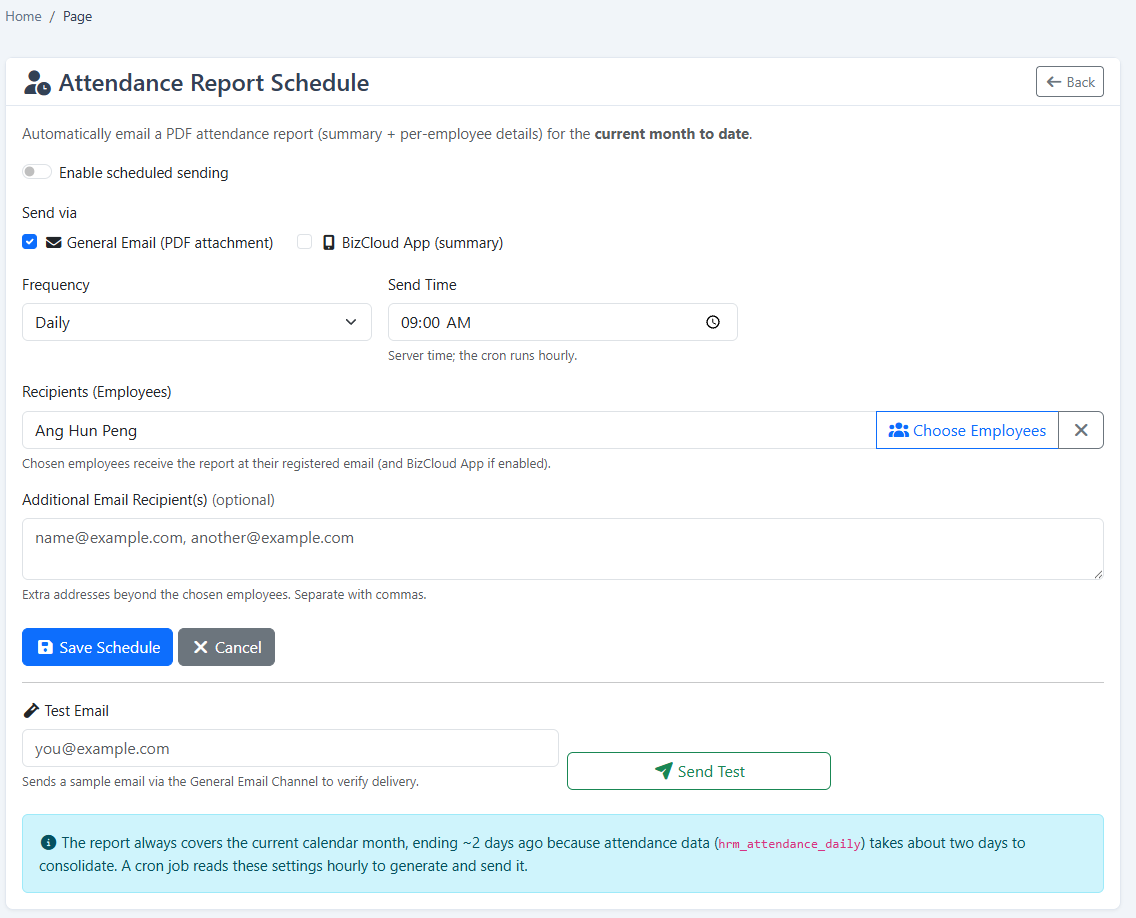
Deliver attendance reporting to administrators through configured reminder and report schedules.
The HRM.my screenshots show the actual work-pattern, location, timesheet and reporting settings. Existing product visuals illustrate the facial, QR and mobile GPS collection options described above.
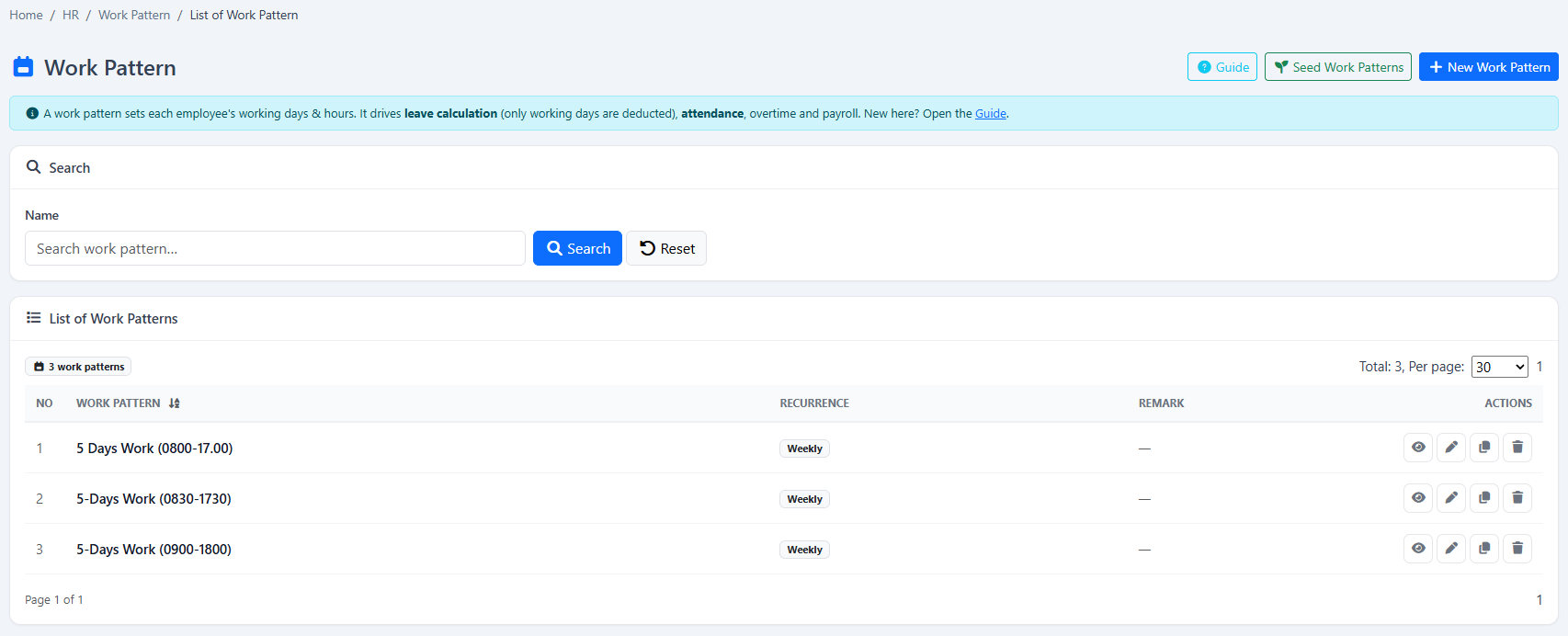
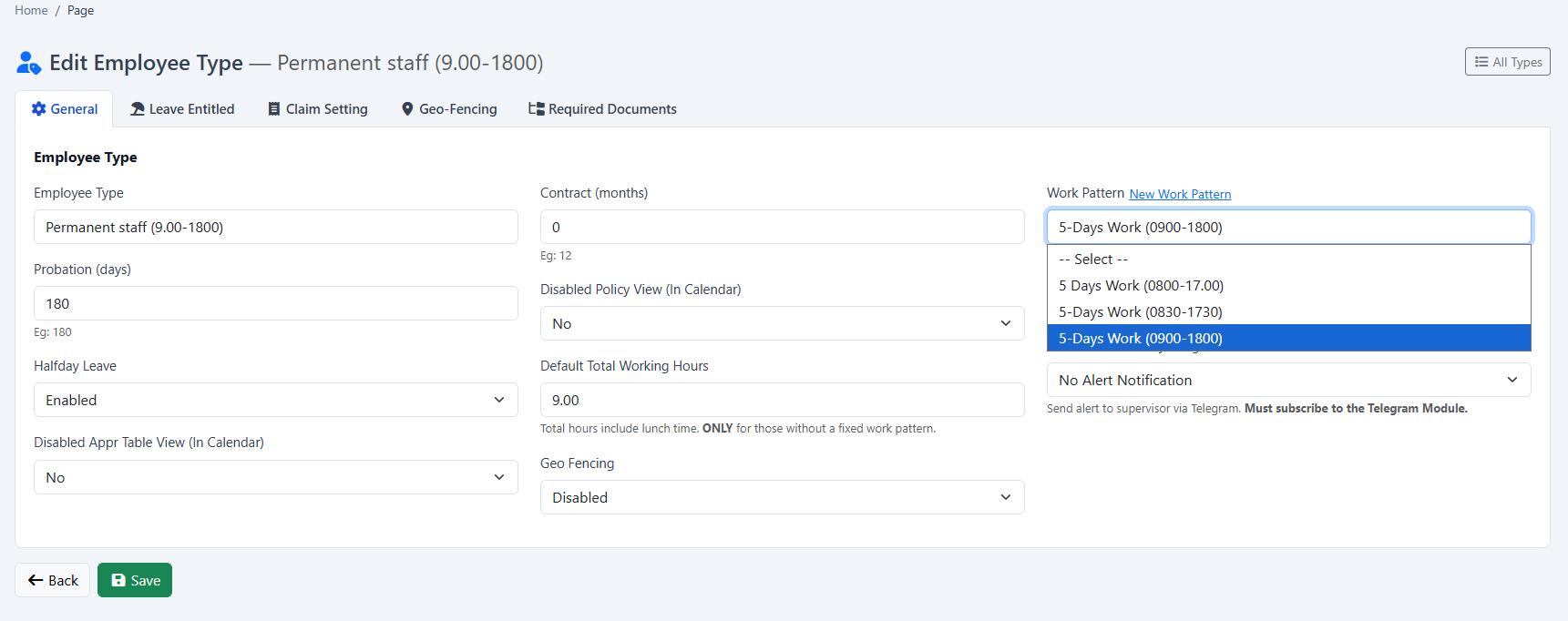
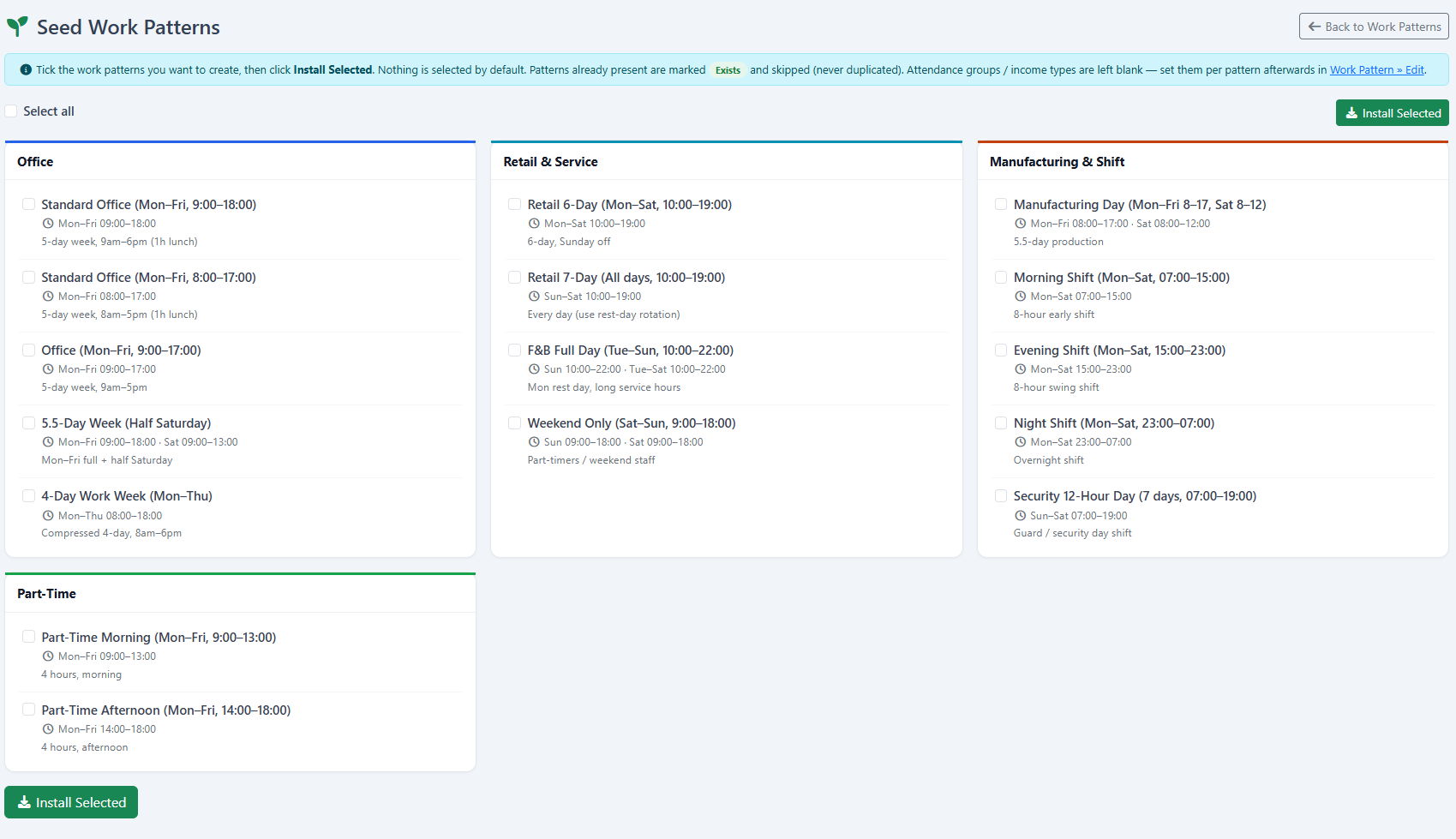
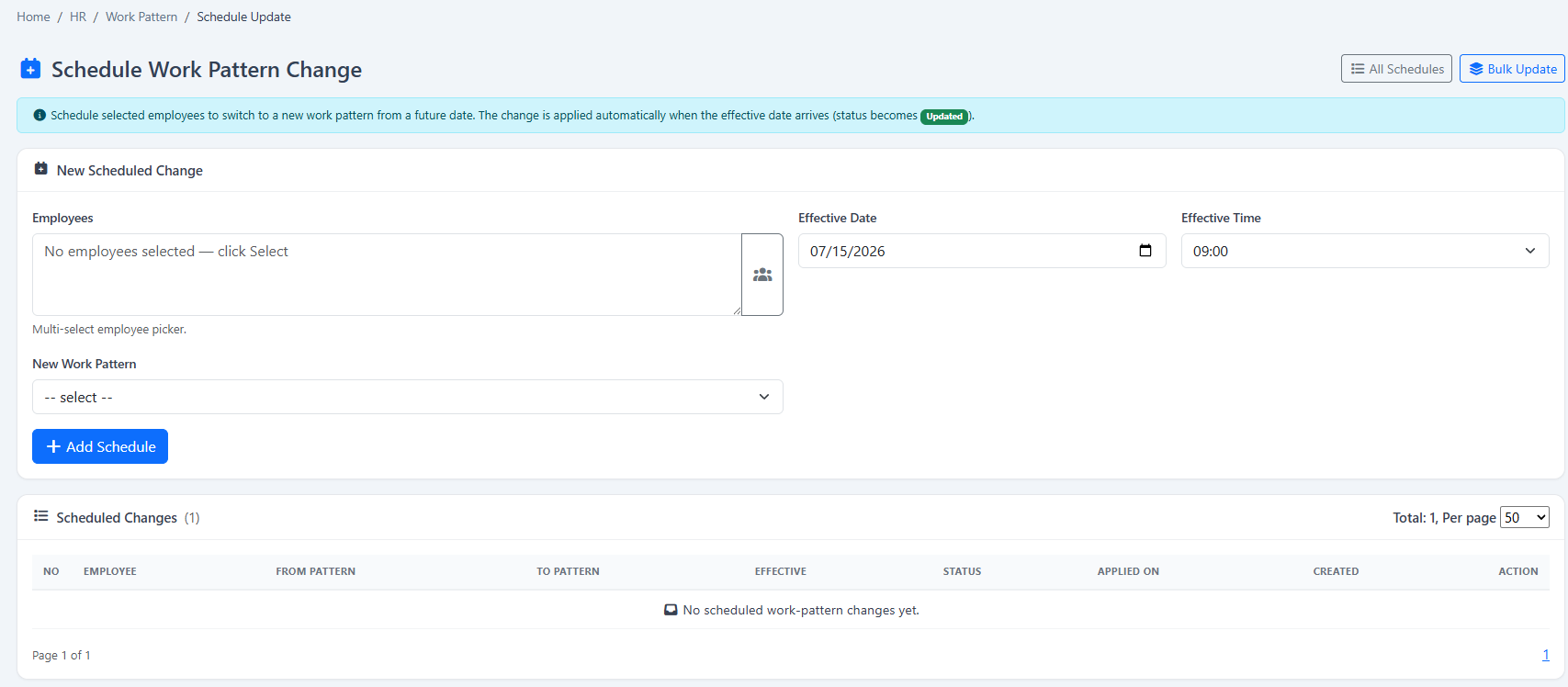
Explore collection methods, mobile attendance and the reporting workflow in more detail.
Attendance becomes useful when device records are interpreted against the correct employee schedule and company rules.
Your company can begin with Time & Attendance and add payroll, attendance, leave, claims, KPI or operational modules when required.
Tell us about your company and we’ll demonstrate the workflows that matter to your team. Your 2-month free trial includes guided setup and data preparation help.
Tell us where to reach you and we’ll set up your 2-month free trial or arrange a live demonstration.