Payroll & Payslips module

Detailed Malaysian payroll control, from calculation to employee payslip.

Prepare payroll from employee income and deductions, support statutory processing, generate documents and give employees access to their own payroll history.

Subscribe individually or combine with other HRM.my modules.
What this module gives you
Employee-by-employee payroll generation
Configurable income and deduction types
Computerised or schedule-based PCB configuration
EPF, SOCSO, EIS and other statutory payroll items
Digital payslips through web and BizCloud App
Flexible module subscriptionChoose only what your company needs
More controlled calculationsBuild payroll from structured income, deduction and employee settings.
Better statutory preparationGenerate and organise Malaysian payroll and statutory documents.
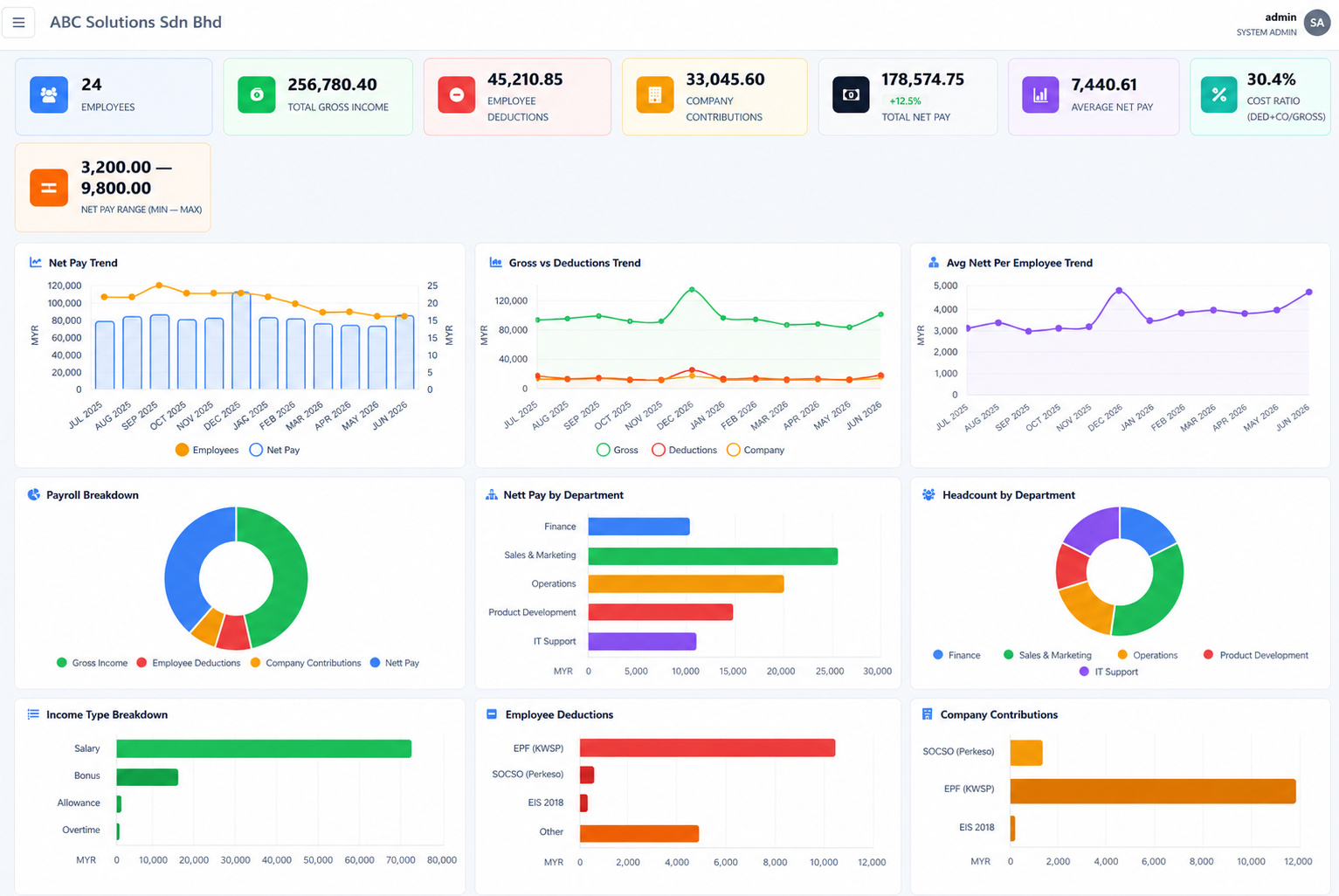
Clearer payroll visibilityUse dashboards and trend reports to review payroll movement.
Module capabilities

Everything included in Payroll & Payslips.

The module supports payroll preparation, statutory documentation, employee-level controls, management analytics and self-service distribution.

01

Employee payroll generator

Select employees, prepare payroll inputs and process salary records through a controlled payroll workflow.

02

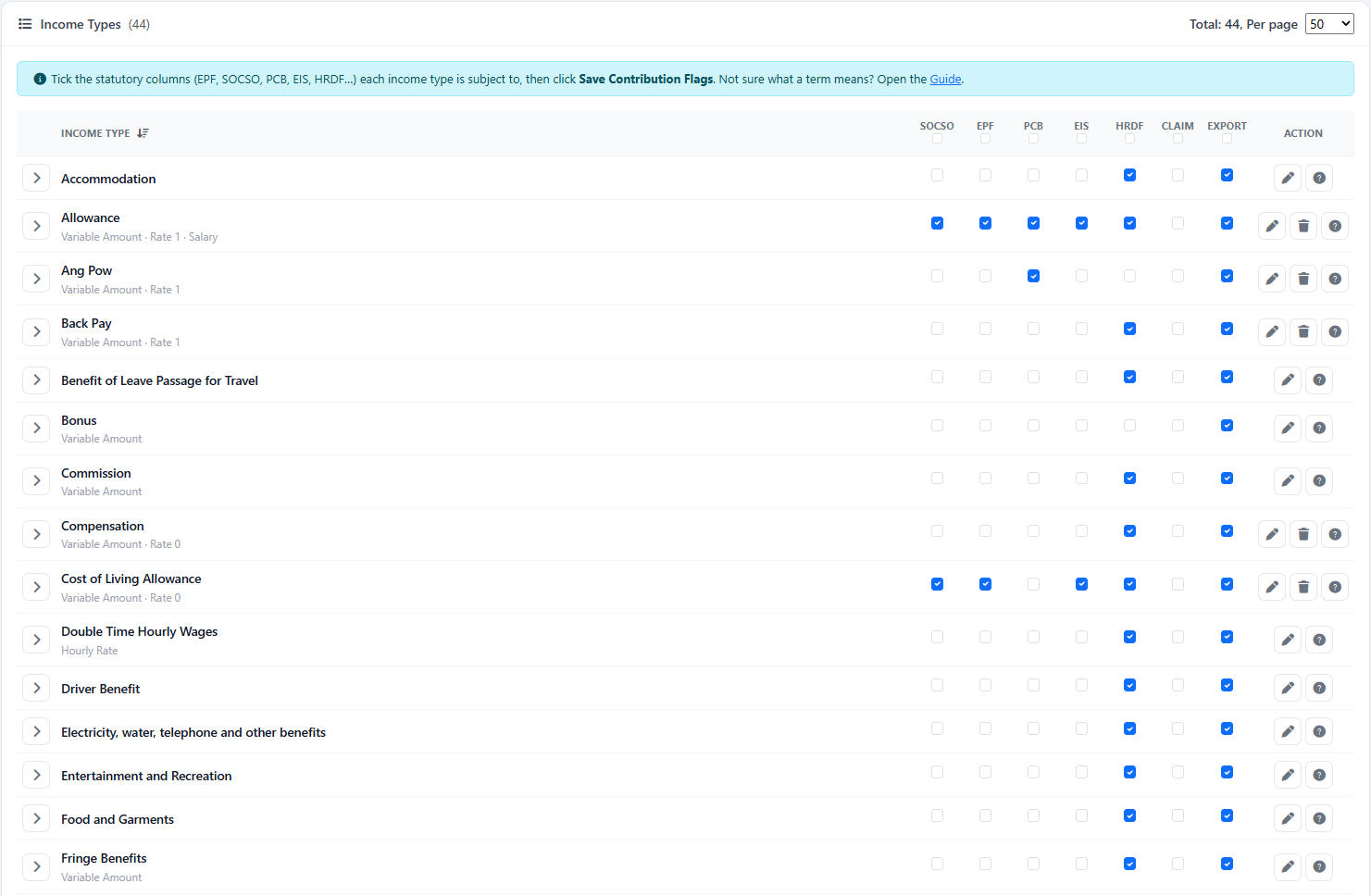
Income type configuration

Maintain salary, allowance, bonus, overtime and other company-defined income items.

03

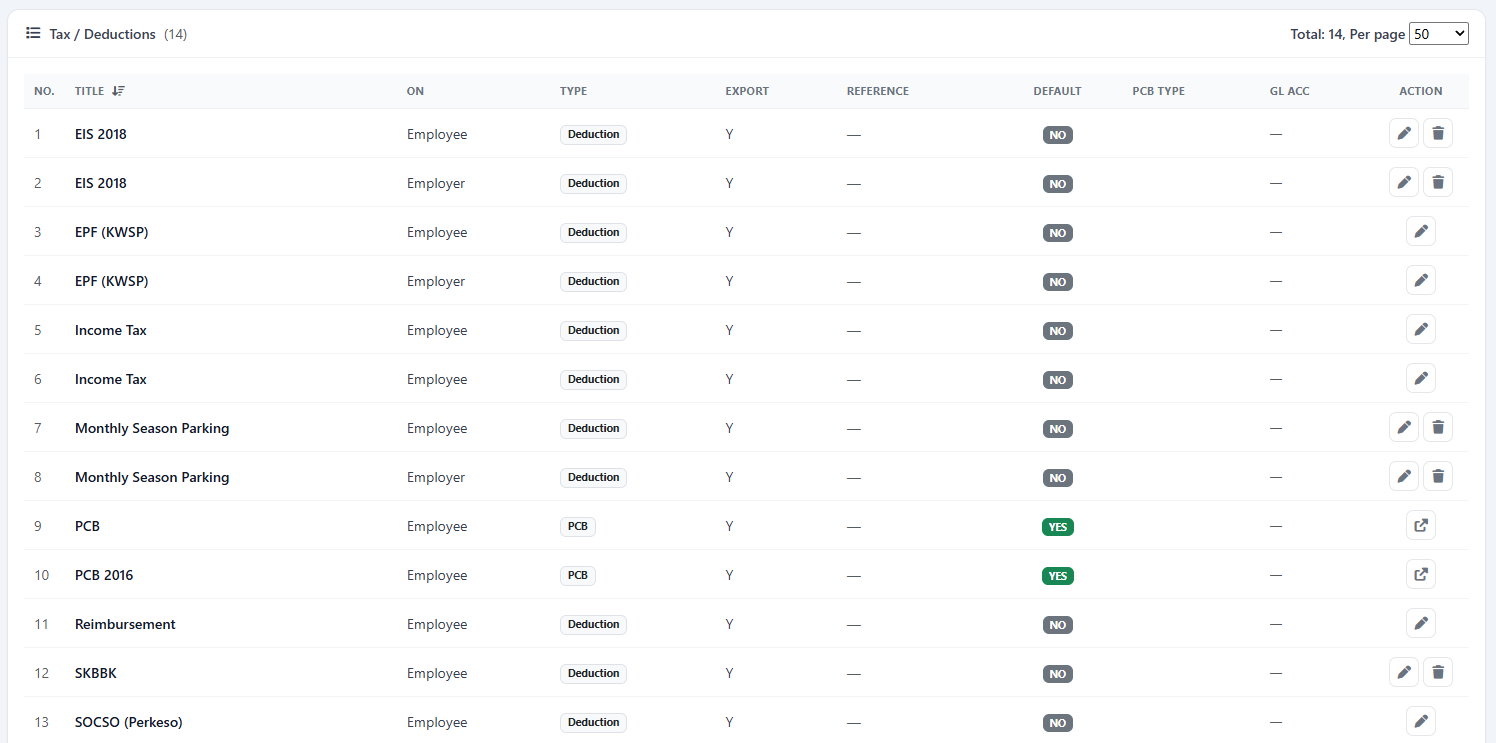
Deduction configuration

Define payroll deductions and control how they are applied to employee payroll.

04

Individual tax and deduction settings

Adjust eligible tax and deduction treatment for individual employees where required.

05

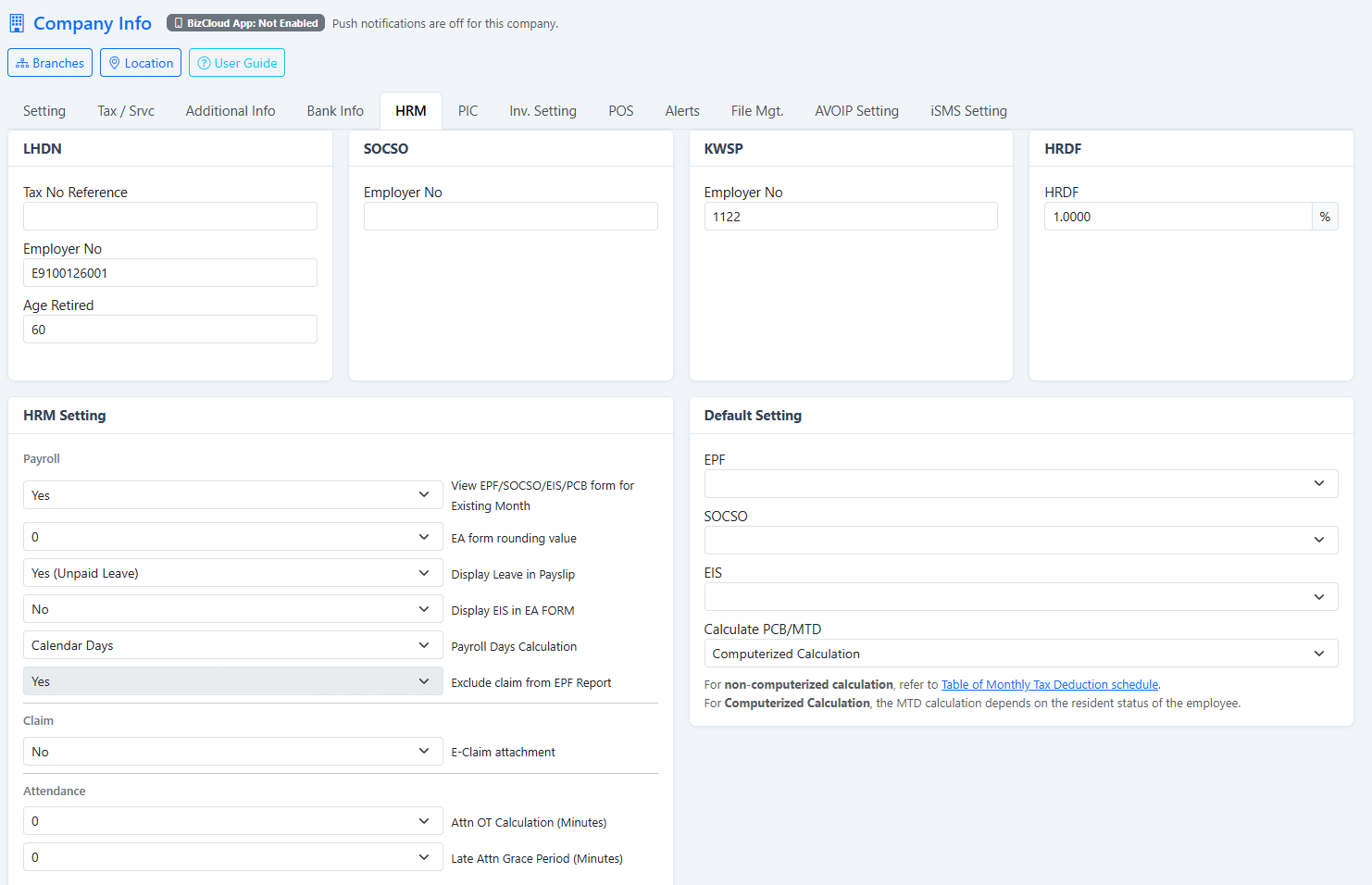
PCB calculation options

Choose computerised PCB or schedule-based PCB according to the company payroll configuration.

06

EPF, SOCSO and EIS

Support Malaysian employee deductions and company contributions across payroll processing.

07

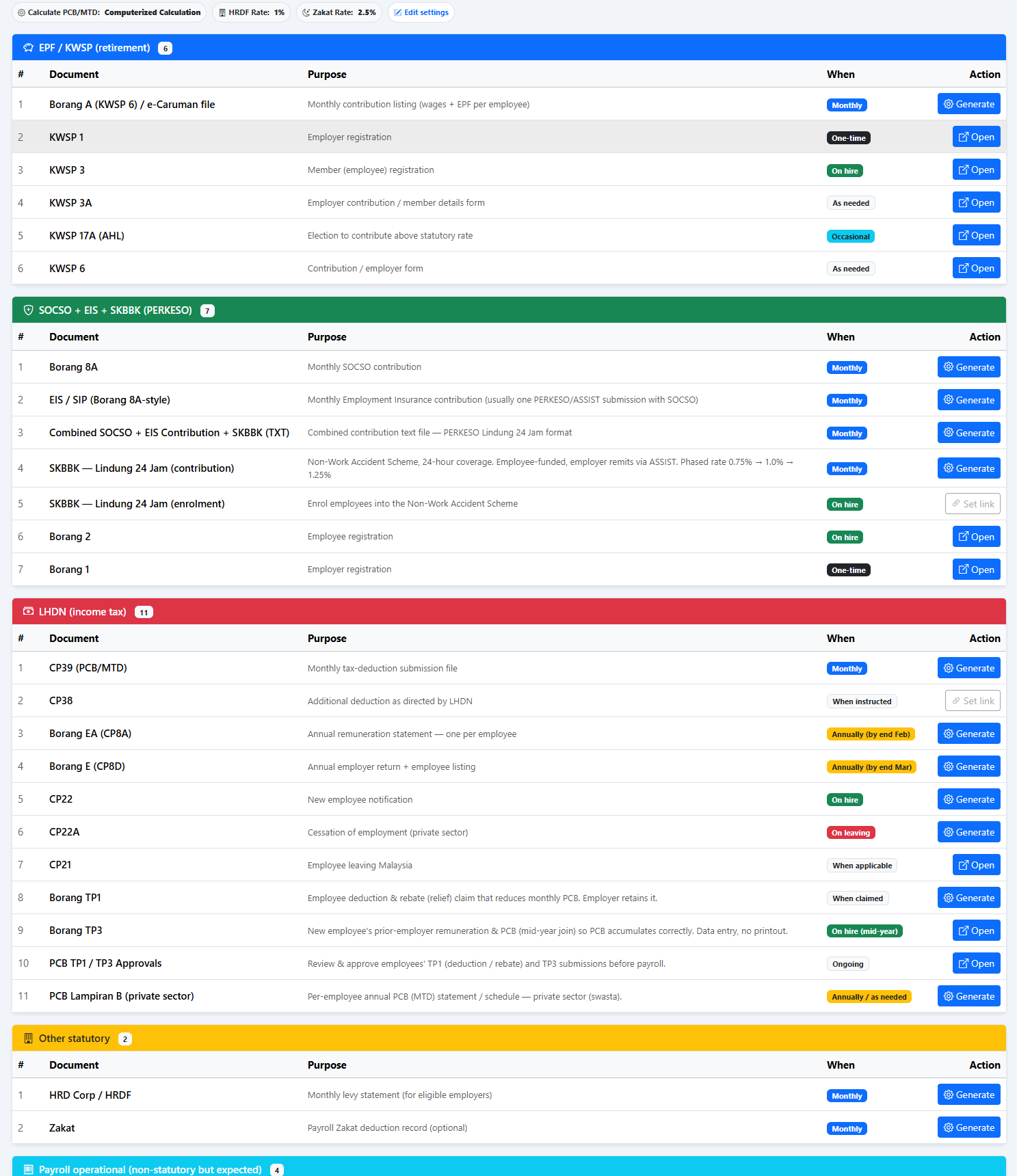
Statutory document generator

Generate payroll and statutory documents from the company’s recorded payroll information.

08

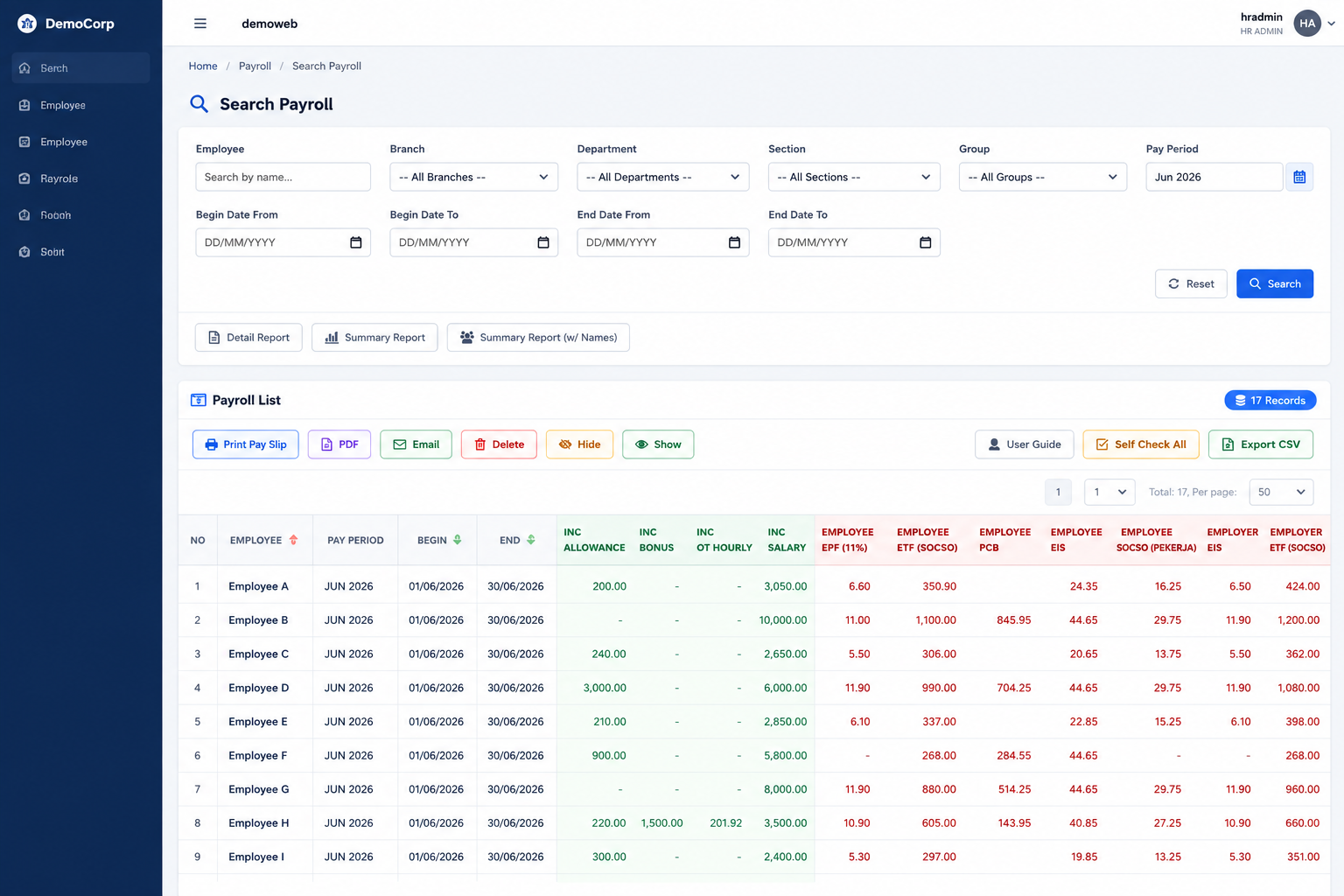
Payroll list and history

Review processed payroll by period and employee instead of relying on disconnected spreadsheets.

09

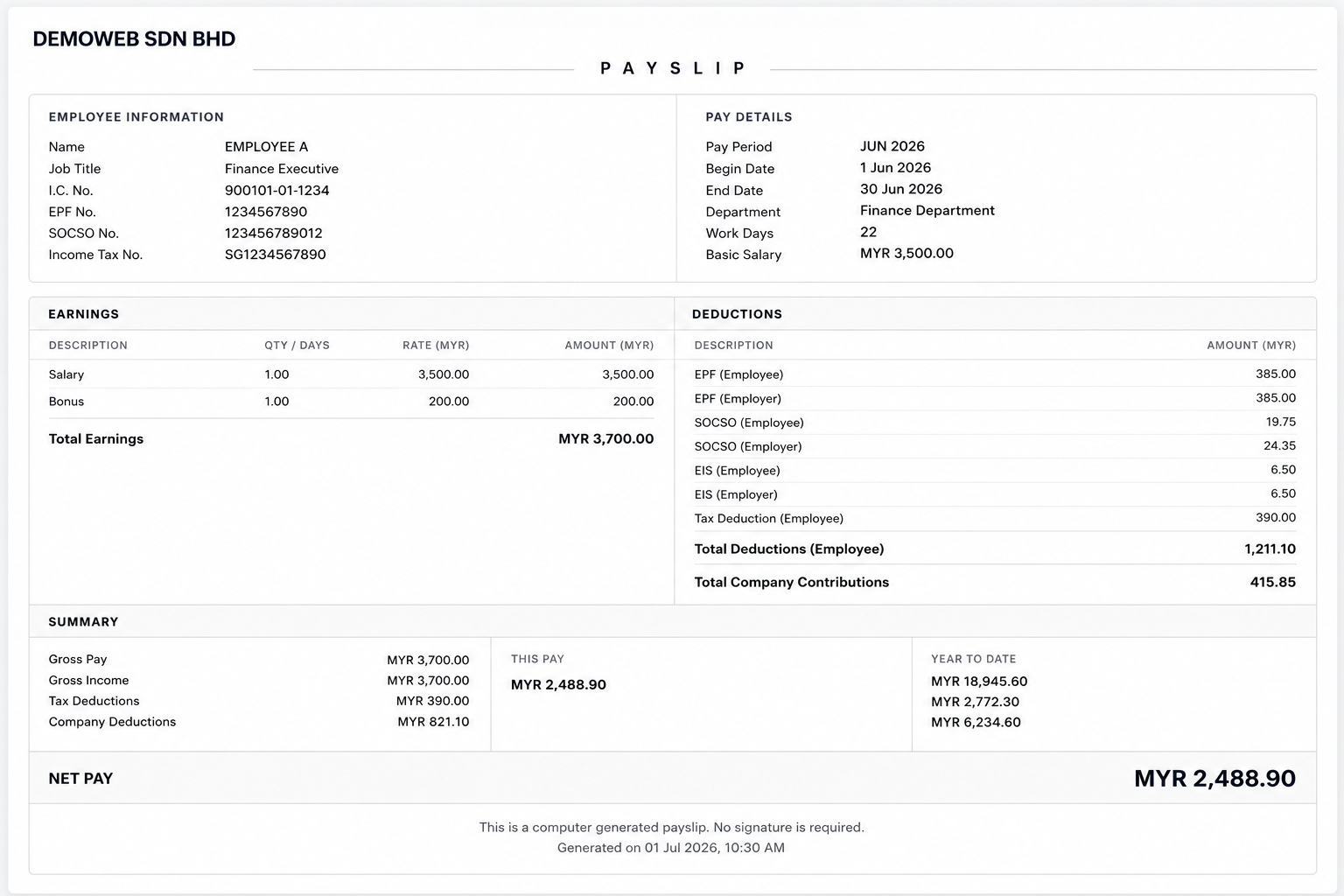
Detailed payslip layout

Present earnings, deductions, contributions and net pay in a structured employee payslip.

10

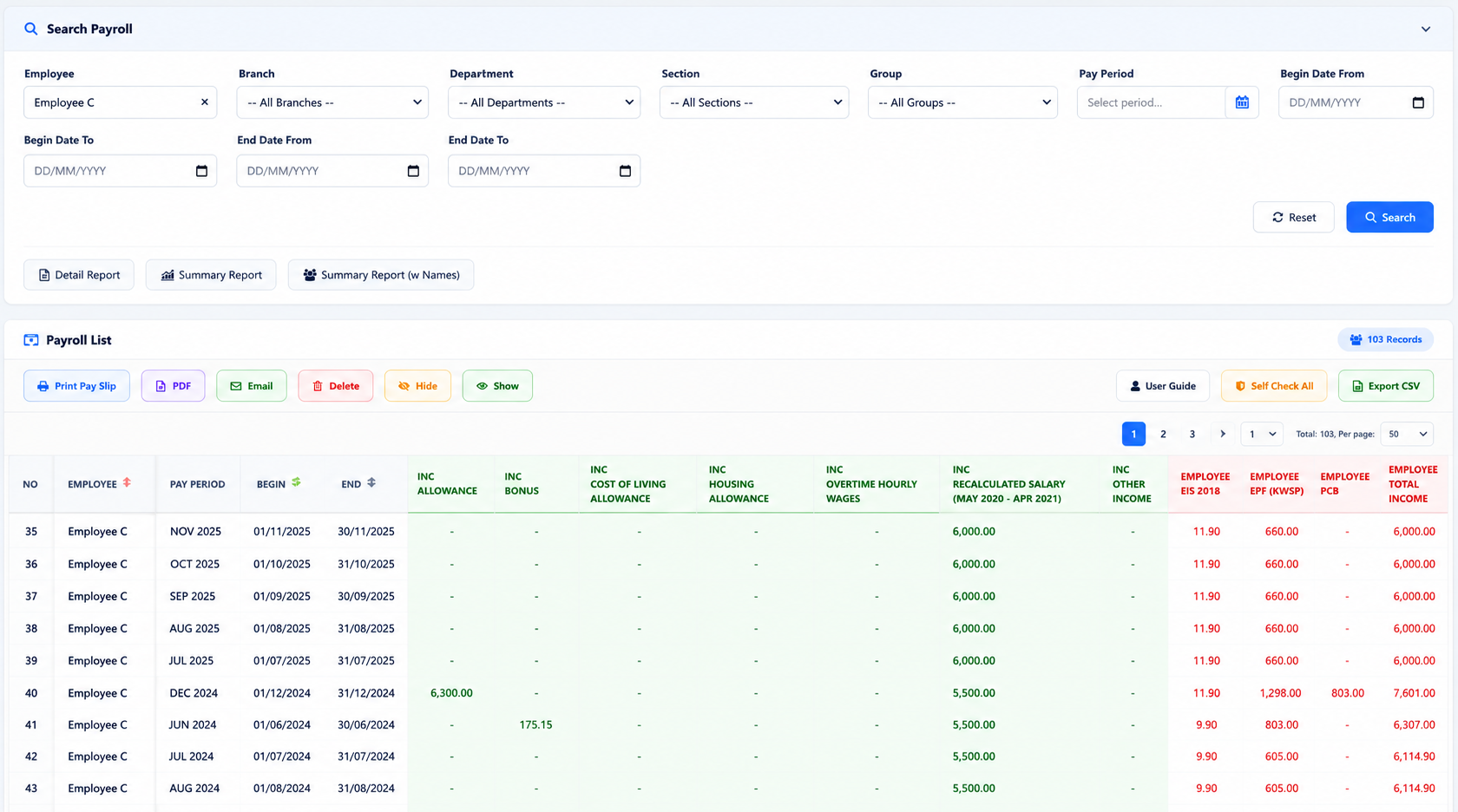
Employee payslip self-service

Employees retrieve current and previous payslip records through the web or supported BizCloud App workflow.

11

Payroll dashboard

Review employee count, gross income, deductions, contributions, net pay, cost ratios and department trends.

12

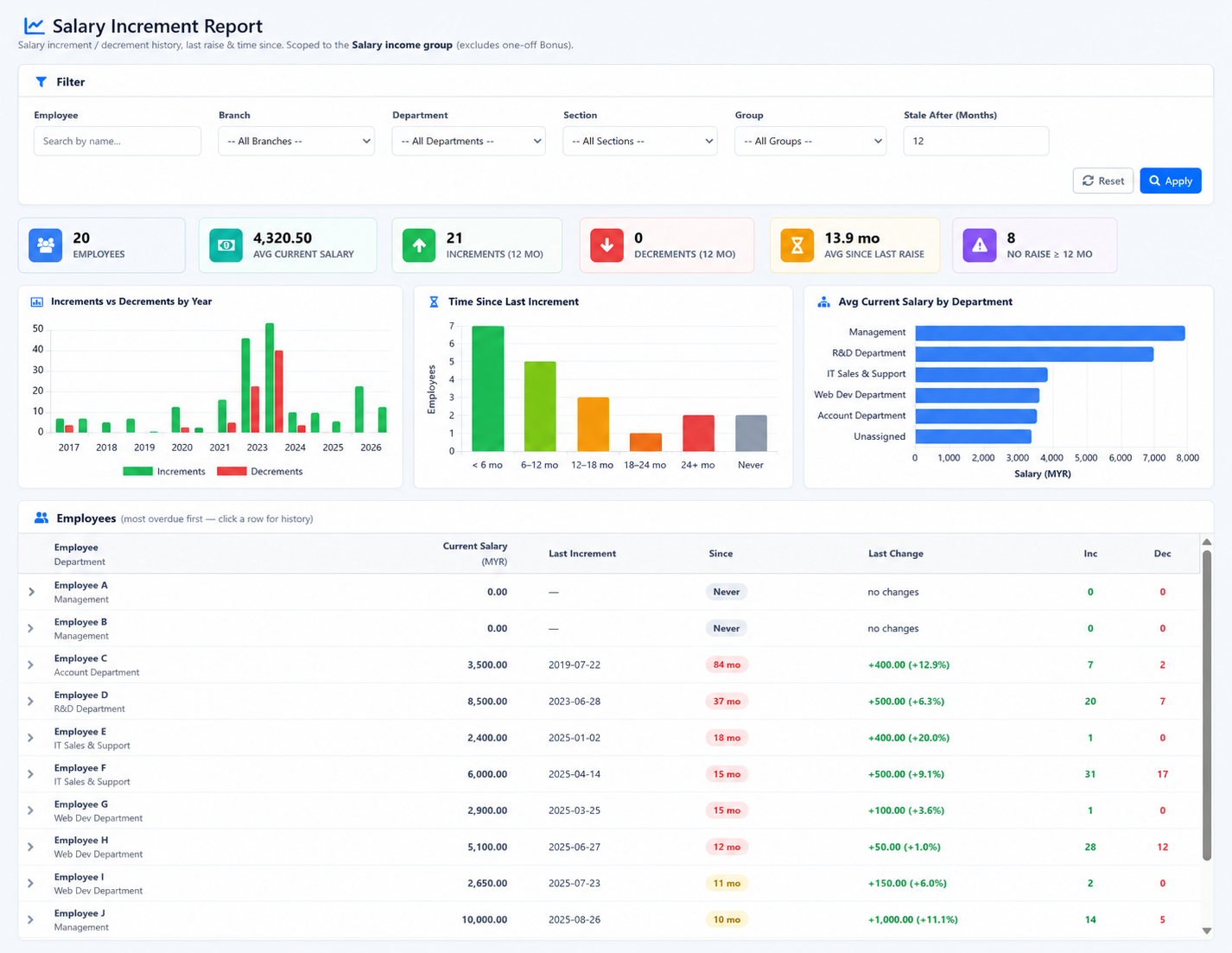
Salary increment report

Track salary movement and identify employees whose expected increment may be delayed.

13

PDF payroll reporting

Prepare payroll views for management review and supported scheduled delivery.

14

Ready-to-use starter data

Seed common payroll configuration where supported to reduce initial setup work.

Inside the software

See the real Payroll & Payslips screens.

These screenshots come from the HRM.my application and correspond to the capabilities described above. Select an image to view it at full size.
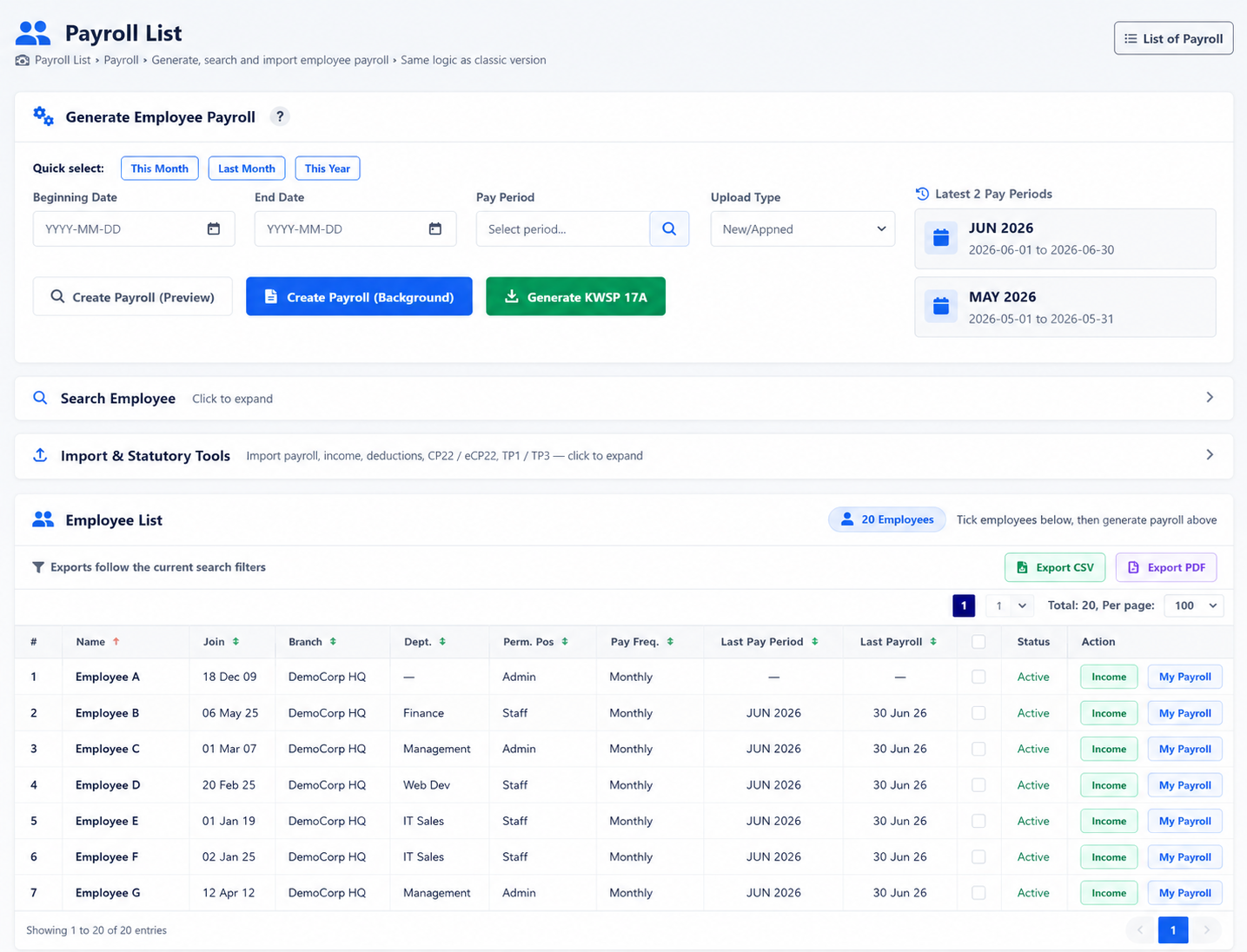
HRM.my employee payroll generator
Payroll generatorSelect employees and prepare the payroll records required for the salary cycle.
HRM.my payroll statutory document generator
Statutory documentsGenerate the payroll and Malaysian statutory documents supported by the configured company records.
HRM.my payroll income type list
Income configurationMaintain salary, allowance, bonus, overtime and other payroll income definitions.
HRM.my payroll deduction list
Deduction configurationDefine employee deductions and the payroll rules associated with them.
HRM.my computerised PCB configuration
Computerised PCB optionChoose the company’s PCB calculation approach as part of payroll configuration.
HRM.my company payroll list
Payroll historyReview payroll records by processing period and employee.
HRM.my employee payroll payslip
Employee payslipShow earnings, deductions, contributions and final net pay in a clear employee document.
HRM.my employee self-service payroll list
Employee payroll self-serviceEmployees can retrieve their own payroll and payslip history after processing.
HRM.my salary increment report
Salary increment reportingReview salary increment history and identify employees requiring management follow-up.
How it works

From payroll configuration to employee self-service.

Each salary cycle uses employee records, configured incomes, deductions and statutory treatment to produce payroll and payslips.

  1. 1
    Configure payroll rulesSet income, deductions, statutory options and employee-specific treatment.
  2. 2
    Prepare employee payrollSelect employees, enter the salary-cycle values and review calculations.
  3. 3
    Generate payroll and documentsConfirm payroll, statutory documents and employee payslips.
  4. 4
    Review and distributeUse dashboards and reports while employees retrieve their own payslips.
Flexible subscription

Use this module on its own—or as part of a connected HRM platform.

Your company can begin with Payroll & Payslips and add payroll, attendance, leave, claims, KPI or operational modules when required.

Individual moduleSubscribe only to the function your team needs now.
Connected packageCombine modules to reduce repeated data entry and handoffs.
Add as you growExpand the platform when your policies or workforce become more complex.
See this module in action

Run payroll with clearer calculations, documents and employee access.

Tell us about your company and we’ll demonstrate the workflows that matter to your team.

Request a demonstration Start free trial