e-Leave Management module

Leave management that follows your company policy—not the other way around.

Configure entitlements, earning methods, carry-forward, leave burn, eligibility and approval routes while giving employees a simpler way to apply and track leave.

Subscribe individually or combine with other HRM.my modules.
What this module gives you
Entitlements by employee type and years of service
Monthly, yearly and configurable leave earning rules
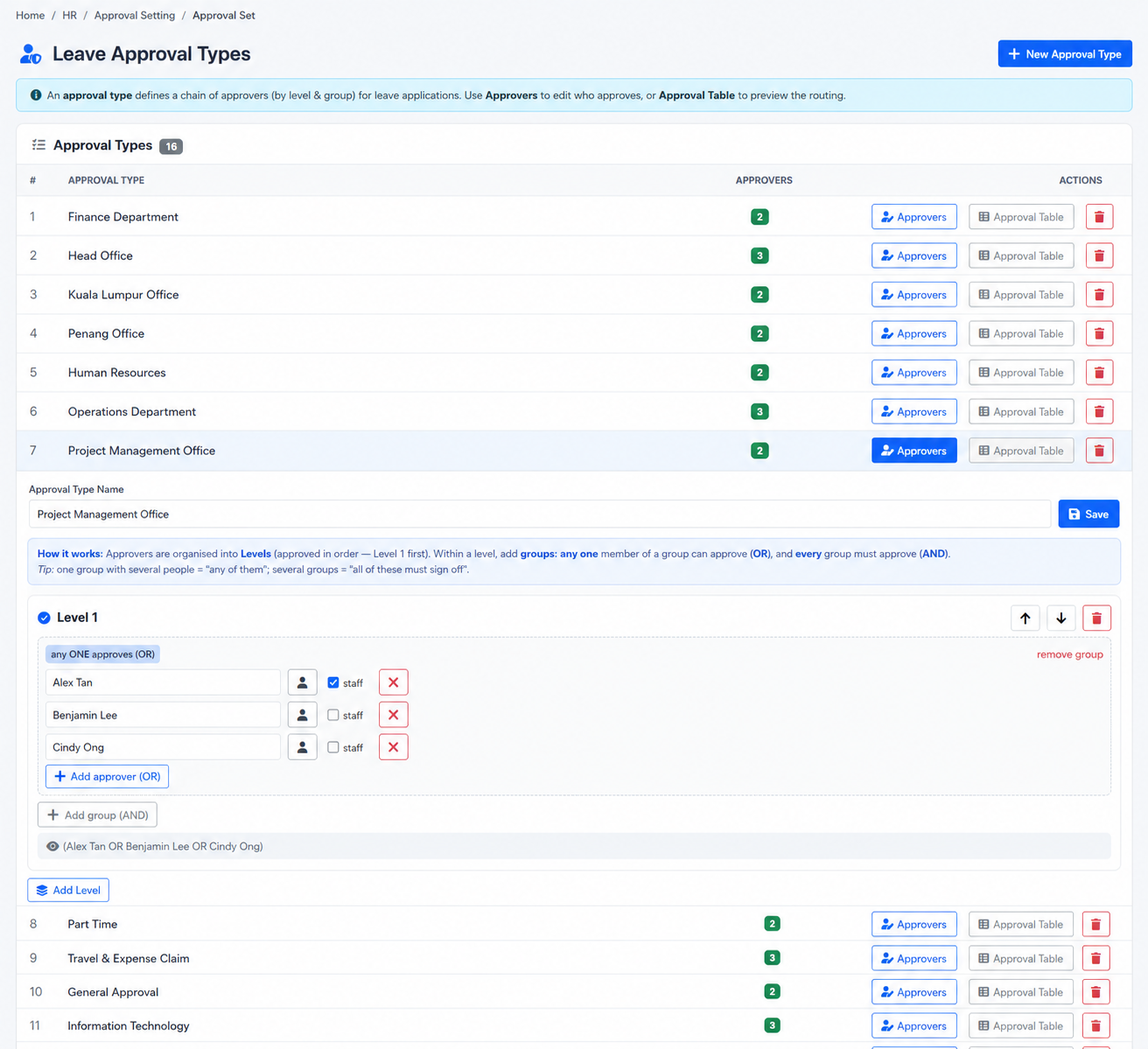
Multi-level group approvals using AND and OR logic
Carry-forward, transfer, burn and adjustment controls
Employee web and BizCloud App self-service
Flexible module subscriptionChoose only what your company needs
Apply policy consistentlyTranslate detailed leave rules into controlled system settings.
Reduce HR administrationLet employees and managers handle routine leave workflows.
Improve workforce visibilityUse dashboards, summaries and calendars to review leave activity.
Module capabilities

Everything included in e-Leave Management.

The module covers policy configuration, day-to-day employee requests, management approvals, HR adjustments and reporting in one connected leave workflow.

01

Configurable leave types

Set application timing, eligibility, visibility, supporting requirements and other rules for each leave type.

02

Entitlements by employee type

Assign different leave entitlements by employee type and years-of-service bands.

03

Flexible earning methods

Release entitlement yearly, monthly or through other configured earning approaches, including registration-time loading.

04

Parent and child leave logic

Link leave types so a child or sub-type can draw against a parent leave balance when required.

05

Advanced approval workflows

Build multi-level approvals with employee groups and AND or OR decision conditions.

06

Carry-forward and leave burn

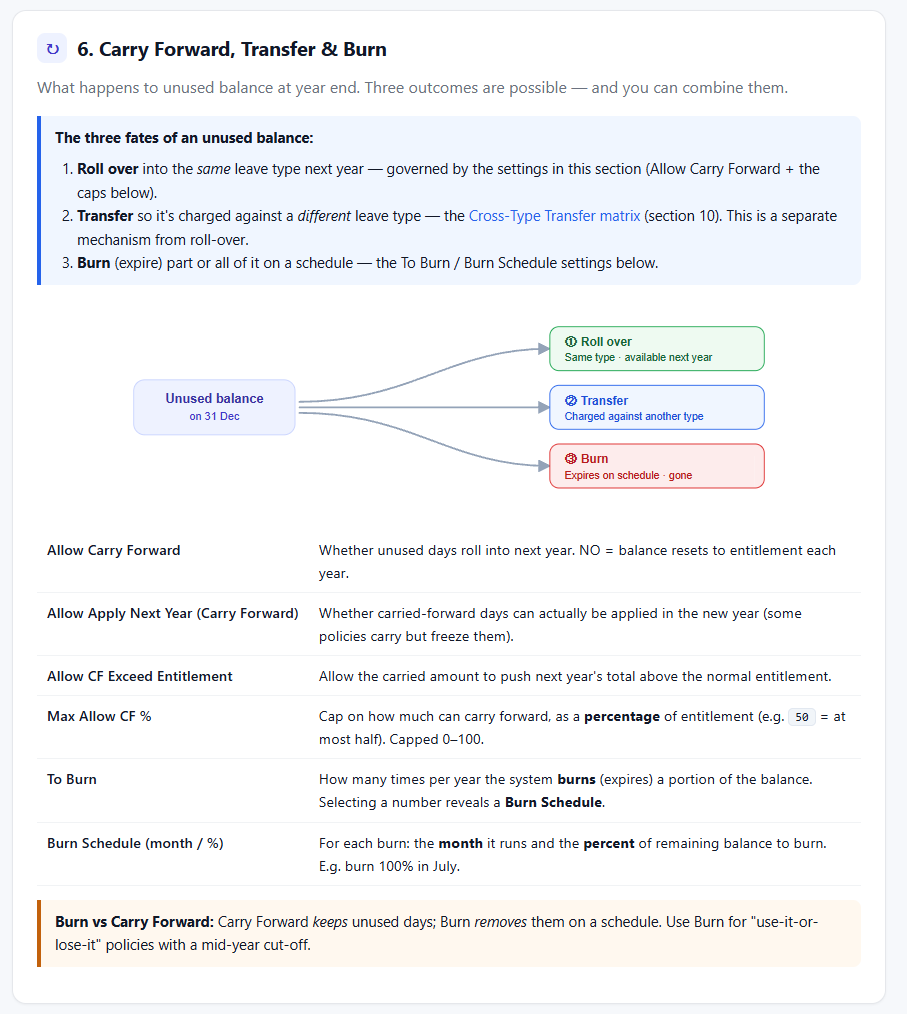
Roll unused days forward, apply caps, transfer between configured types or expire balances on a schedule.

07

Holidays and company calendar

Manage public, corporate and special holidays and generate company event or holiday memos.

08

HR adjustment controls

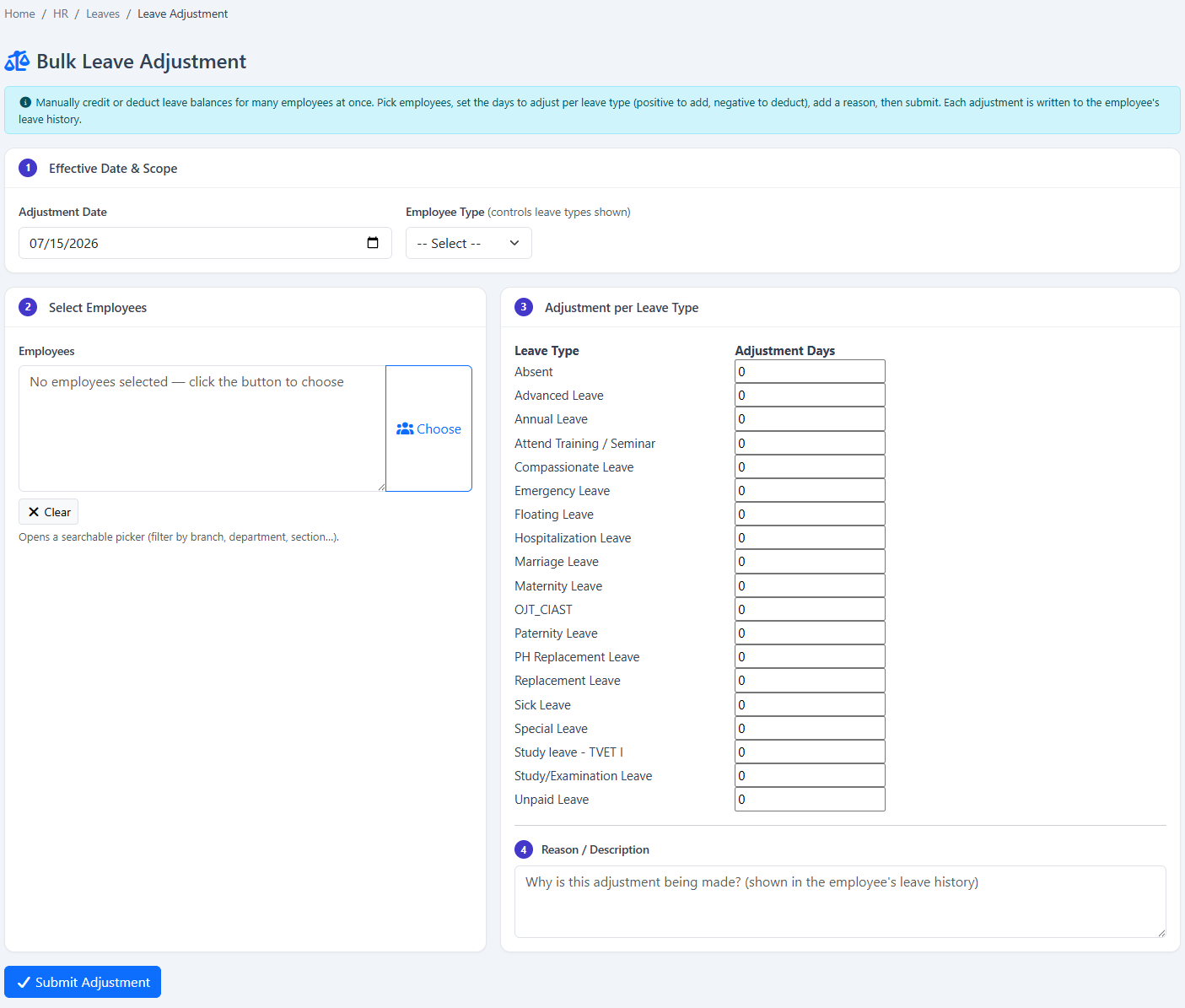
Credit or deduct balances in bulk, record reasons and retain the changes in employee leave history.

09

Dashboards and detailed reports

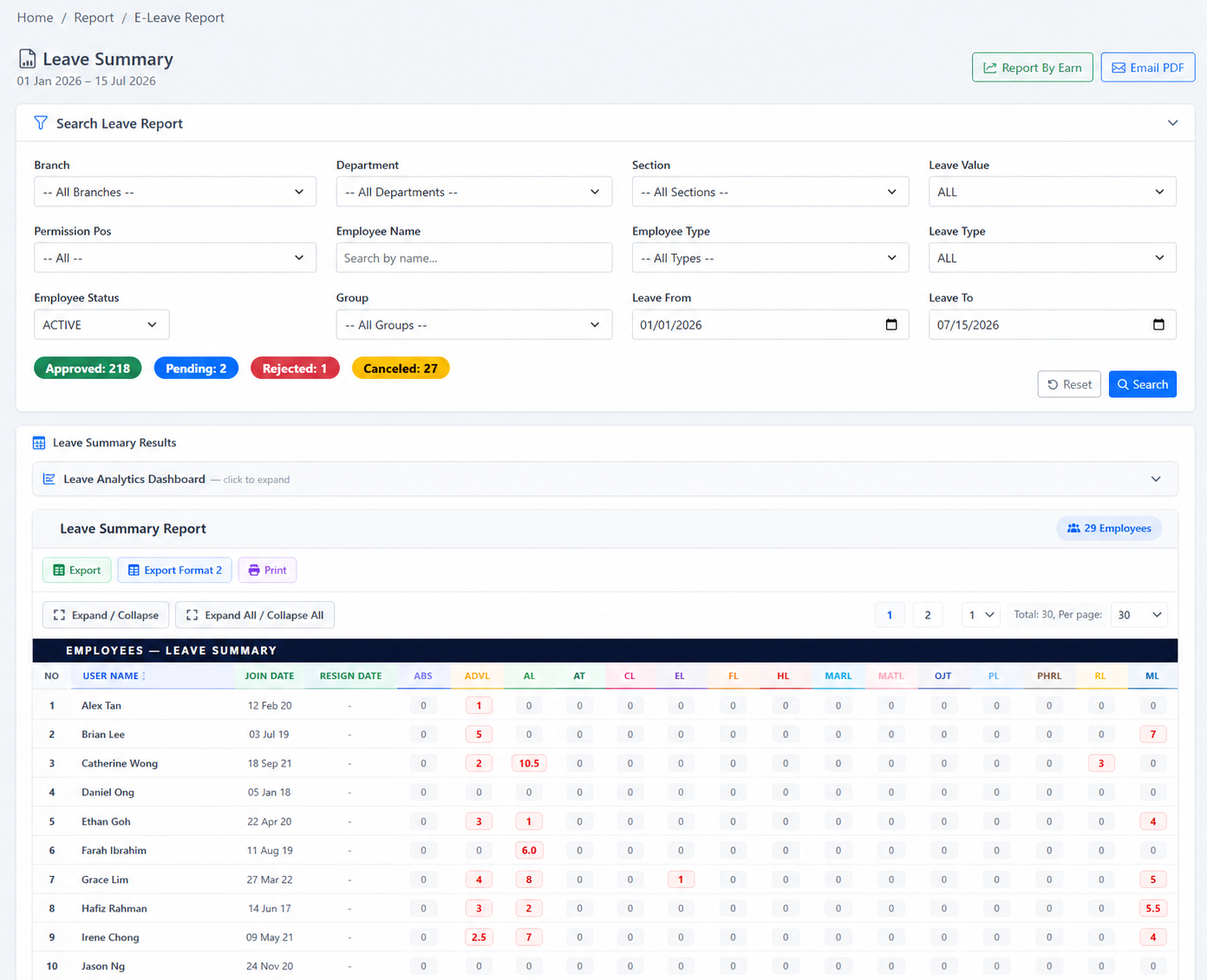
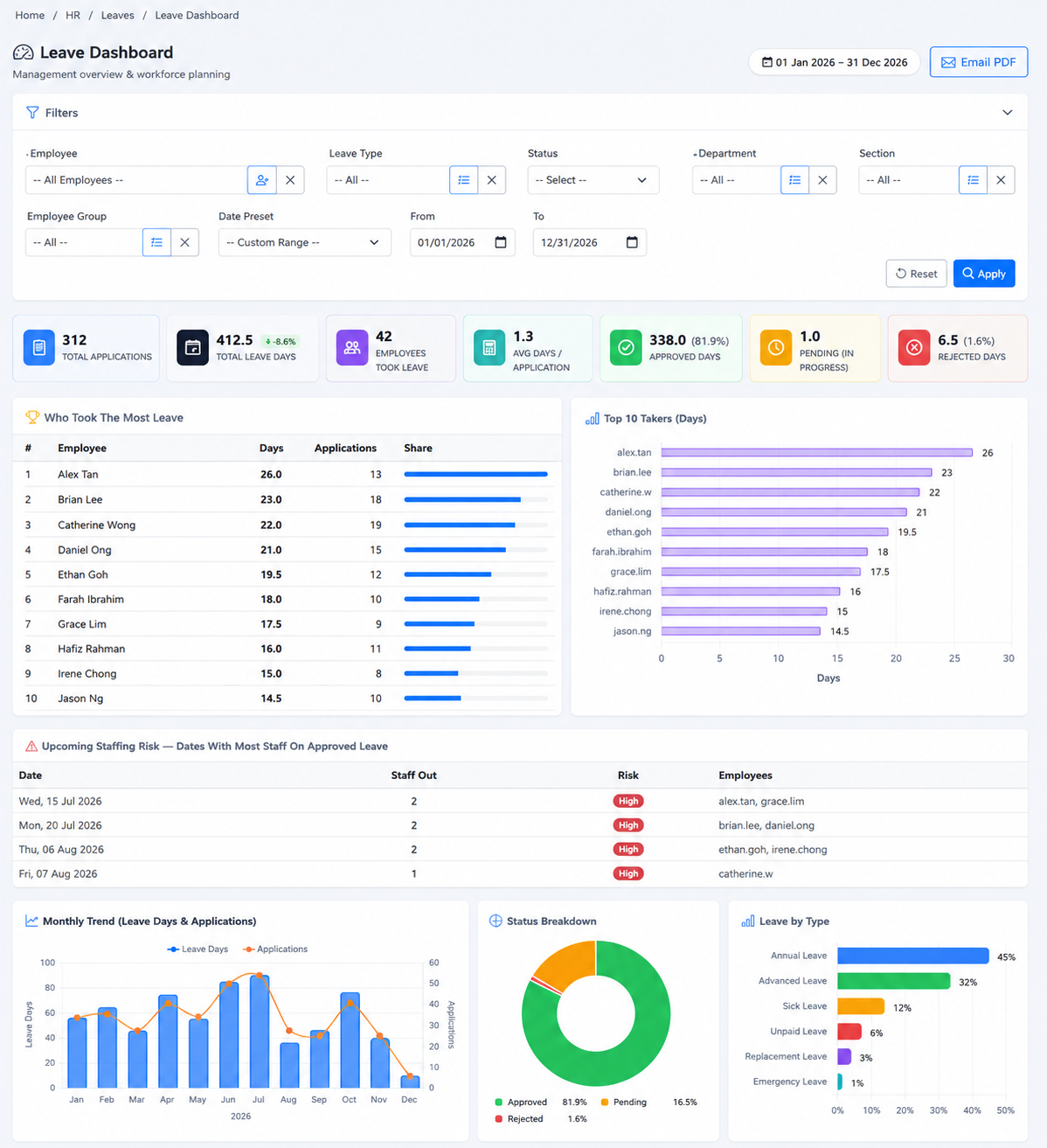
Review entitlement, taken days, balances, leave patterns, unpaid leave and staffing visibility.

10

Employee self-service

Apply, review balances and follow leave status through the web or supported BizCloud App workflows.

11

Apply on behalf of colleagues

Allow authorised supervisors or HR users to submit leave for another employee.

12

PDF and email reporting

Generate, print or email filtered leave summary and dashboard information as PDF reports.

Inside the software

See the real e-Leave Management screens.

These screenshots come from the HRM.my application and correspond to the capabilities described above. Select an image to view it at full size.
HRM.my e-Leave type and policy configuration
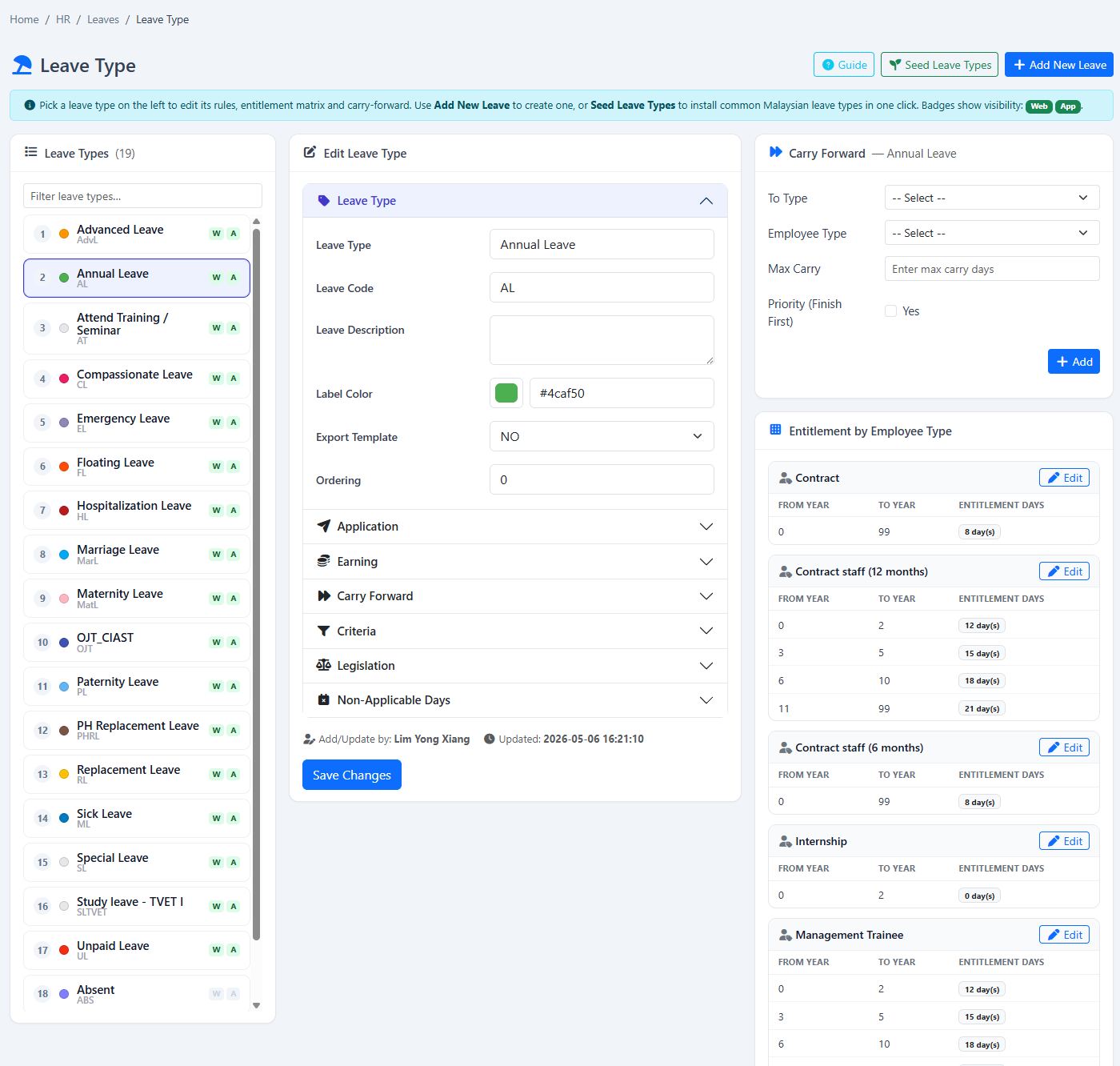
Leave type configurationControl eligibility, application timing, earning method, carry-forward, supporting requirements and employee-type entitlement.
HRM.my multi-level leave approval types showing approver levels and AND or OR groups
Multi-level approval typesBuild ordered approval levels and control whether any one approver in a group can decide (OR) or every configured group must sign off (AND).
HRM.my leave carry-forward configuration
Carry-forward rulesConfigure same-type rollover, cross-type treatment, caps and year-end balance behaviour.
HRM.my bulk leave adjustment screen
Bulk leave adjustmentCredit or deduct leave for selected employees while recording the reason in employee history.
HRM.my employee leave summary report
Employee leave summaryReview entitlement, leave taken and balances across employees and leave types.
HRM.my unpaid leave analytics report
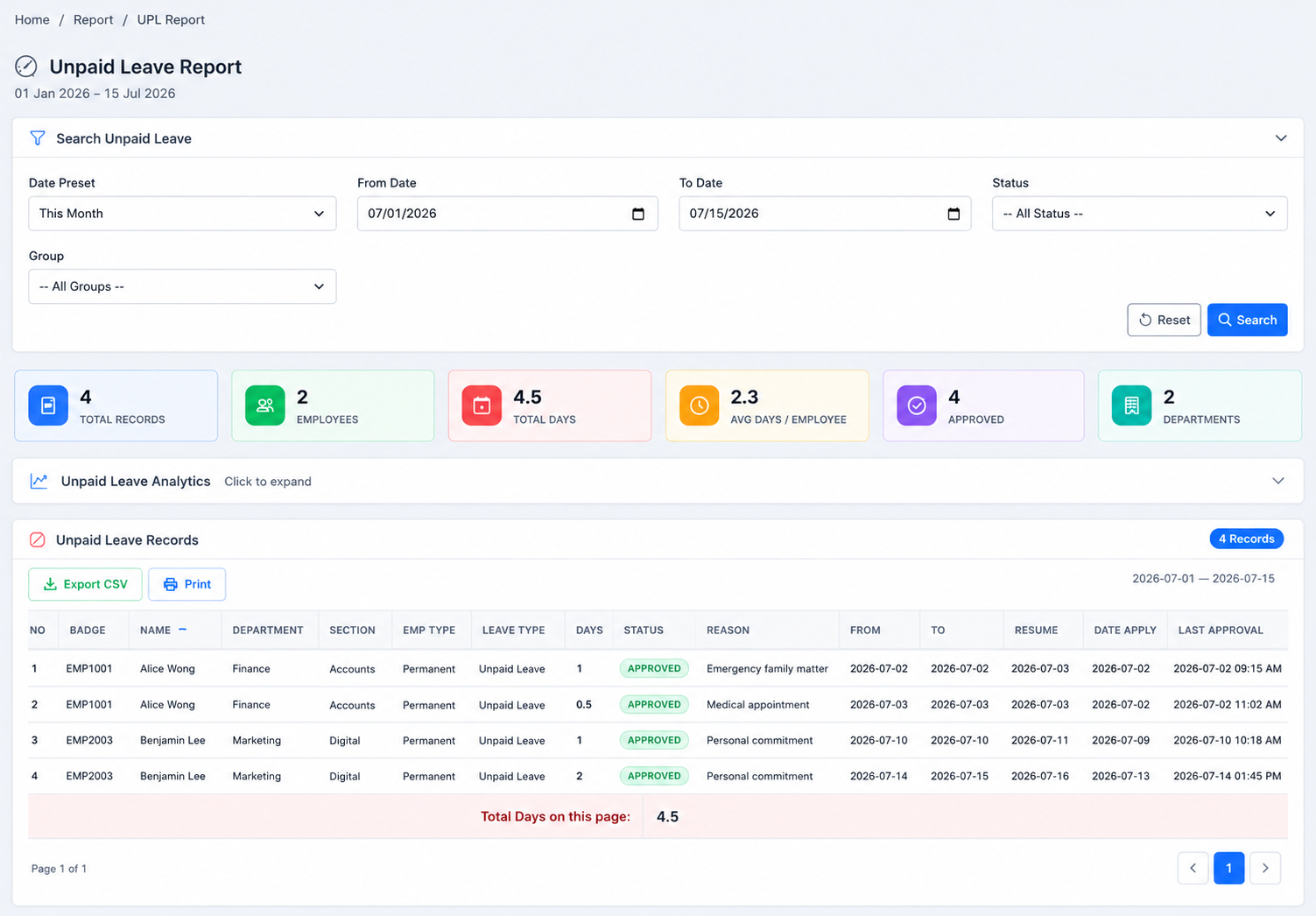
Unpaid-leave analyticsAnalyse unpaid leave by employee, department and time pattern for HR and payroll follow-up.
HRM.my manual leave burn screen
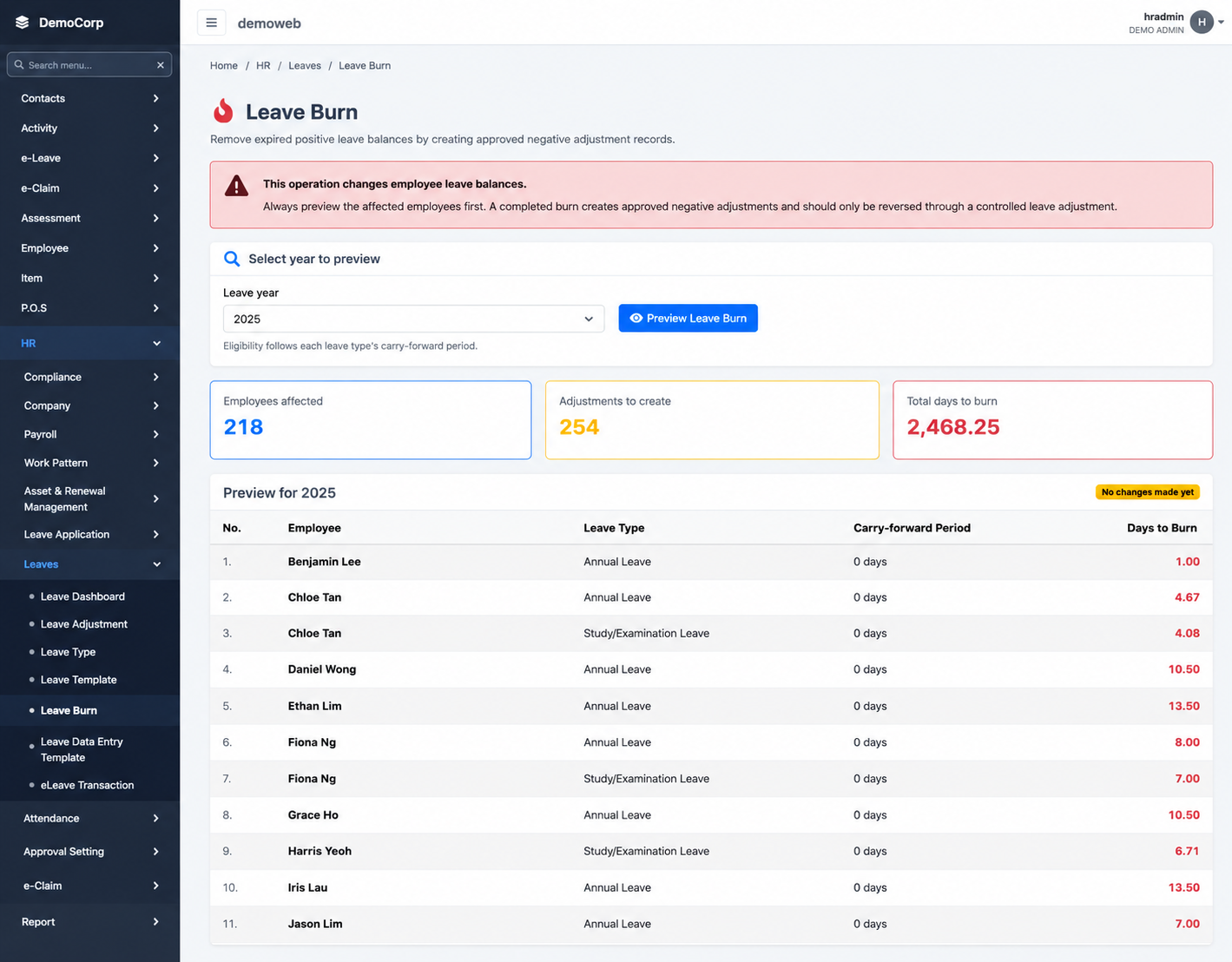
Manual leave burnPreview eligible balances for a selected year before confirming burn adjustment records.
How it works

From policy setup to a complete leave record.

Each application follows the rules, entitlement and approval structure configured for that employee and leave type.

  1. 1
    Define leave policyCreate leave types, eligibility, earning rules, employee-type entitlements and year-end treatment.
  2. 2
    Employee submits leaveThe employee applies through the web or supported mobile workflow using available policy and balance information.
  3. 3
    Approvers take actionThe request follows the configured group and multi-level approval logic.
  4. 4
    Balances and reports updateApproved transactions become available in employee history, calendars, dashboards and reports.
Flexible subscription

Use this module on its own—or as part of a connected HRM platform.

Your company can begin with e-Leave Management and add payroll, attendance, leave, claims, KPI or operational modules when required.

Individual moduleSubscribe only to the function your team needs now.
Connected packageCombine modules to reduce repeated data entry and handoffs.
Add as you growExpand the platform when your policies or workforce become more complex.
See this module in action

Put your leave policy into a workflow employees can actually use.

Tell us about your company and we’ll demonstrate the workflows that matter to your team.

Request a demonstration Start free trial