eClaim module

Control employee claims, overtime and project budgets in one workflow.

Give employees a clear way to submit expenses while HR, finance and managers enforce claim policies, review supporting details and monitor spending before approved items move to payroll.

Subscribe individually or combine with other HRM.my modules.
What this module gives you
Configurable claim types and employee caps
Regular expense and hourly overtime claims
Project, item and time-based budget controls
Reusable claim templates and approval sets
Web and BizCloud App submission and approval
Flexible module subscriptionChoose only what your company needs
Simpler employee submissionEmployees submit regular expenses or overtime and track their claim status online.
Consistent policy controlApply claim types, limits, approval sets and project rules before reimbursement.
Visible project spendingCompare approved and pending claims with the budget assigned to each project.
Module capabilities

Everything included in Expense Claims.

eClaim connects policy setup, employee submissions, manager approval, project-budget monitoring and payroll preparation without relying on paper forms or disconnected spreadsheets.

01

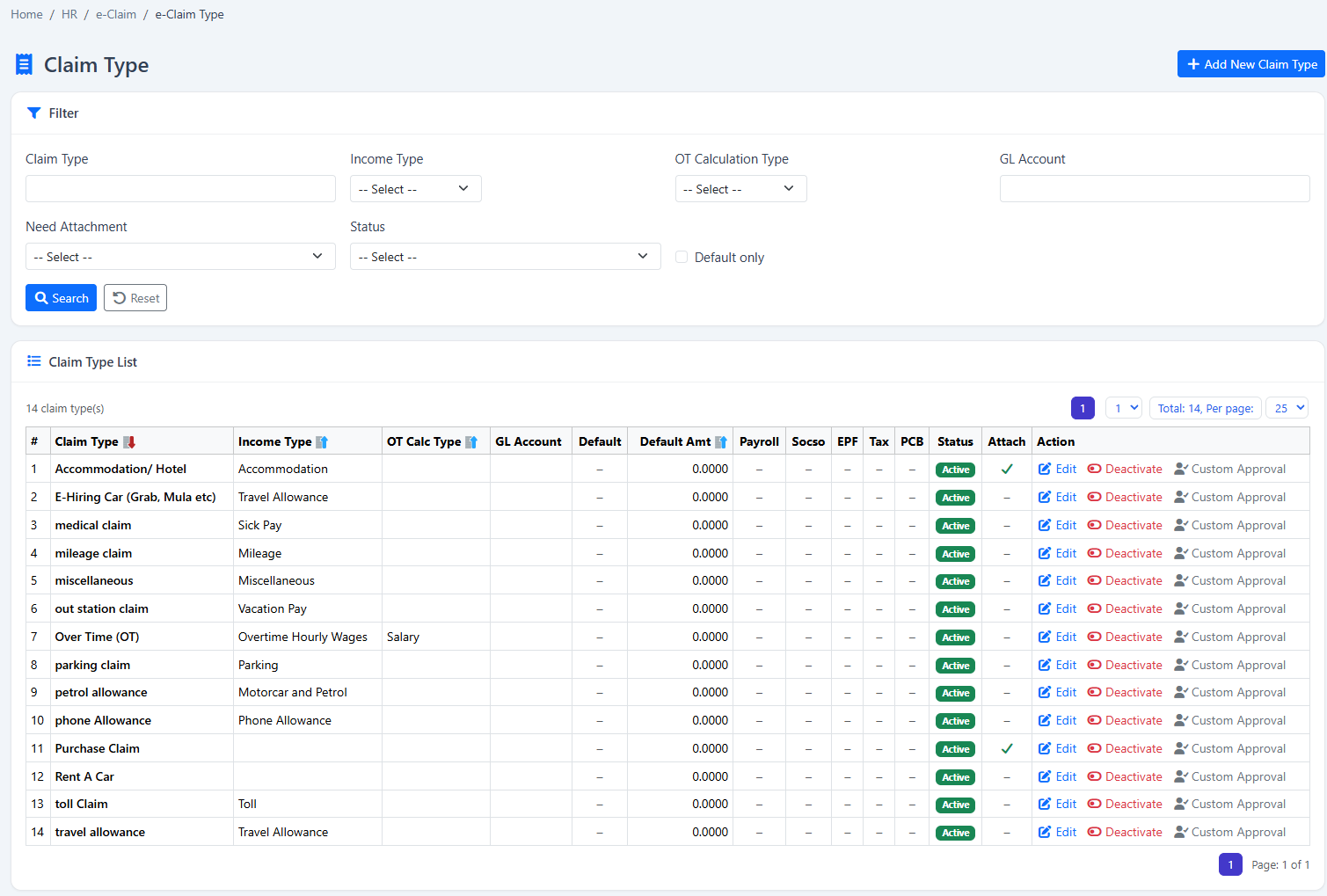
Configurable claim types

Create mileage, travel, meal, medical, allowance or other claim categories and connect them to the appropriate payroll income treatment.

02

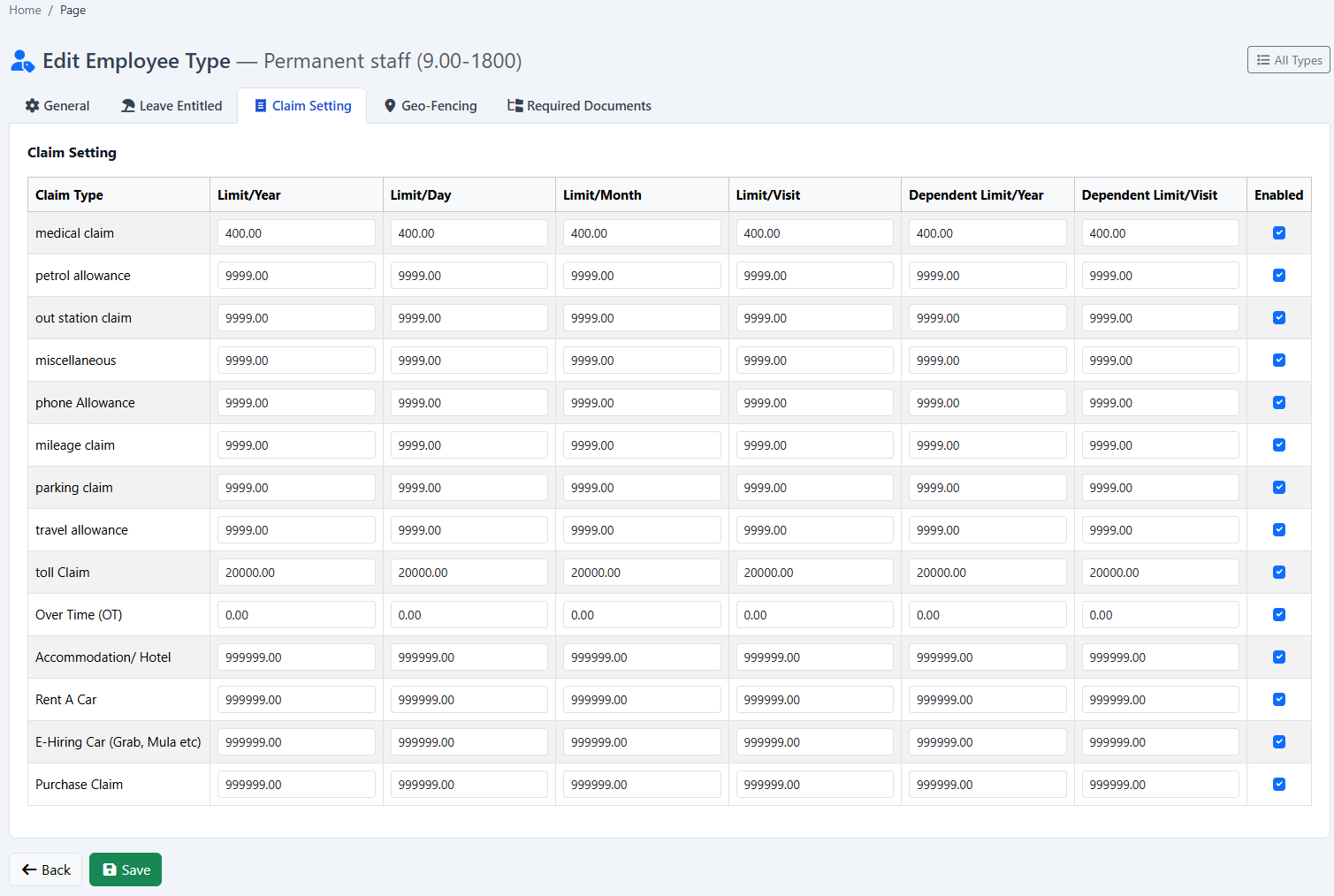
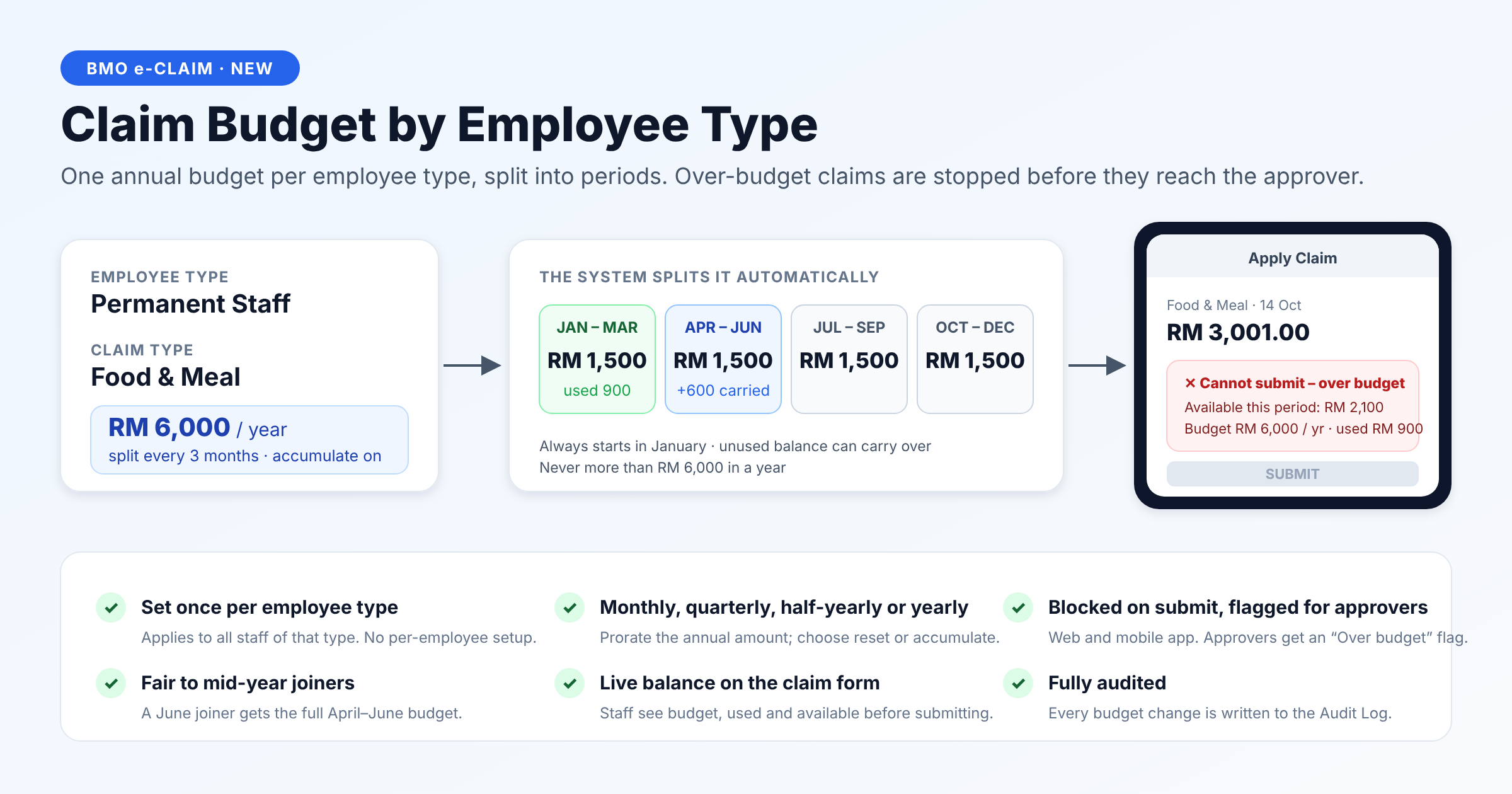
Employee-type claim caps

Set monthly or yearly limits by employee type so the same claim category can follow different entitlement policies.

03

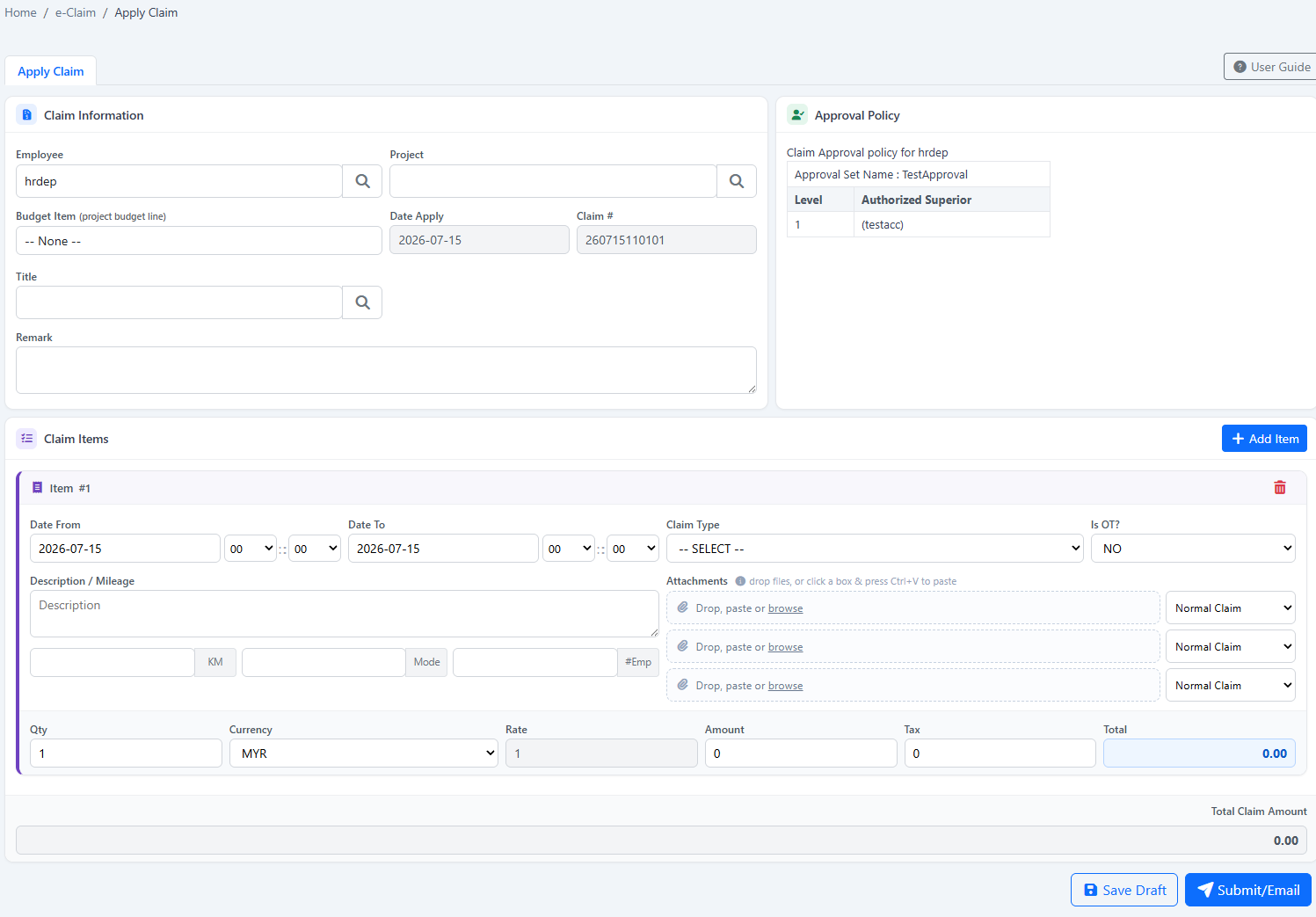
Regular expense submission

Employees enter claim items, amounts, dates, descriptions and supporting information through a structured claim form.

04

Hourly overtime claims

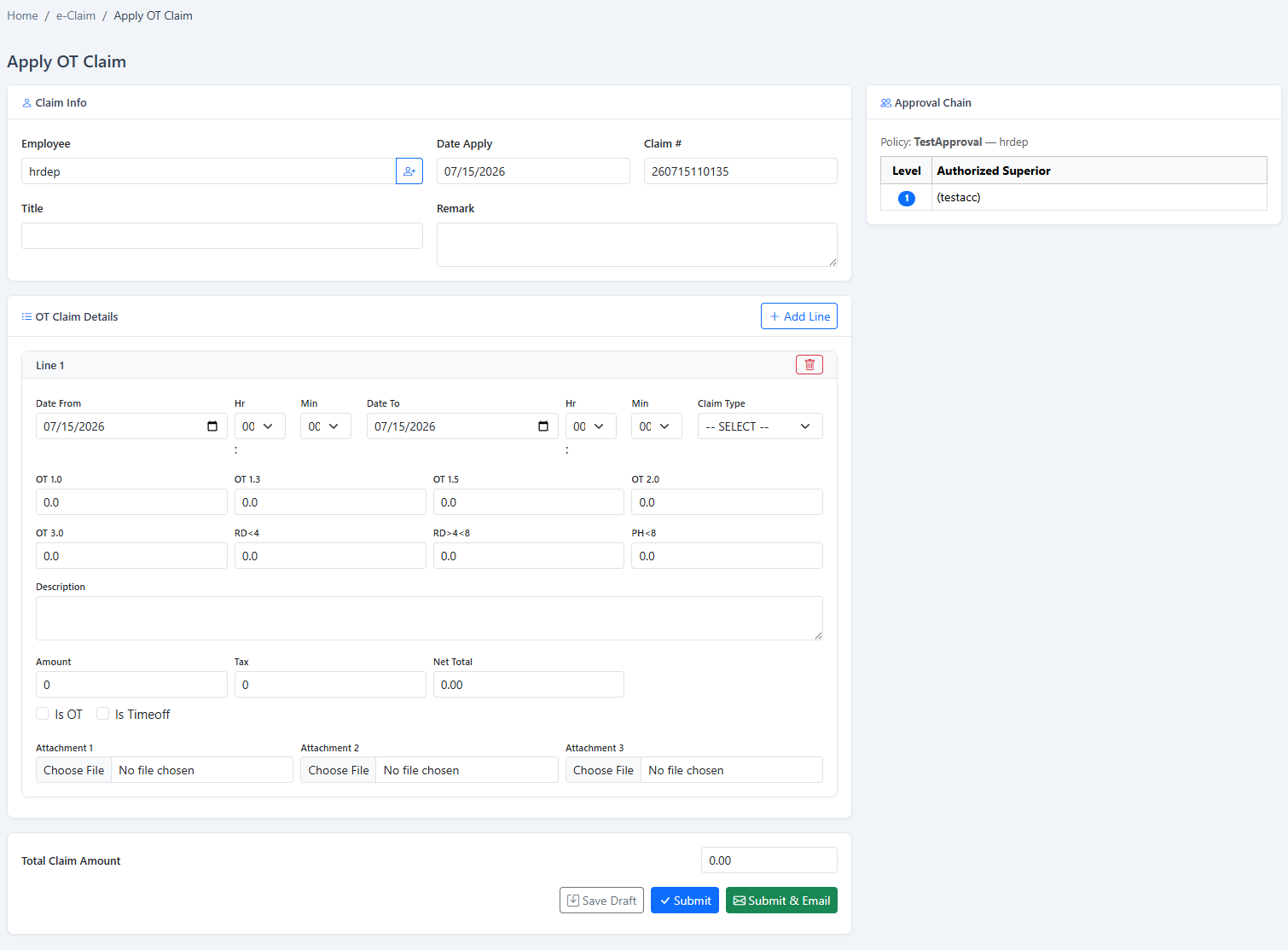
Capture overtime hours and the supporting claim details required for review and downstream payment.

05

Mobile claim access

Use the BizCloud App for convenient submission and approval when employees and managers are away from a desk.

06

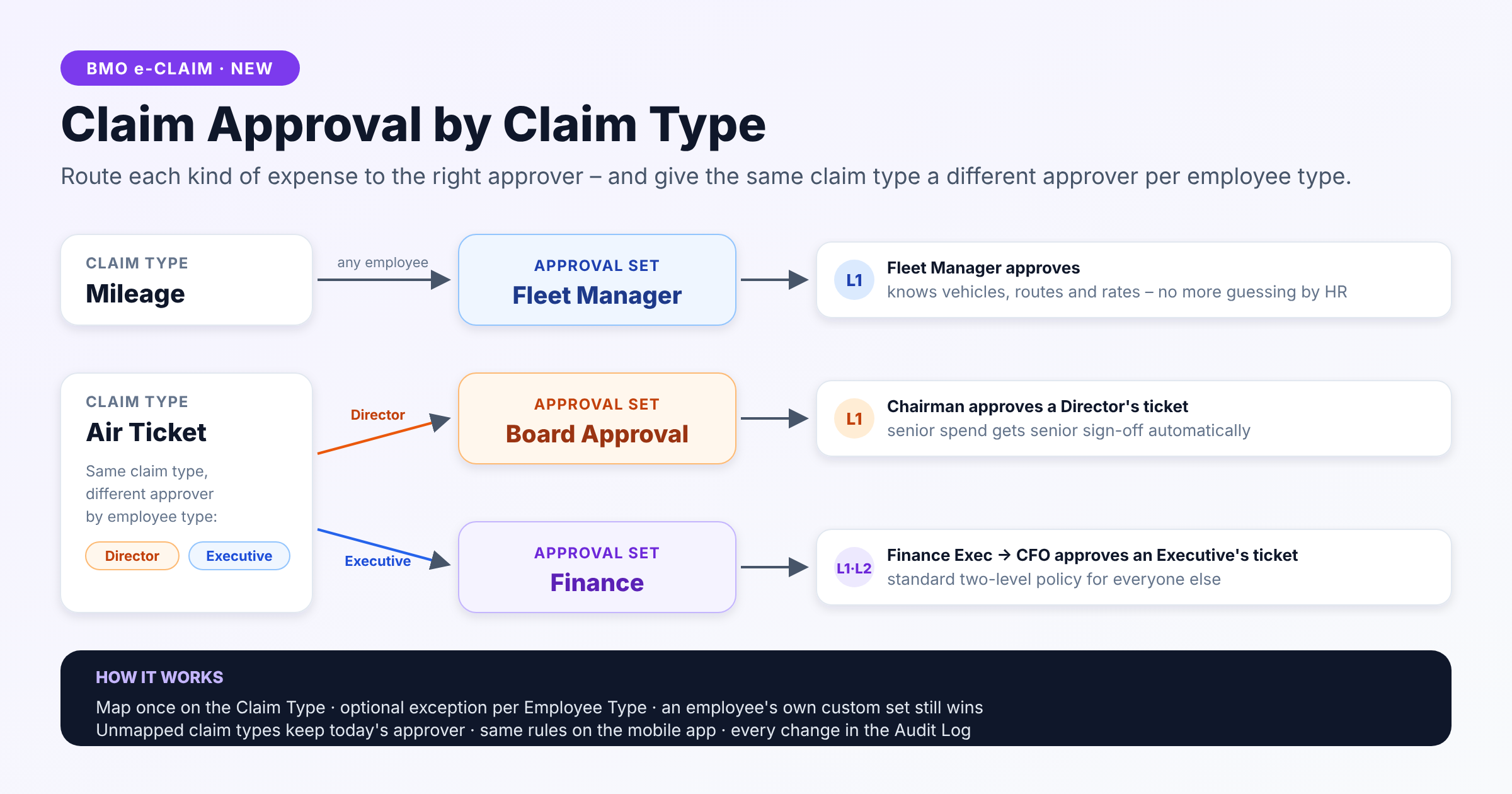
Employee approval sets

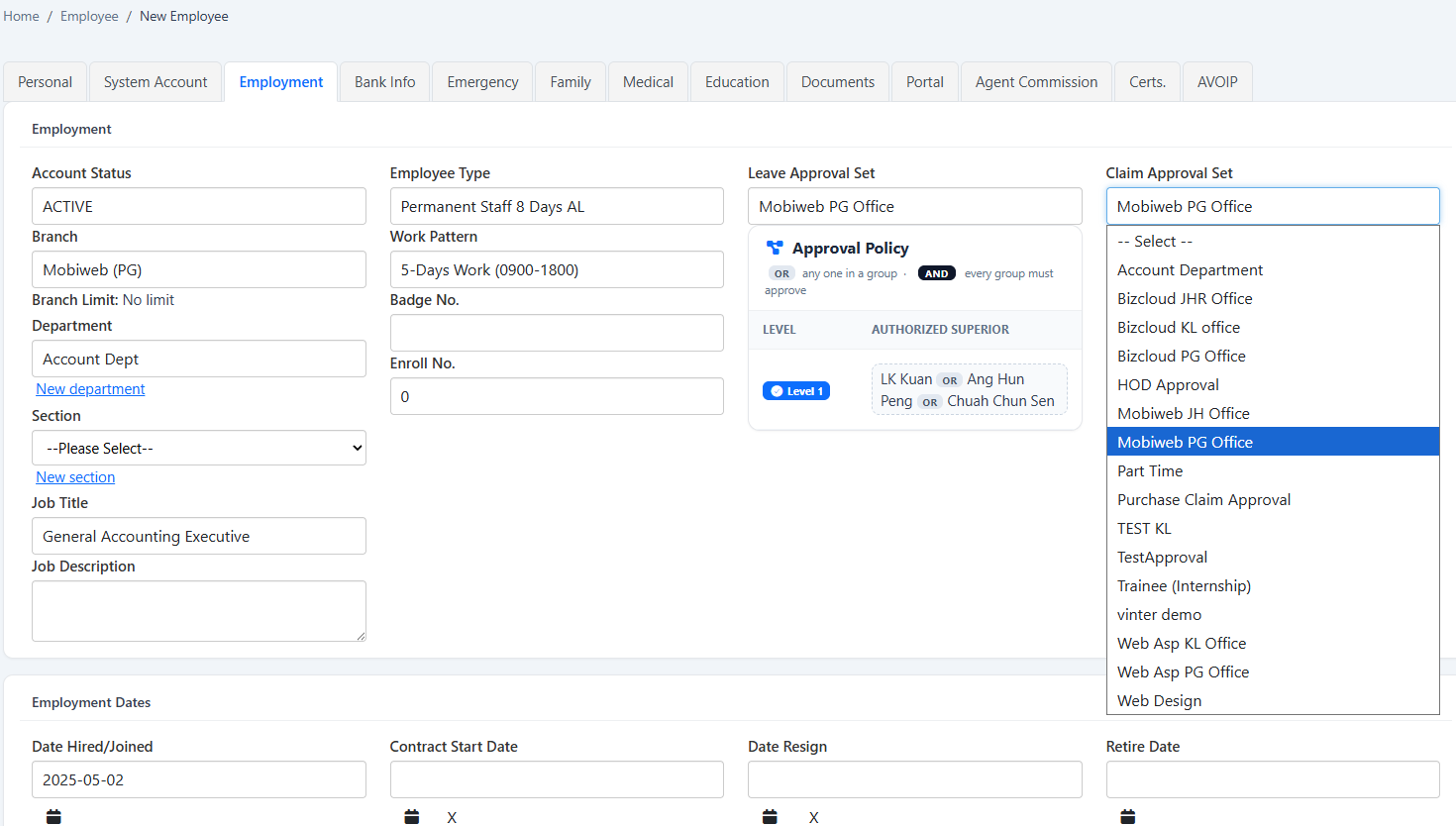
Assign the correct reviewer structure to each employee so claims reach the responsible manager or finance approver.

07

Project-title categorisation

Standardise the titles and purposes used on project claims for more consistent reporting and review.

08

Project and item budgets

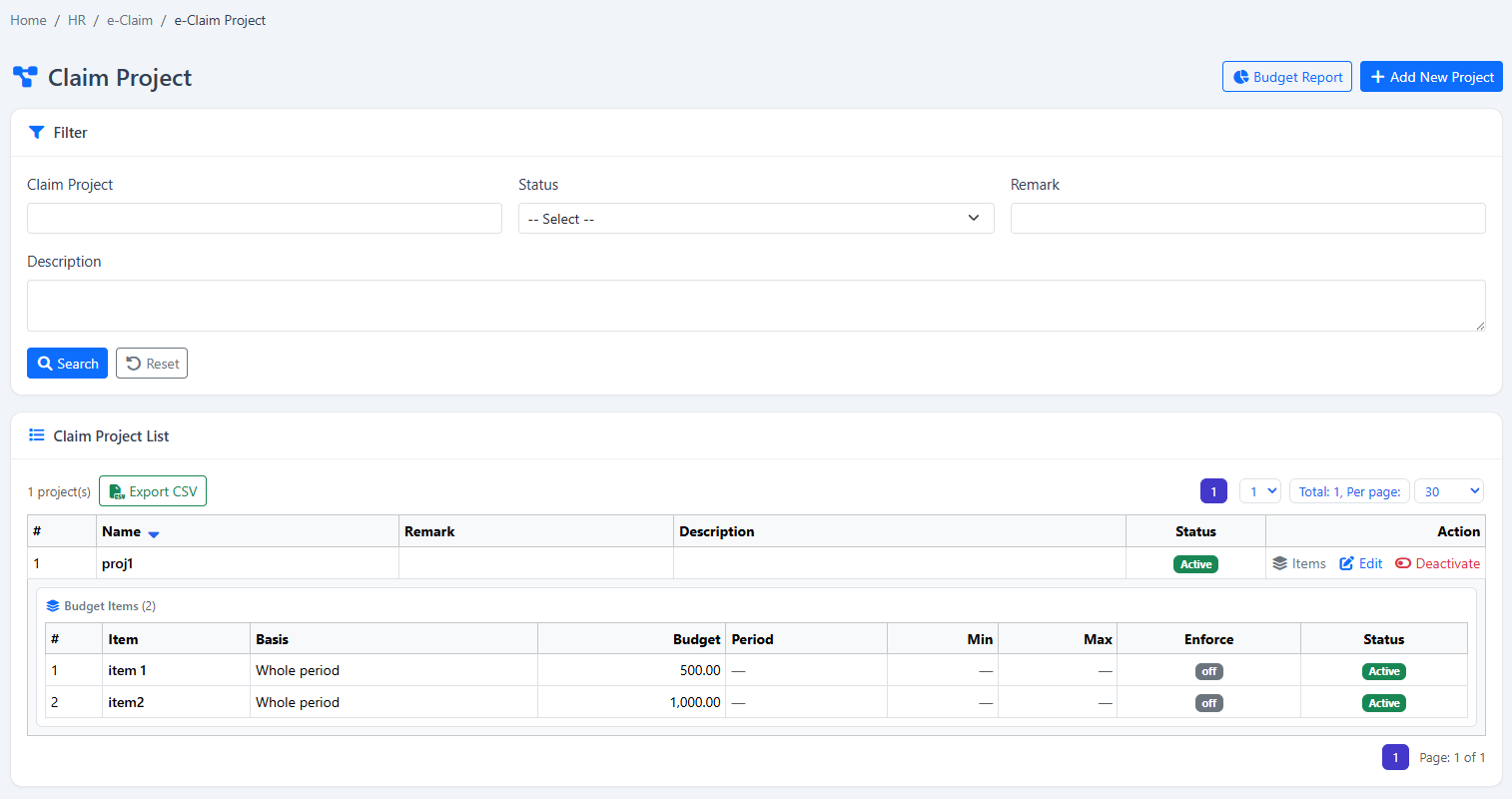
Define project periods, participating employees, budget items and spending limits before claims are approved.

09

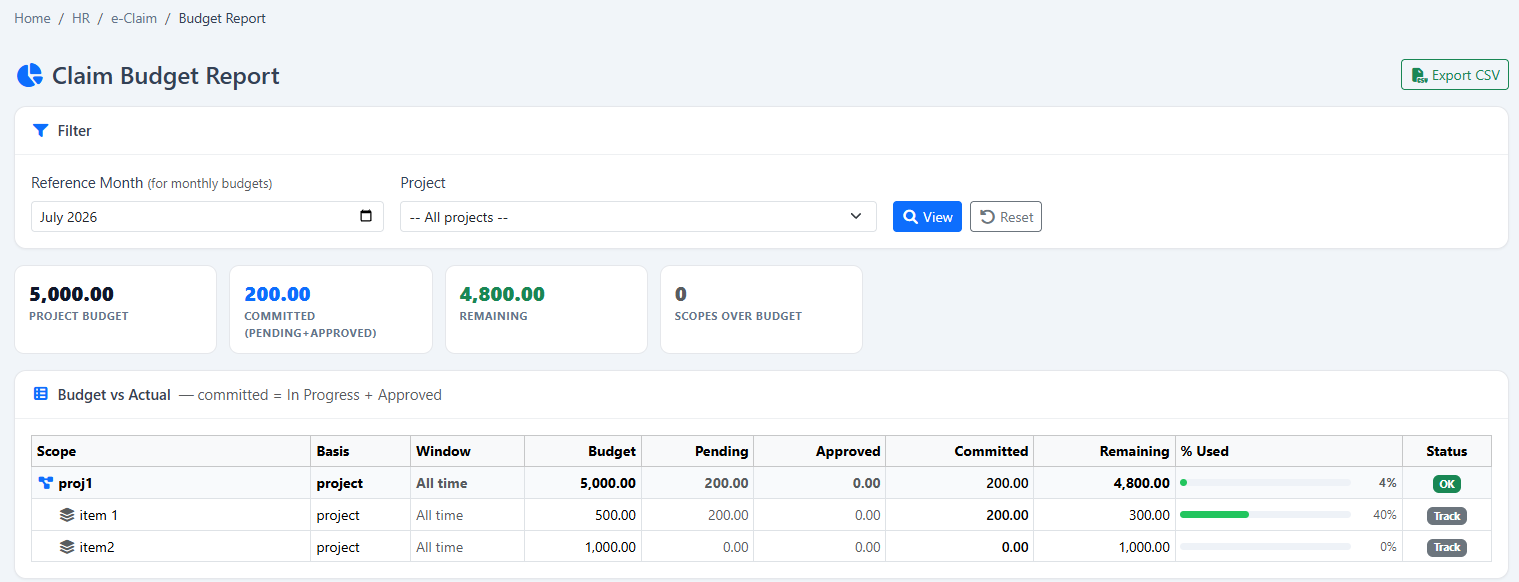
Budget utilisation report

Compare project budgets against approved and pending claim amounts to identify remaining balances and overruns.

10

Multiple items and limits

Handle several claim items in one submission while maintaining category and project-level controls.

11

Reusable claim templates

Combine project, title and claim-type settings into repeatable templates that reduce data entry and standardise submissions.

12

Approval dashboard

Approvers see the claims requiring action, supporting details and current status in a focused work queue.

13

Payroll-ready reimbursement

Use approved claims as structured payroll inputs so reimbursements do not need to be re-entered manually.

14

Traceable claim history

Keep submission, review and approval information together for later employee, HR and finance reference.
Inside the software

See the real Expense Claims screens.

These screenshots come from the HRM.my application and correspond to the capabilities described above. Select an image to view it at full size.

HRM.my employee claim type setup
Claim type setupDefine each claim category and connect it to the appropriate reimbursement or payroll treatment.
HRM.my employee type claim cap
Claim caps by employee typeApply different monthly or annual limits to different groups of employees.
HRM.my employee claim application form
Employee claim applicationEmployees enter regular claim items in a structured, trackable form.
HRM.my overtime claim application
Overtime claimCapture hourly overtime details for approval and payment preparation.
HRM.my employee claim approval set
Approval-set configurationAssign the appropriate reviewer structure to employees and claim workflows.
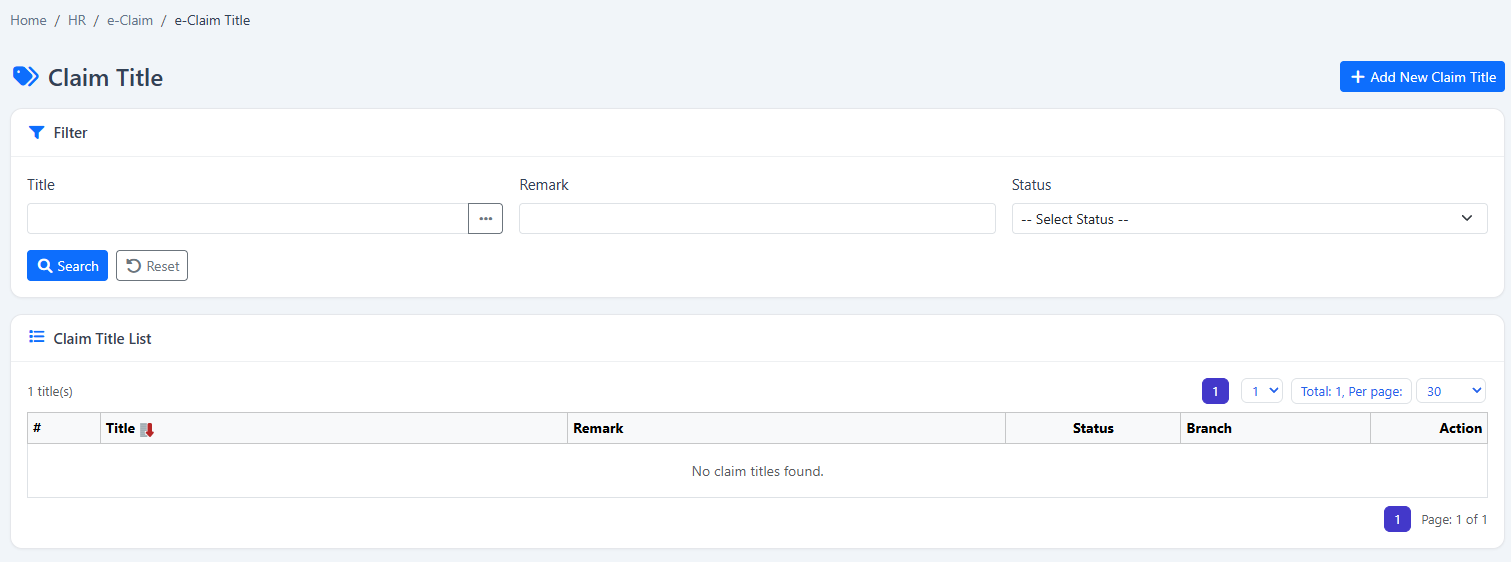
HRM.my eClaim project title setup
Project title categoriesStandardise the project-purpose descriptions used by employees in their submissions.
HRM.my eClaim project configuration
Claim project configurationControl project periods, members, items and budget limits from one screen.
HRM.my claim approval dashboard
Claim approval dashboardManagers and finance users can focus on pending submissions and take action from a central view.
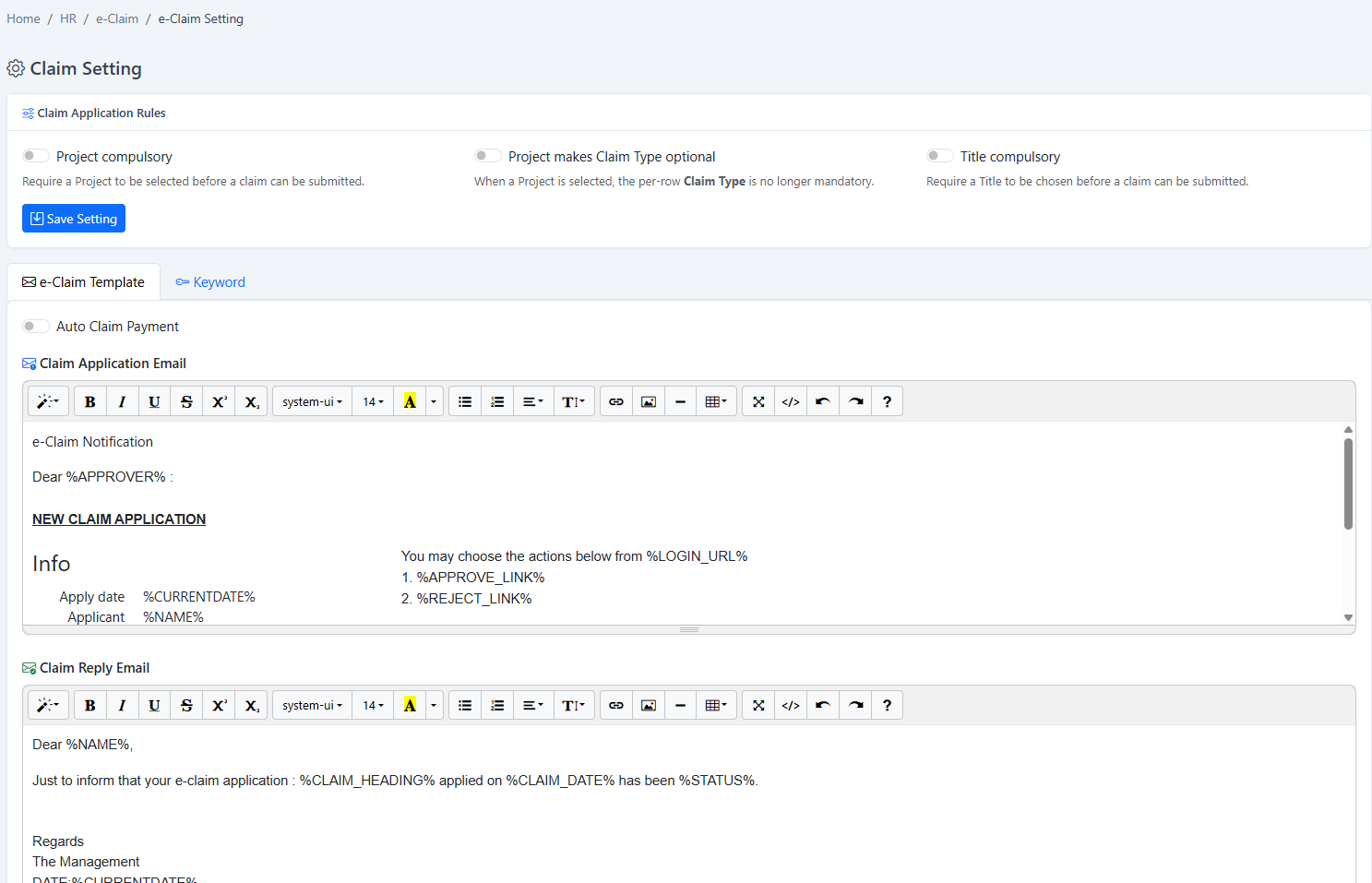
HRM.my eClaim settings
Claim settingsMaintain the operating rules that govern claim submission and processing.
HRM.my project title list for employee claims
Reusable project informationReuse governed project titles to improve consistency across repeated employee claims.
How it works

From expense policy to approved reimbursement.

The module keeps every stage visible while allowing different claim categories and employee groups to follow the controls they need.

  1. 1
    Configure policiesDefine claim types, caps, projects, templates and employee approval sets.
  2. 2
    Submit expenses or overtimeEmployees enter claim items through web or the BizCloud App.
  3. 3
    Review and approveManagers and finance check policy limits, project budgets and supporting details.
  4. 4
    Report and reimburseMonitor claim history and budgets, then prepare approved items for payroll.
Flexible subscription

Use this module on its own—or as part of a connected HRM platform.

Your company can begin with Expense Claims and add payroll, attendance, leave, claims, KPI or operational modules when required.

Individual moduleSubscribe only to the function your team needs now.
Connected packageCombine modules to reduce repeated data entry and handoffs.
Add as you growExpand the platform when your policies or workforce become more complex.
See this module in action

Replace scattered claim forms with governed submissions, budgets and approvals.

Tell us about your company and we’ll demonstrate the workflows that matter to your team.

Request a demonstration Start free trial