KPI & Assessment module

Turn employee assessment into a repeatable, measurable process.

Create structured question banks, assign assessment sets, collect employee or anonymous responses and combine automatic scoring with manager review for clearer performance conversations.

Subscribe individually or combine with other HRM.my modules.
What this module gives you
Reusable questions, categories and assessment sets
Scheduled access periods and QR entry
Employee or anonymous responses
Automatic and manual marking options
Seeded KPI templates by employee role
Flexible module subscriptionChoose only what your company needs
Reusable assessment contentBuild questions once, organise them by category and reuse them in different sets.
Flexible participationAssign named employees or collect anonymous responses through controlled access.
Actionable evaluation recordsCombine scores, written answers and printable results for review and development planning.
Module capabilities

Everything included in KPI & Assessment.

The KPI & Assessment module supports the full evaluation cycle: content creation, controlled assignment, answer collection, marking, template reuse and documented results.

01

Question list and library

Maintain a central library of questions instead of recreating evaluation content for every employee or cycle.

02

Multiple question formats

Create objective, written and rating-style questions with clear prompts and supporting configuration.

03

Question categories

Organise questions by competency, department, job role, training subject or evaluation purpose.

04

Assessment set builder

Combine selected questions into reusable assessment sets for onboarding, training, KPI or performance review.

05

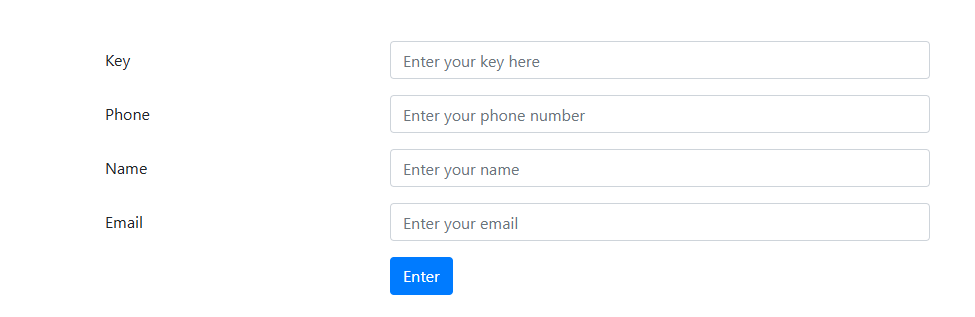
Public access keys

Control access to public assessment links with an access key when a standard employee login is not appropriate.

06

Employee assignment

Assign the correct assessment set to named employees and monitor who is expected to complete it.

07

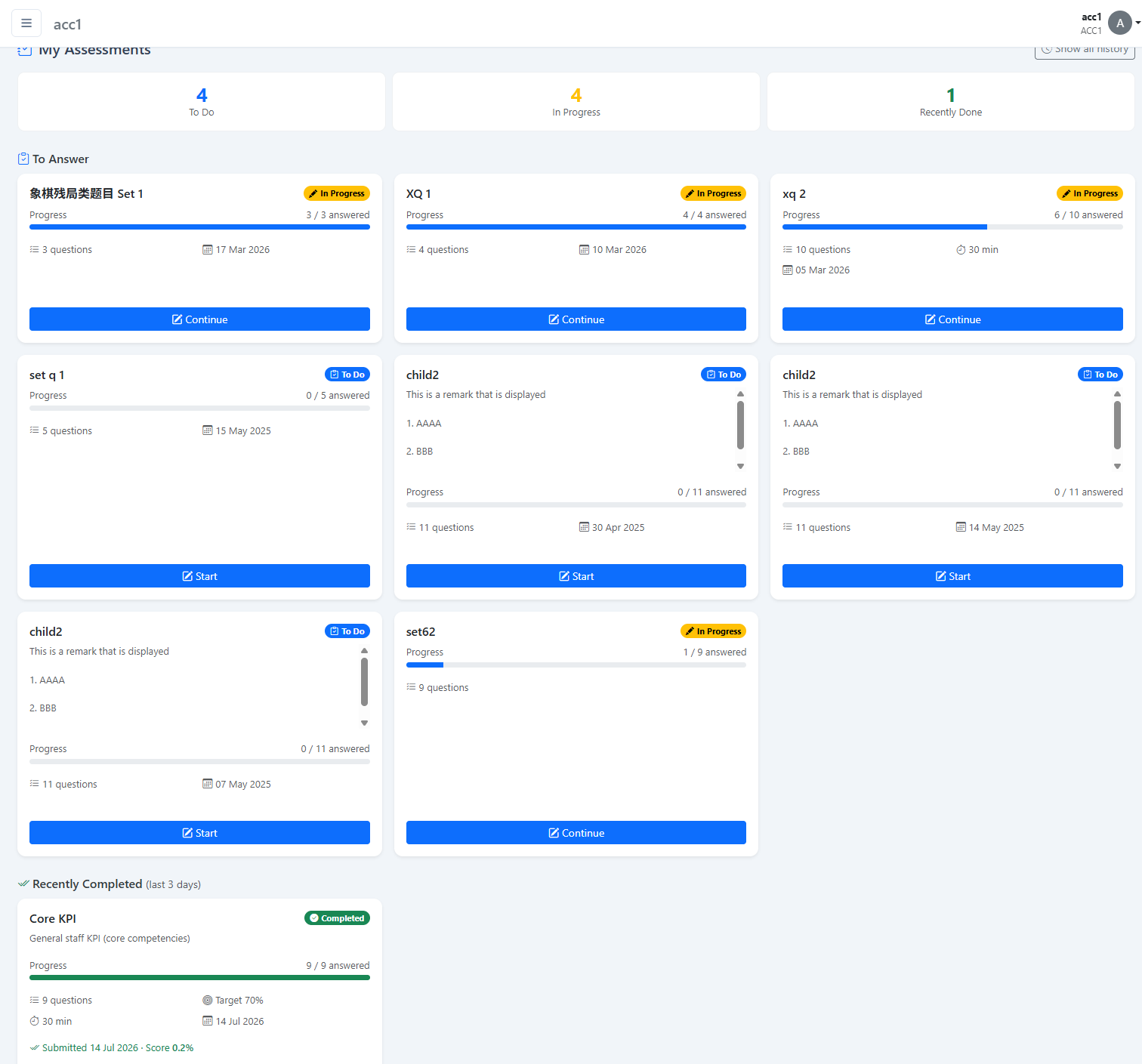
My Assessment self-service

Employees see their assigned assessments, access period and completion status from their own account.

08

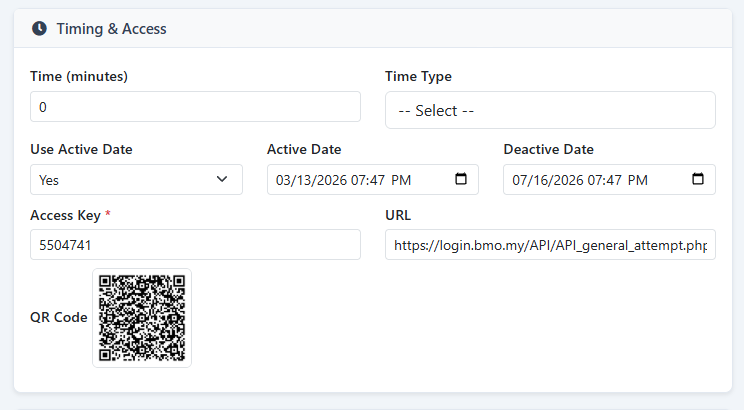
Scheduled assessment periods

Set start and end dates so assessments become available only during the intended review or training window.

09

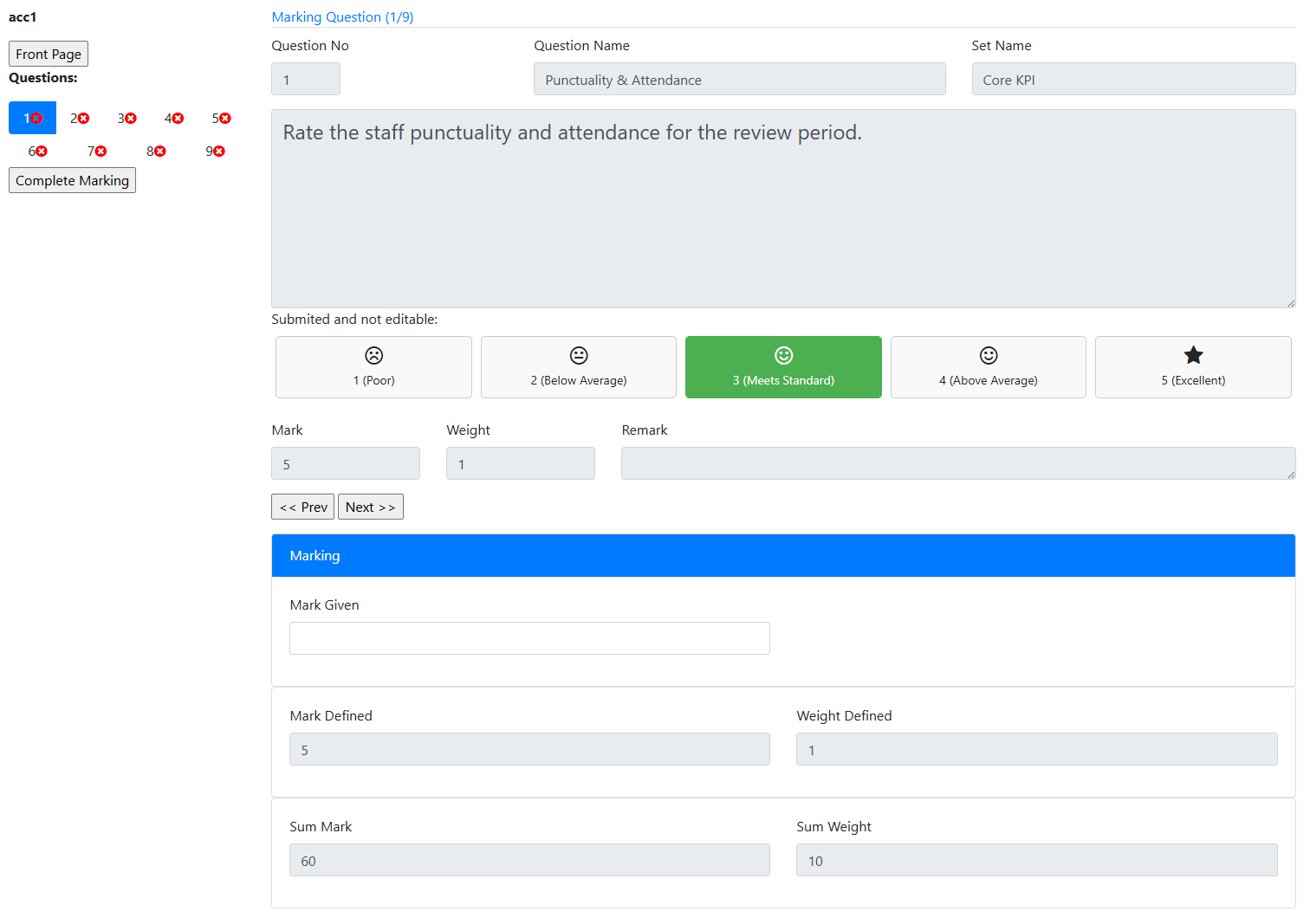
Manual marking

Managers or assessors review open-ended responses and award marks where human judgement is required.

10

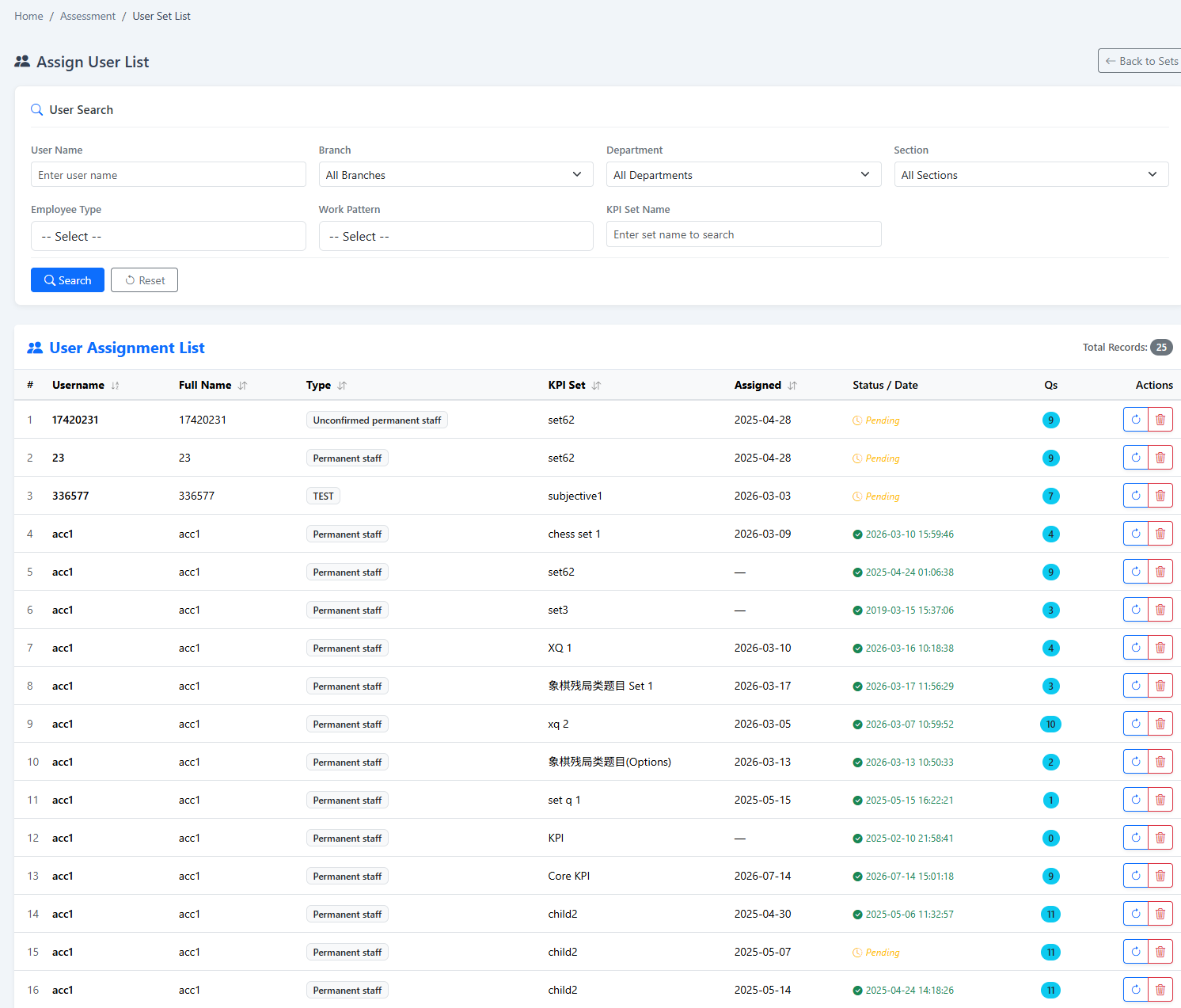
Assigned-user tracking

Review who has been assigned, who has responded and which records still require follow-up.

11

Anonymous participation

Collect feedback without associating answers with a named employee when candid or open participation is important.

12

Automatic marking

Score supported objective responses automatically for faster, consistent evaluation.

13

Randomised question delivery

Vary question ordering or selections where configured to reduce copying and improve assessment integrity.

14

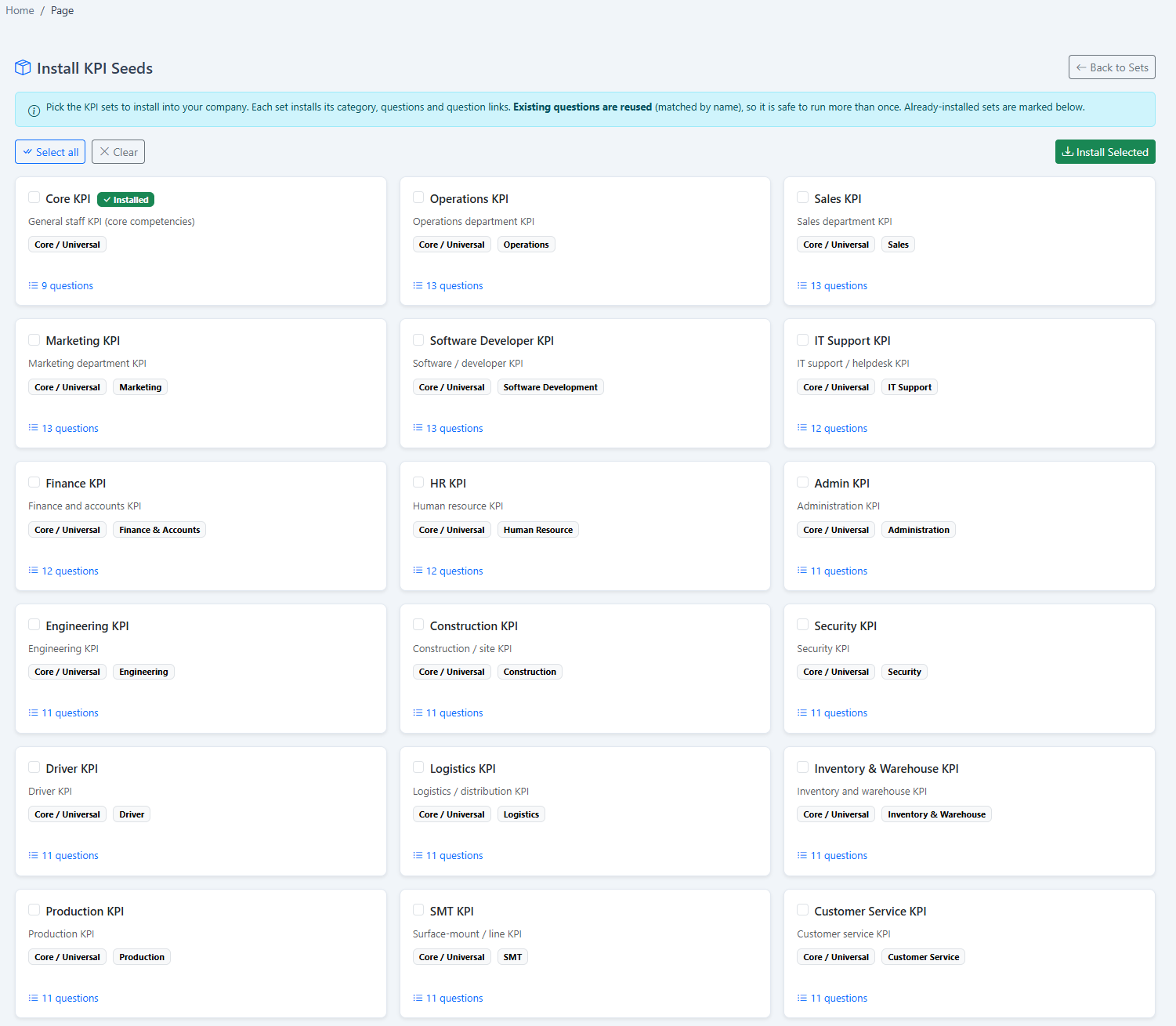
Seeded KPI role templates

Start with reusable KPI templates based on employee roles, then adapt them to the organisation’s expectations.

15

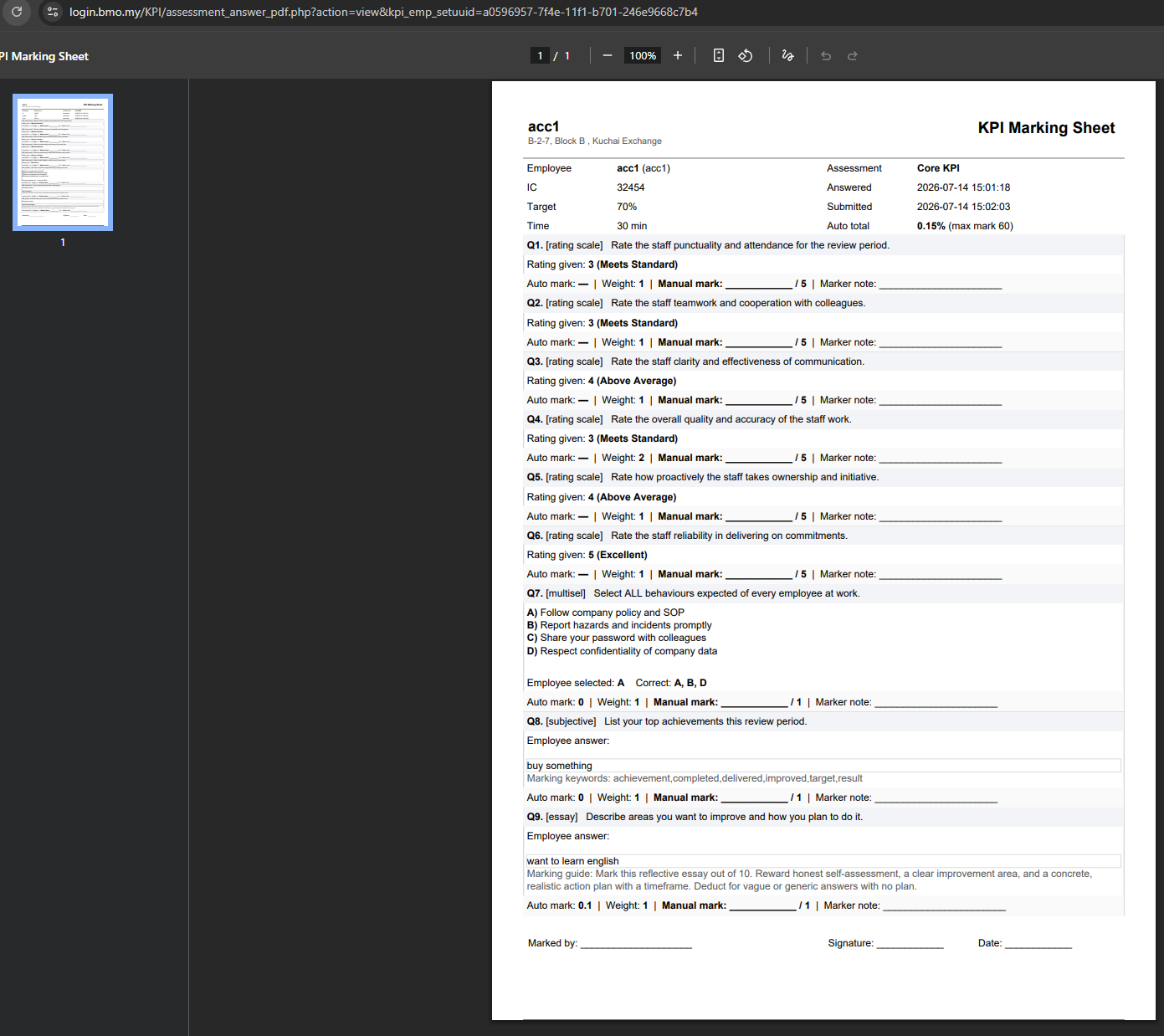
Printable assessment records

Produce a documented assessment showing questions, answers and results for review meetings or records.

Inside the software

See the real KPI & Assessment screens.

These screenshots come from the HRM.my application and correspond to the capabilities described above. Select an image to view it at full size.
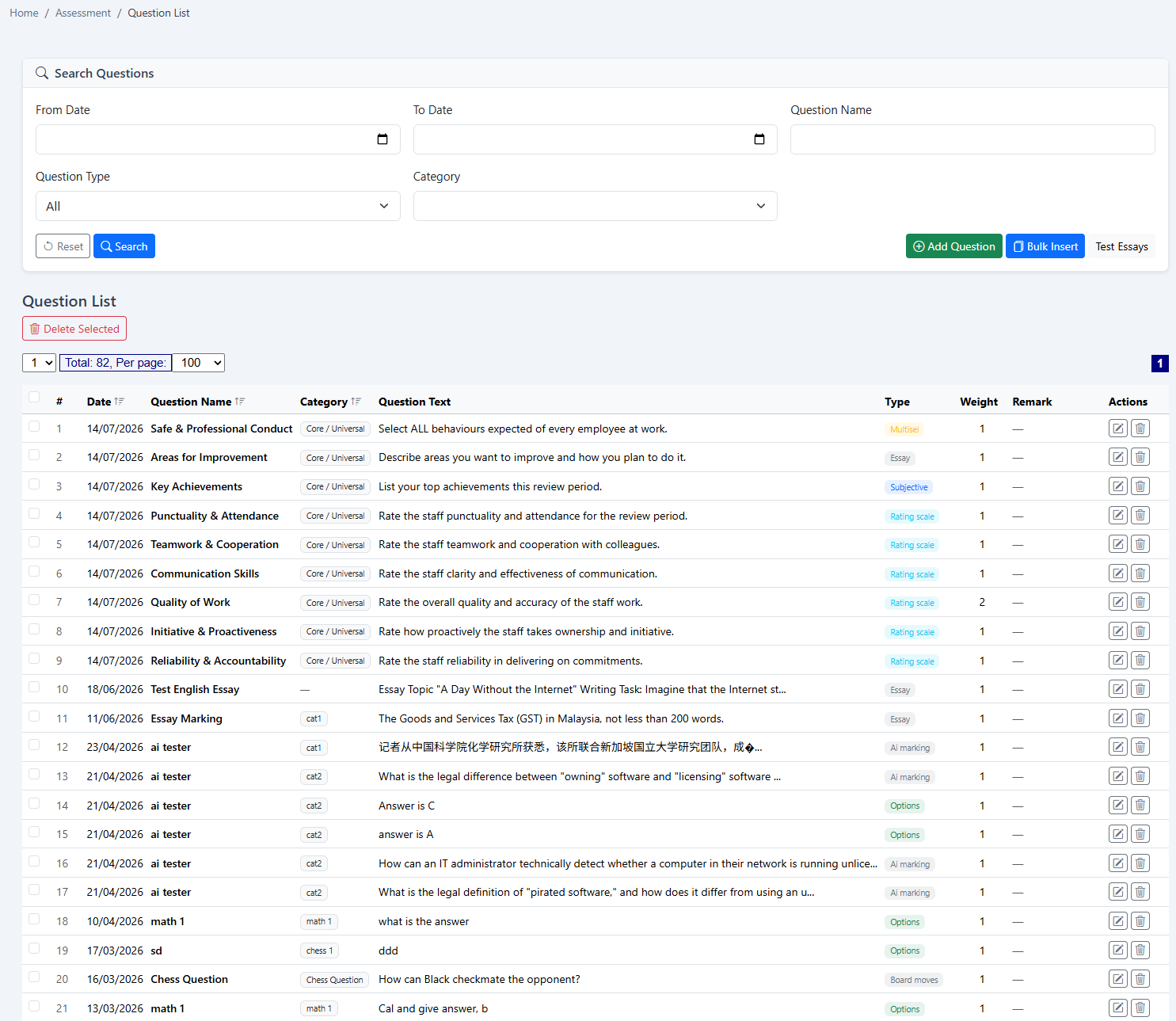
HRM.my assessment question list
Question libraryMaintain reusable evaluation questions in a searchable, structured list.
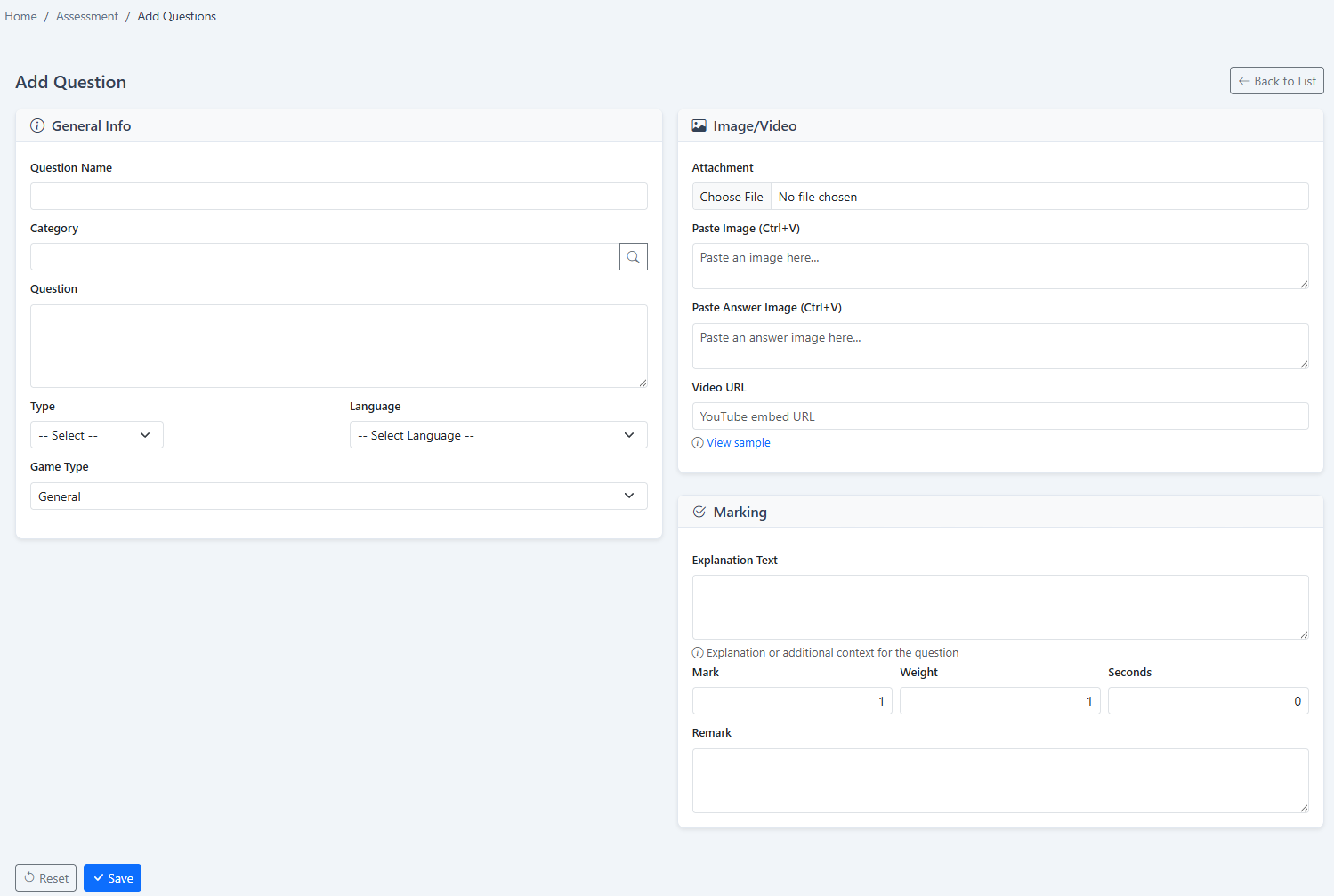
HRM.my add assessment question form
Question builderCreate prompts and marking information for the assessment format required.
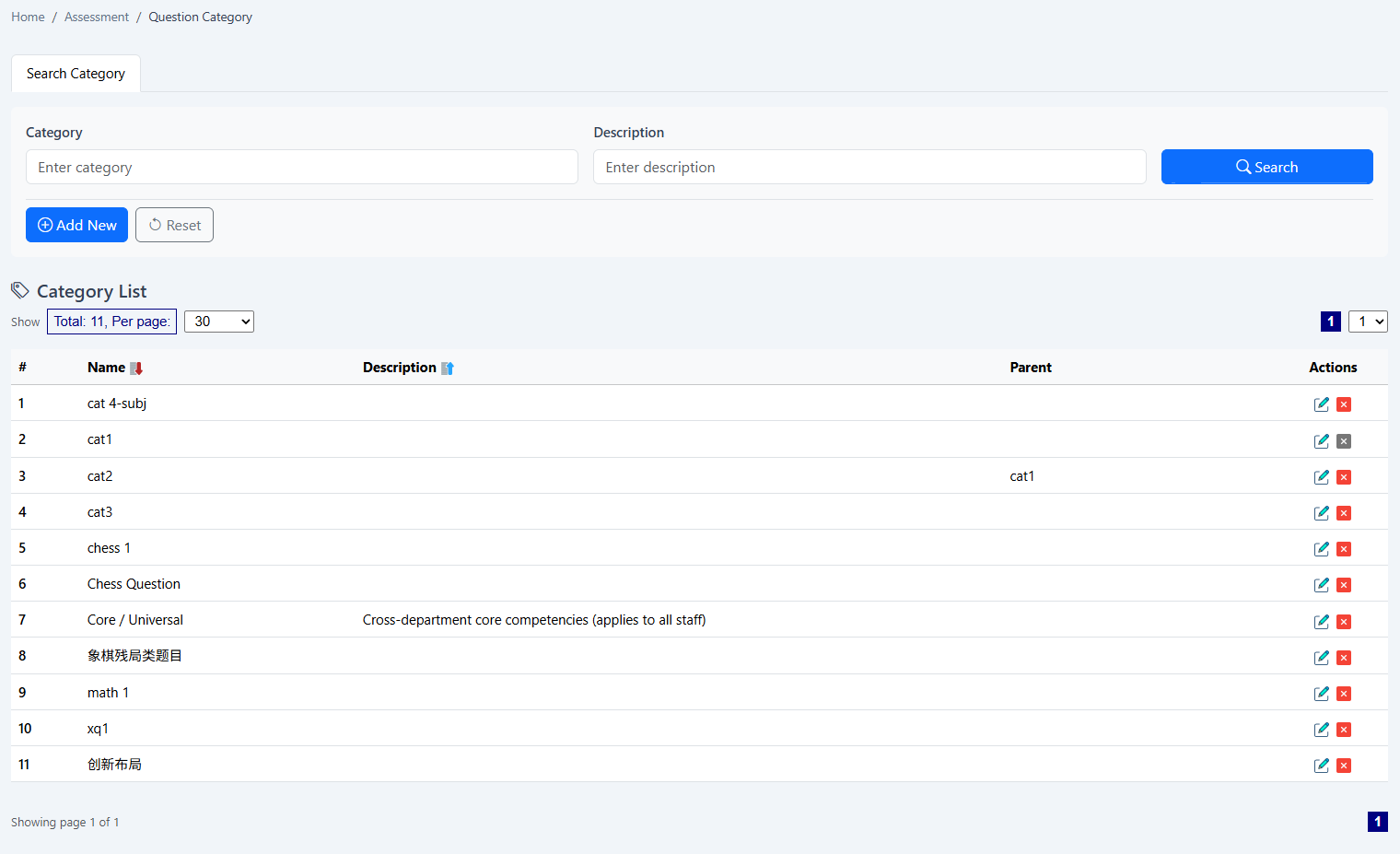
HRM.my assessment question categories
Question categoriesGroup content by competency, role, department or evaluation purpose.
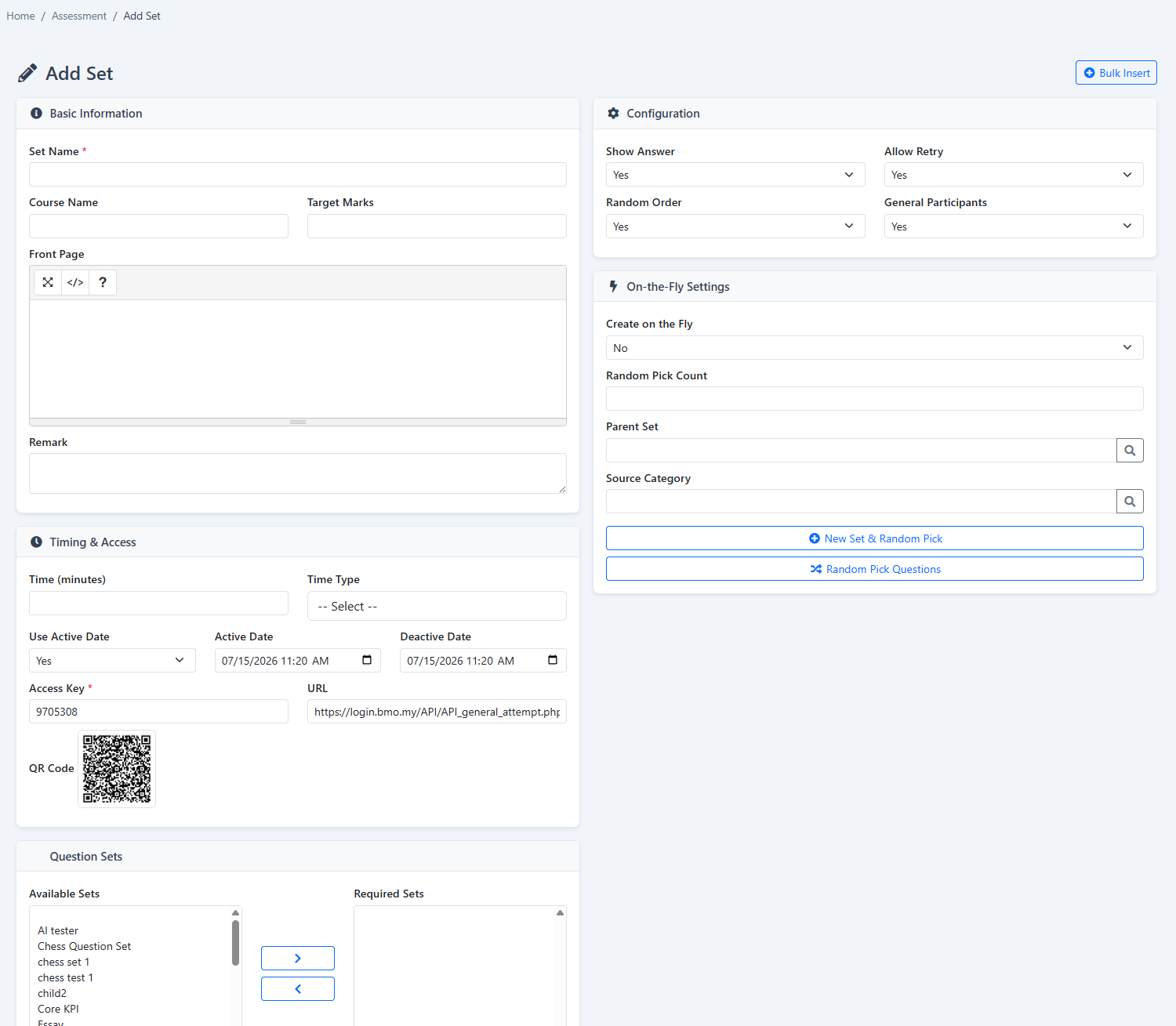
HRM.my assessment set builder
Assessment set builderCombine selected questions into a reusable evaluation or training set.
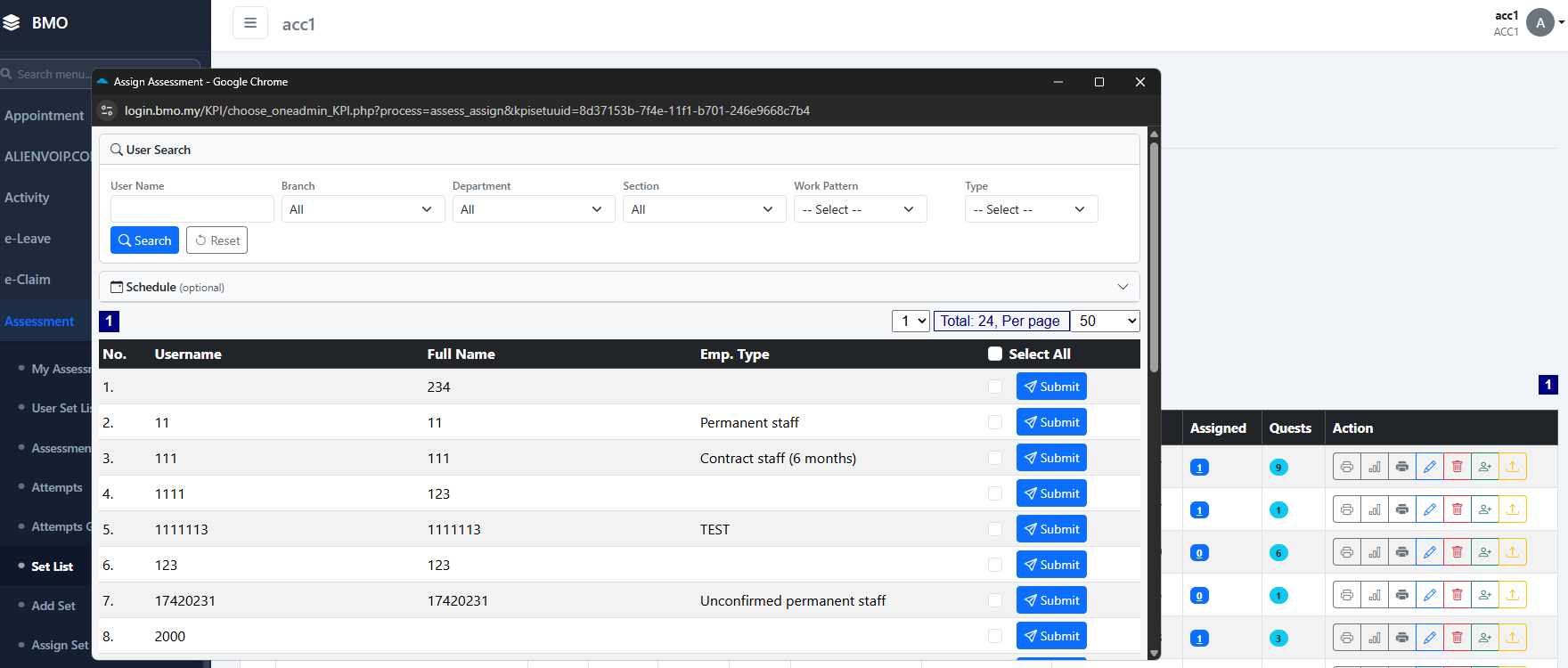
HRM.my employee assessment assignment
Assign employeesChoose the employees who should complete each assessment set.
HRM.my employee My Assessment page
Employee self-serviceEmployees access their assigned assessments and completion information online.
HRM.my assessment access period setup
Controlled assessment periodDefine the dates and times during which a set can be accessed.
HRM.my manual assessment marking screen
Manual markingReview written answers and award marks where evaluator judgement is required.
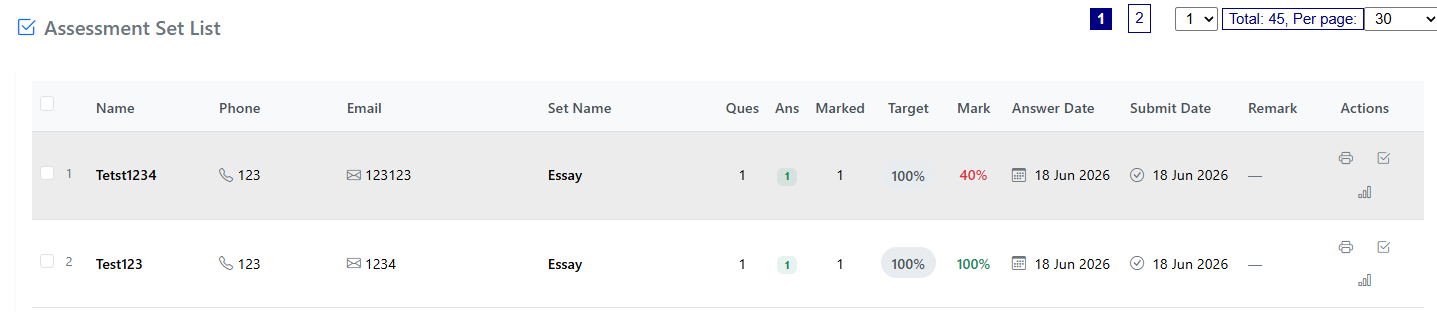
HRM.my assessment assigned user list
Participation trackingReview assigned users and progress from a central list.
HRM.my automatic assessment marking
Automatic markingAutomatically score supported answer formats for faster, consistent results.
HRM.my KPI role template seed
Seeded KPI templatesStart with role-based KPI templates and adapt them to the company’s evaluation framework.
HRM.my printable answered KPI assessment
Printable answered assessmentKeep a documented record of questions, employee answers and assessment results.
How it works

From question design to a documented performance review.

Reusable content and controlled assignments make recurring KPI and training assessments easier to administer consistently.

  1. 1
    Build the question bankCreate questions, categories and reusable assessment sets.
  2. 2
    Set access and participantsChoose employees or anonymous access and define the active assessment period.
  3. 3
    Collect and mark answersUse automatic scoring for supported questions and manual review for written responses.
  4. 4
    Review and documentTrack participation, discuss results and print completed assessment records.
Flexible subscription

Use this module on its own—or as part of a connected HRM platform.

Your company can begin with KPI & Assessment and add payroll, attendance, leave, claims, KPI or operational modules when required.

Individual moduleSubscribe only to the function your team needs now.
Connected packageCombine modules to reduce repeated data entry and handoffs.
Add as you growExpand the platform when your policies or workforce become more complex.
See this module in action

Build a clearer assessment process for training, KPI and employee development.

Tell us about your company and we’ll demonstrate the workflows that matter to your team.

Request a demonstration Start free trial