Attendance list by period
Review employee attendance across a selected date range with the information needed to identify exceptions.
Give HR and managers one place to review work-pattern expectations, recorded time, attendance status, locations and exceptions before the information is used for payroll or operational follow-up.
Subscribe to Attendance Summary on its own, or test it alongside the other HRM.my modules. Our team prepares the setup with you before the trial starts.
Tell us where to reach you and we’ll set up your 2-month free trial or arrange a live demonstration.
Attendance Summary brings together the configuration and evidence behind each result, giving HR a more useful view than a simple clock-in list.
Review employee attendance across a selected date range with the information needed to identify exceptions.
Compare recorded attendance against weekly, biweekly, monthly or scheduled work expectations.
Apply the correct work pattern by employee type so different teams can be reviewed against different rules.
Identify missing time, lateness, absence and incomplete records that require HR or manager action.
Include configured work locations and supported mobile location evidence in attendance review.
Use company holidays and events to explain non-working days and schedule changes.
Open detailed time entries when the summary requires verification or correction.
Configure recurring attendance reports for the recipients and delivery schedule the business requires.
Prepare attendance information in a clear format for review, record keeping and payroll preparation.
These screenshots come from the HRM.my application and correspond to the capabilities described above. Select an image to view it at full size.
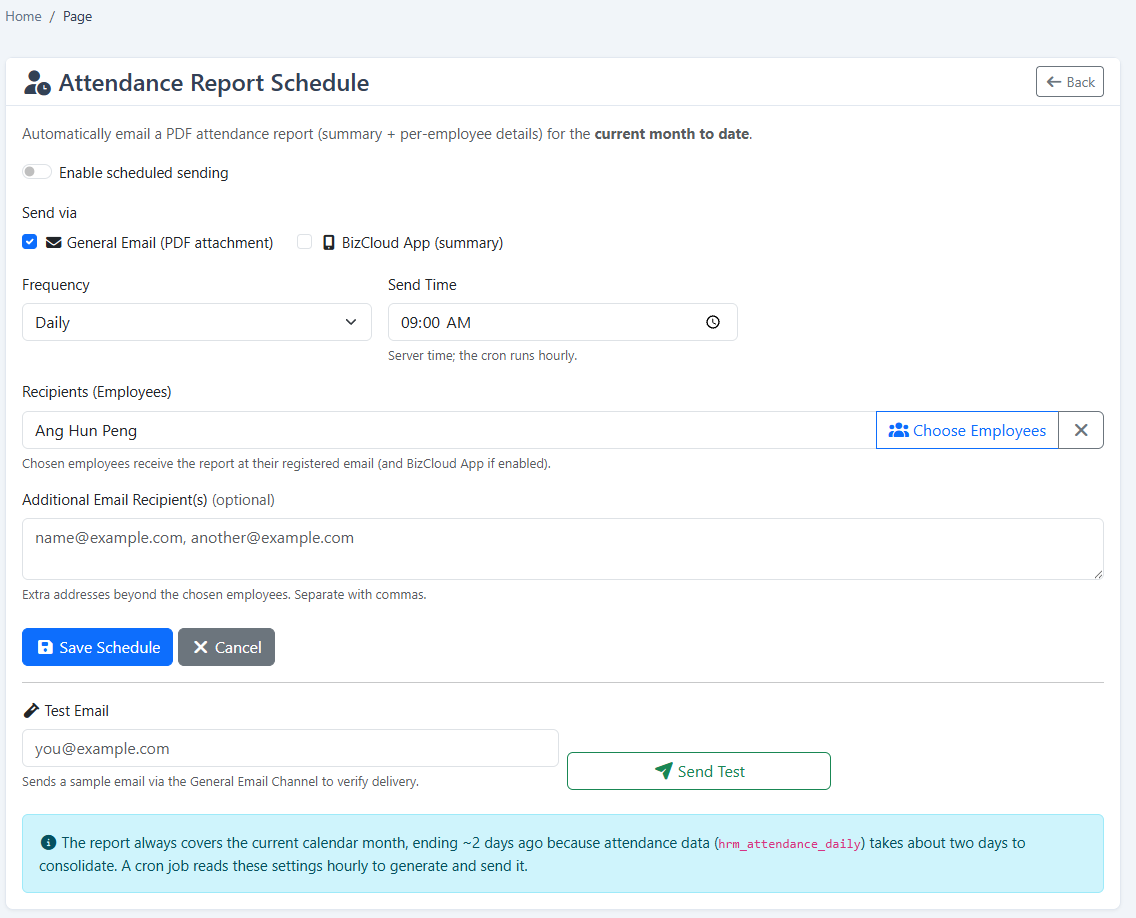
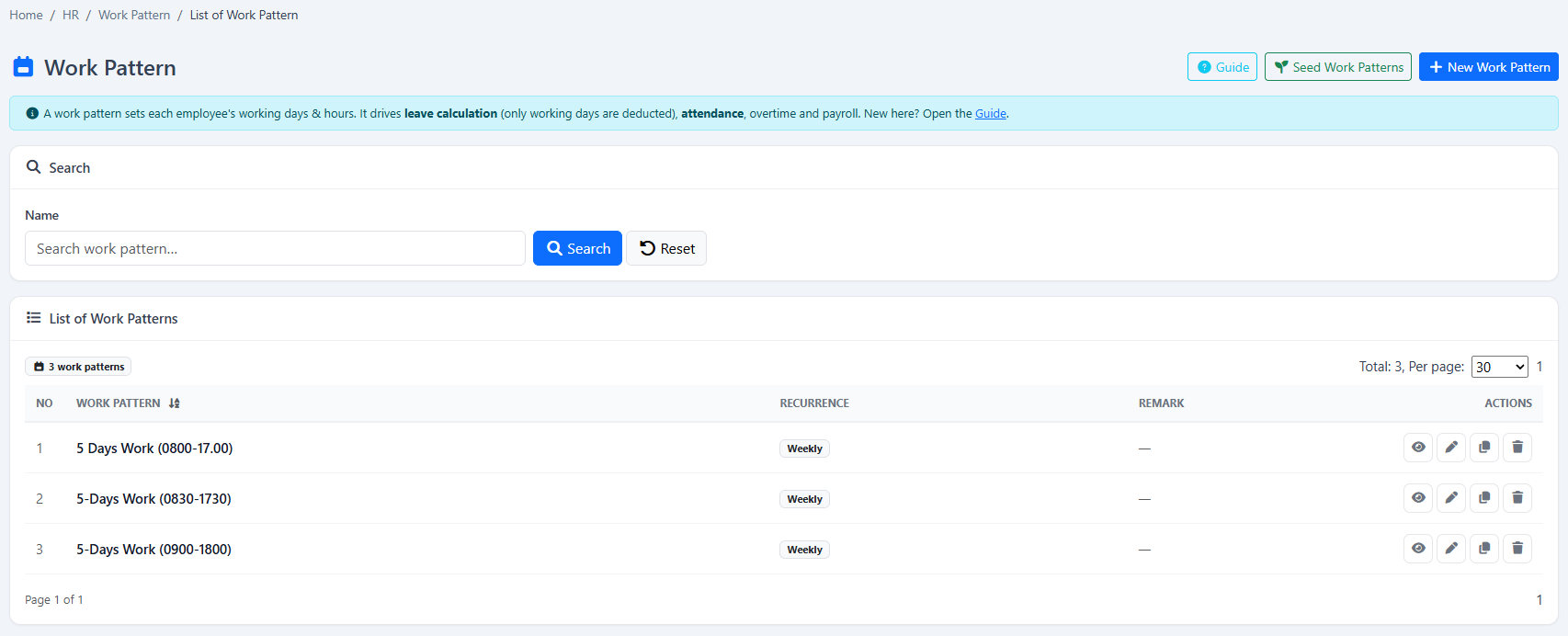
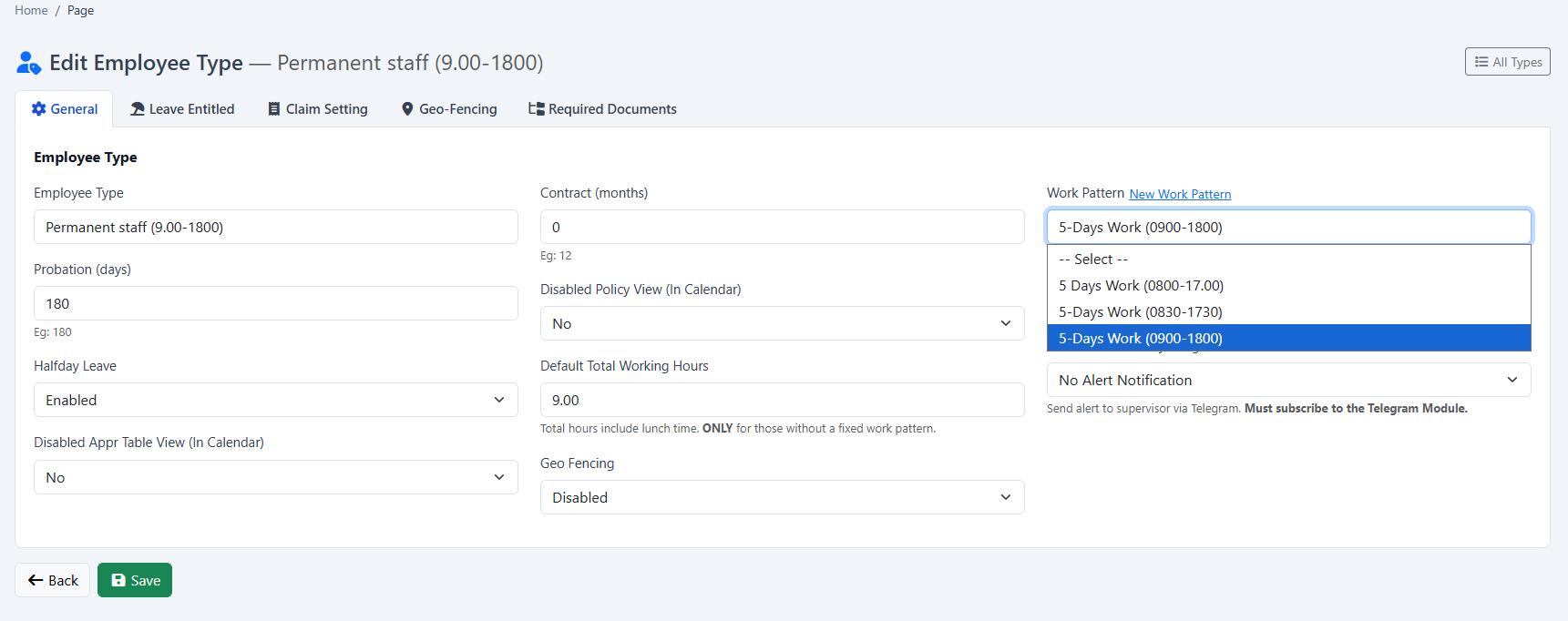
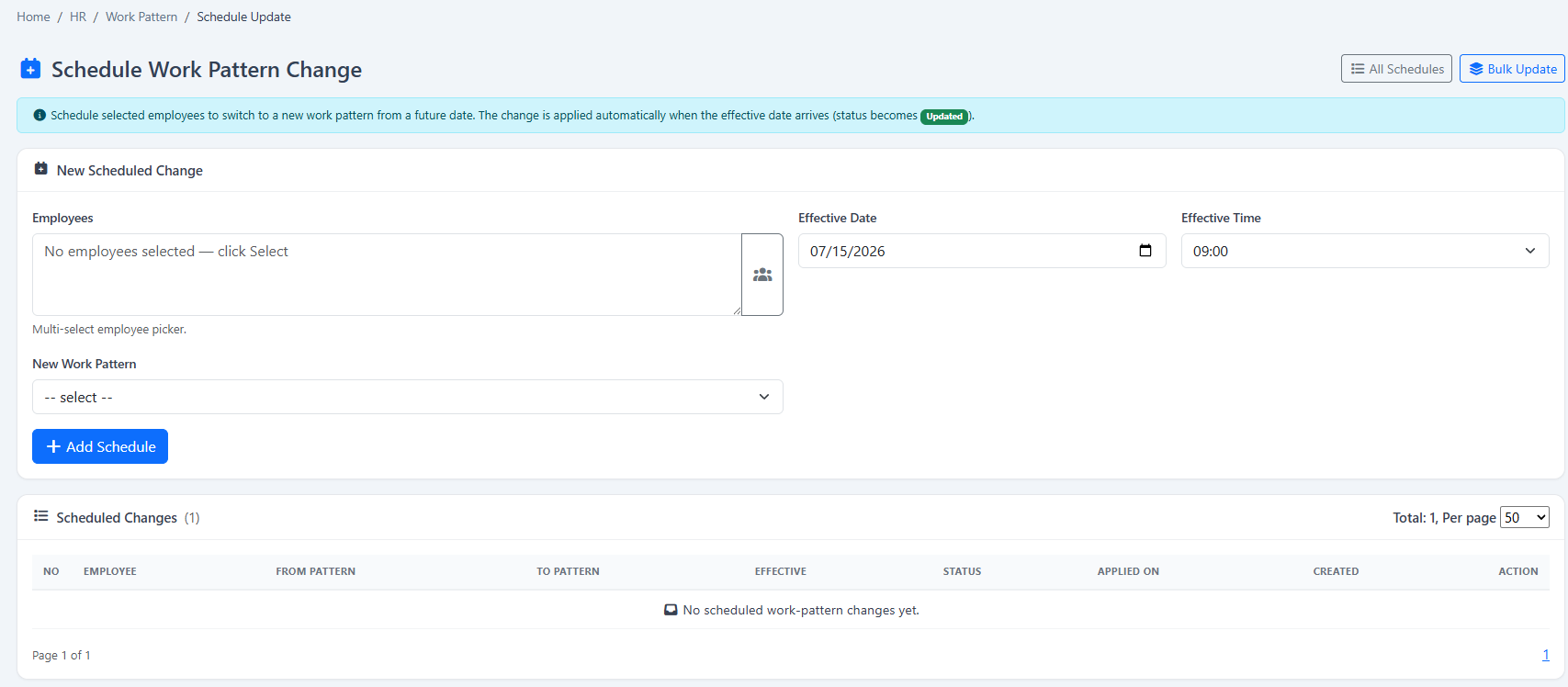
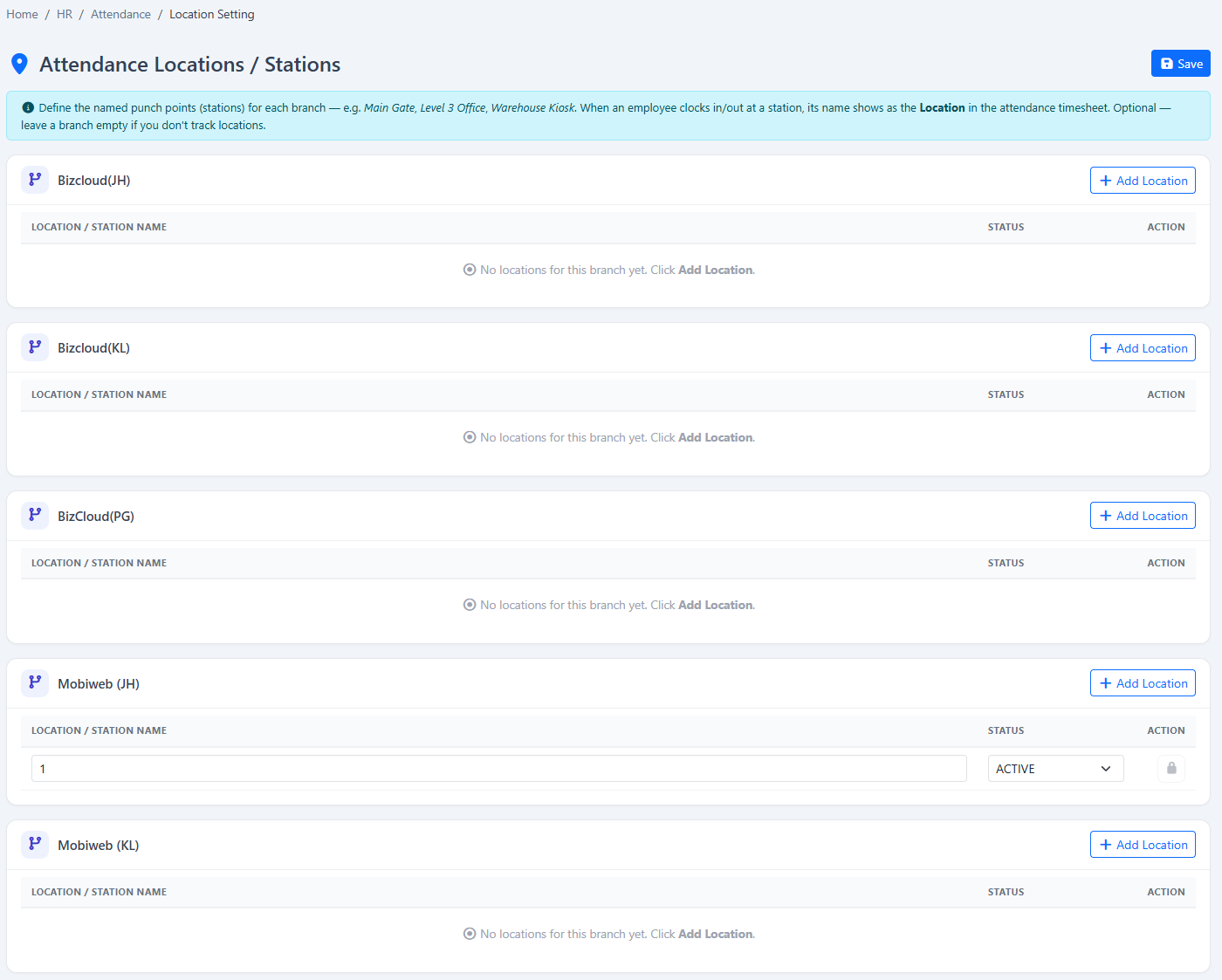
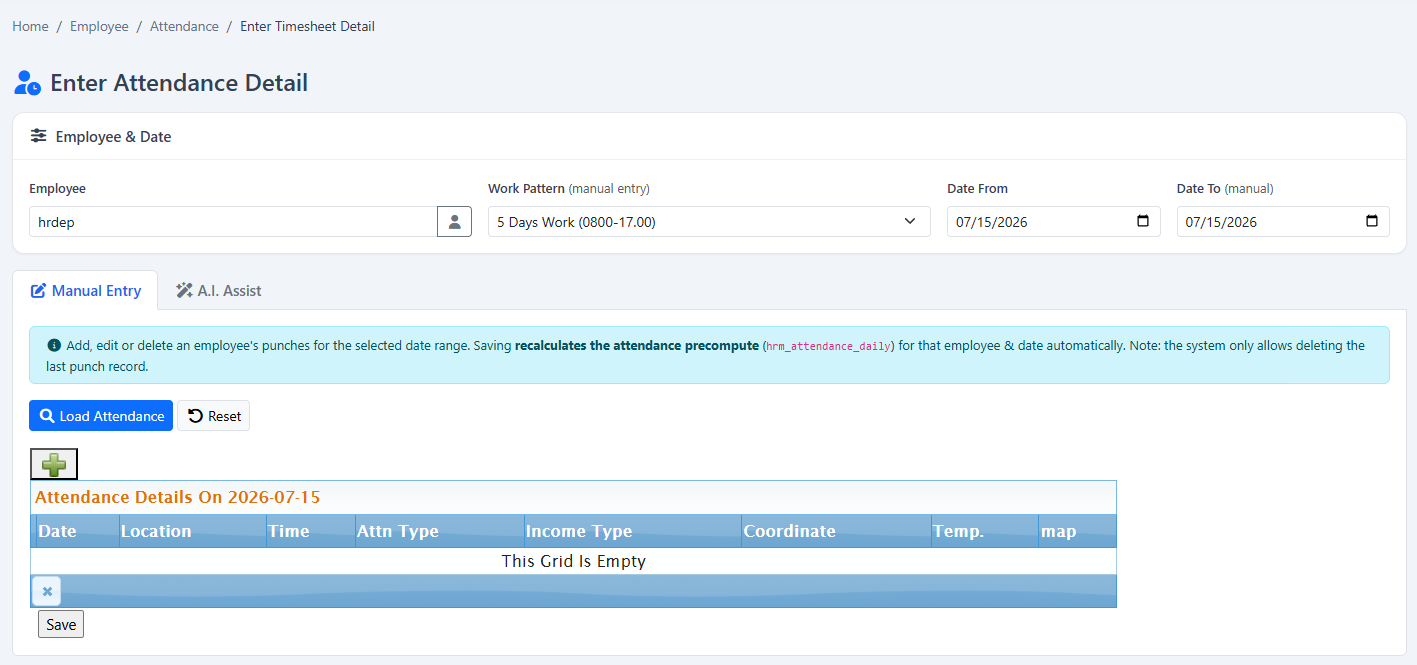
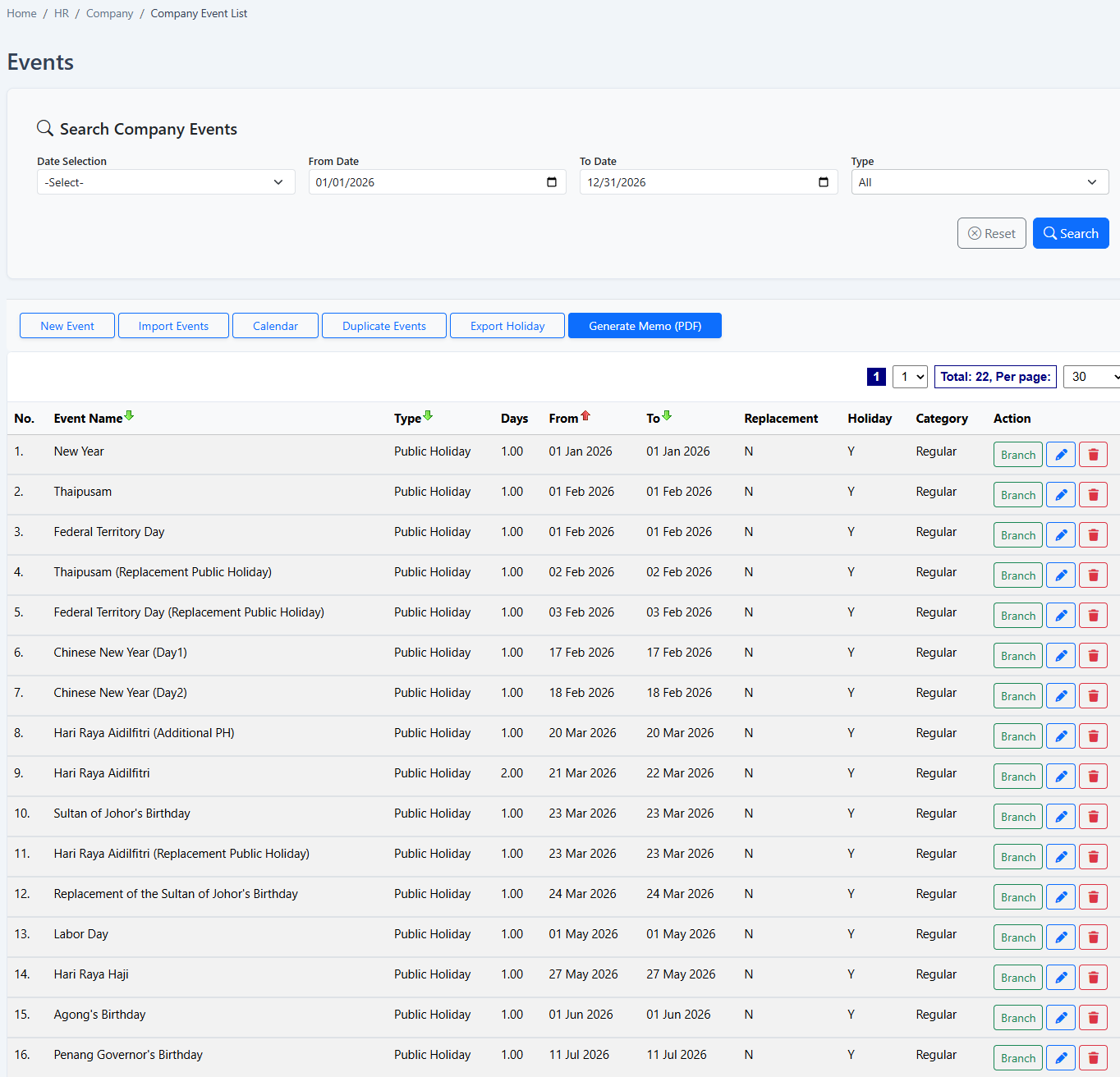
Configured schedules and daily records work together to show whether follow-up is needed.
Your company can begin with Attendance Summary and add payroll, attendance, leave, claims, KPI or operational modules when required.
Tell us about your company and we’ll demonstrate the workflows that matter to your team. Your 2-month free trial includes guided setup and data preparation help.
Tell us where to reach you and we’ll set up your 2-month free trial or arrange a live demonstration.