Choose your release period
Split the annual amount into periods of 1, 2, 3, 4, 6 or 12 months. Periods always start from January.
Give each employee type an annual budget for each claim type. Split it into periods, choose whether unused balance carries forward and stop over-budget claims before they reach an approver.
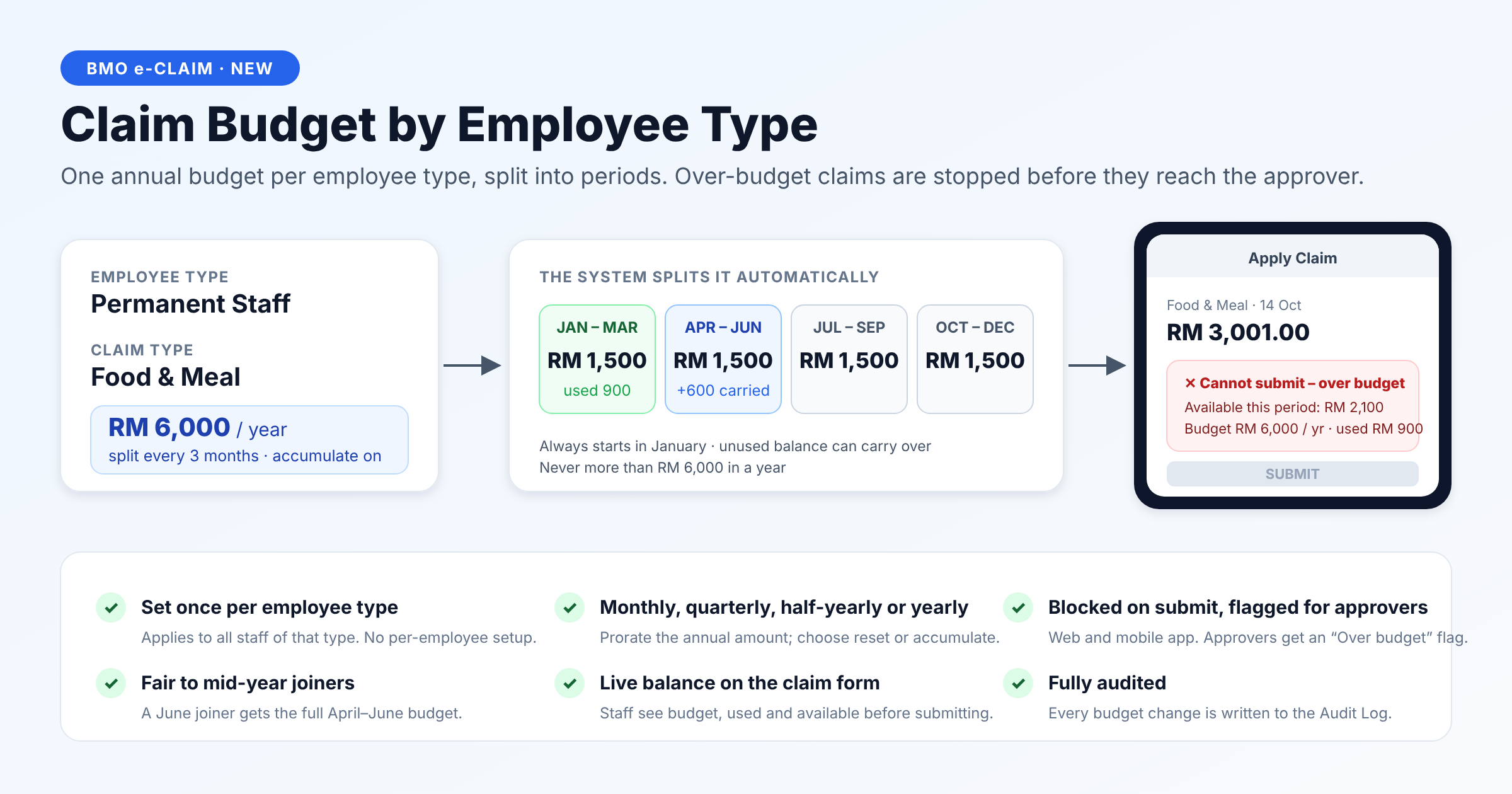
For Permanent Staff with a Food & Meal budget of RM6,000, choose a three-month period and enable Accumulate. If RM900 is used in January–March, the unused RM600 carries into April–June.
Permanent Staff · Food & Meal
January, April, July and October
RM1,500 + RM600 carried forward
Split the annual amount into periods of 1, 2, 3, 4, 6 or 12 months. Periods always start from January.
Enable Accumulate to carry unused balance into the next period within the same year. Disable it to reset each period. The annual cap still applies, and balances reset on 1 January.
Employees see the budget, used amount and available amount on the claim form. A claim above the available balance cannot be submitted on web or mobile.
Employees receive the full allocation for the period they join. A June joiner on a quarterly plan receives the full April–June allocation.
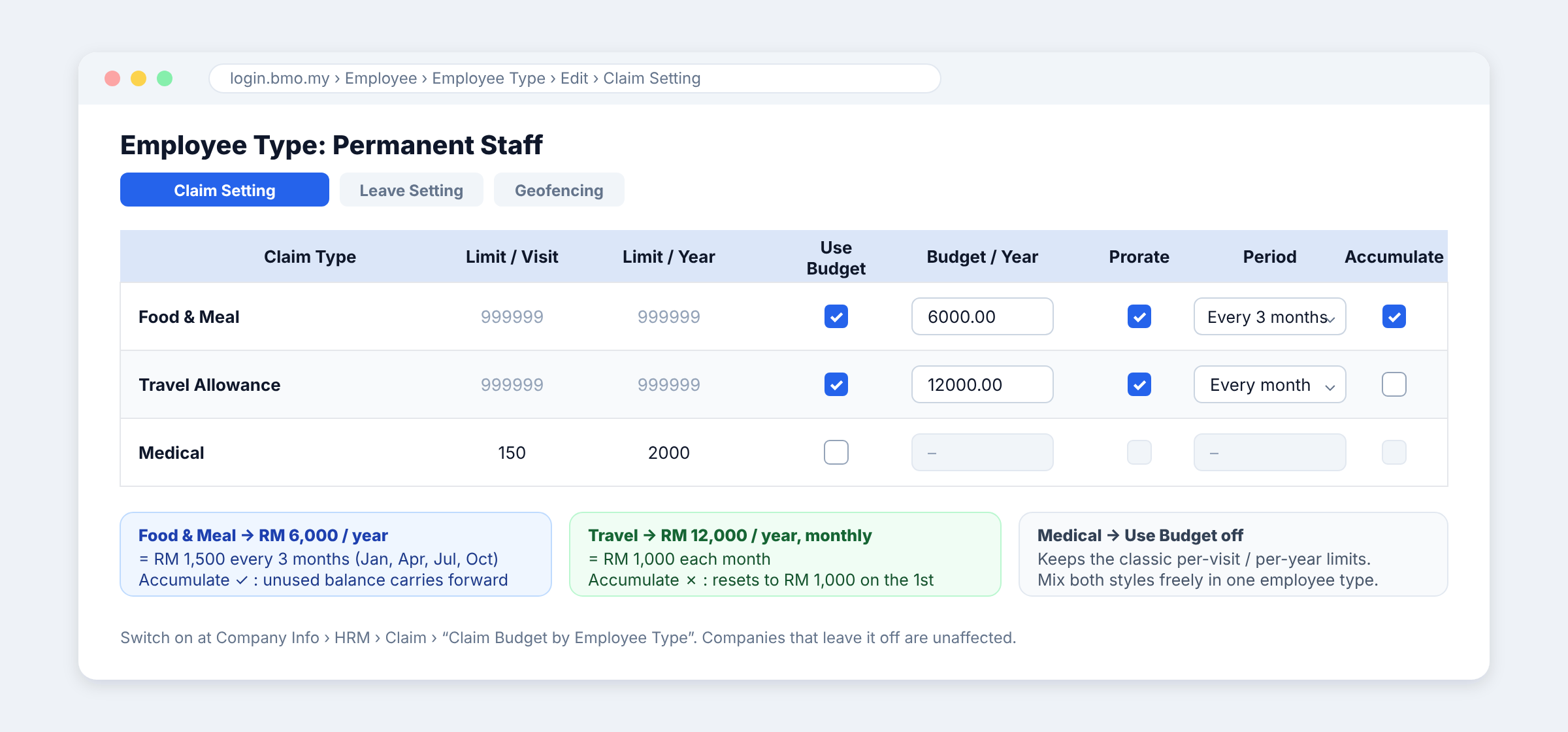
Use budget rules for selected claim types and retain classic per-visit and per-year limits for others. Companies that leave the feature disabled keep their existing behaviour.
Budget-rule changes are recorded in the Audit Log. Approvers see an “Over budget” flag if a later edit causes a claim to exceed its budget.
Enable the feature for your company, then configure the rules once for each employee type.
Each feature is switched on separately per company. Ask our team if you need help matching the settings to your policy.
Ask about your setupGo to Company Info › HRM › Claim and set “Claim Budget by Employee Type” to Yes.
Open Employee › Employee Type › Claim Setting. Tick Use Budget for the relevant claim type, enter Budget/Year, choose the Period and set Prorate and Accumulate to match your policy.
Employees of that type are covered from their next claim. Check the displayed budget, used amount and available balance with a representative employee.
No. Configure the budget on the Employee Type and it applies to employees of that type. When an employee moves to another type, the applicable budget follows the new type.
No. Accumulate carries unused amounts forward only within the current year, subject to the annual cap. Everything resets on 1 January.
Yes. Configure each employee type and claim type separately. For example, RM12,000 a year for travel can become RM1,000 each month, while RM6,000 for meals becomes RM1,500 each quarter.
No. Enable the company setting, then choose Use Budget only for the claim types you want to budget. Other claim types can continue using their classic limits.
Show us your budget and approval requirements. We’ll walk you through the eClaim setup.